250
8. REAR SEAT ENTERTAINMENT SYSTEM OPERATION
LS460_600h_Navi_U
3. VIDEO CD
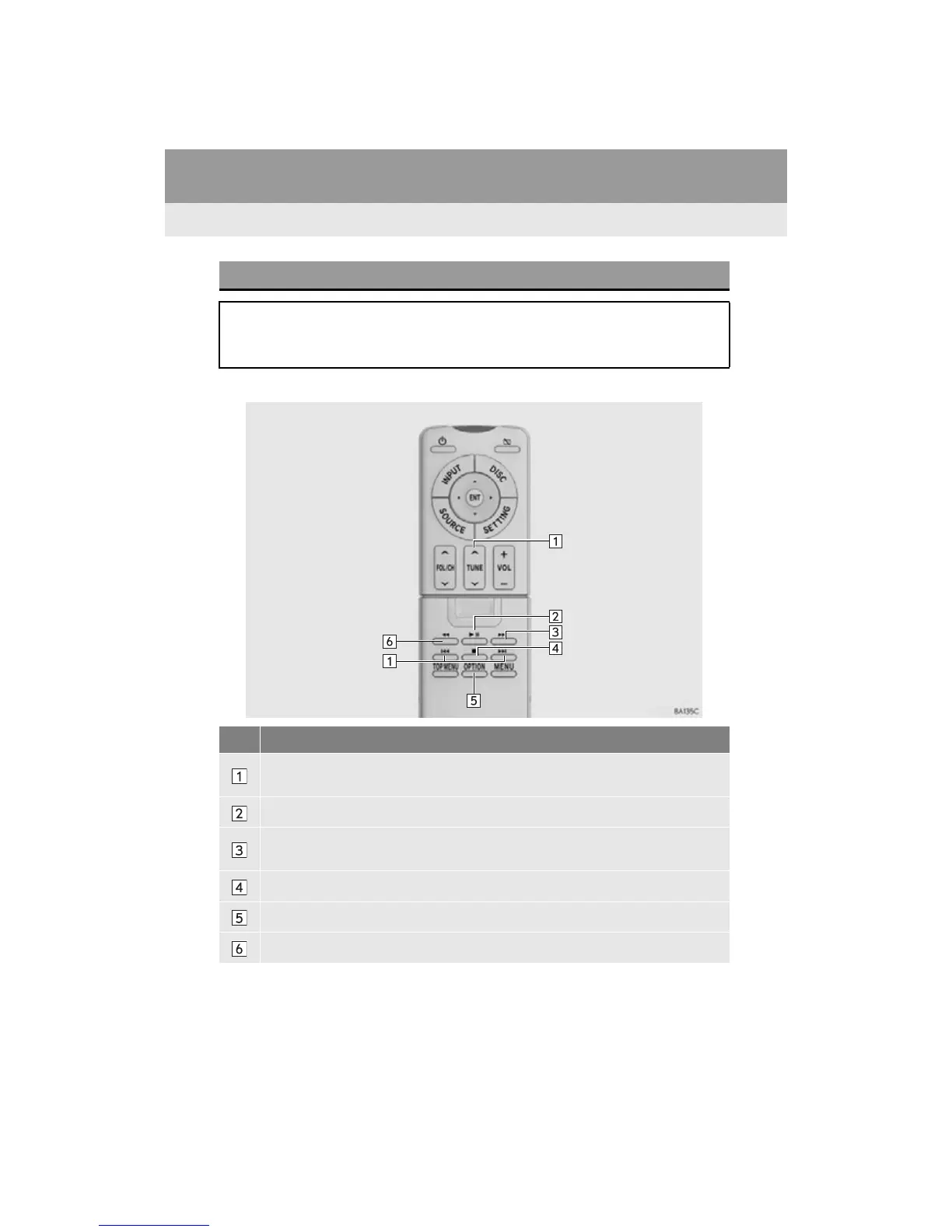
■ REMOTE CONTROLLER
OVERVIEW
The disc operation screen can be reached by the following methods:
Press the “SOURCE” button, and select “Rear-DISC”.
Inserting a disc (P.239)
No. Function
Press to select a track.
Press and hold to fast forward/rewind.
Press to play/pause.
During playback: Press to fast forward.
During a pause: Press to slow forward.
Press to stop.
Press to display the option screen. (P.251)
Press and hold to fast rewind.












 To Next Page