118
3. ROUTE GUIDANCE
LS460_600h_Navi_U
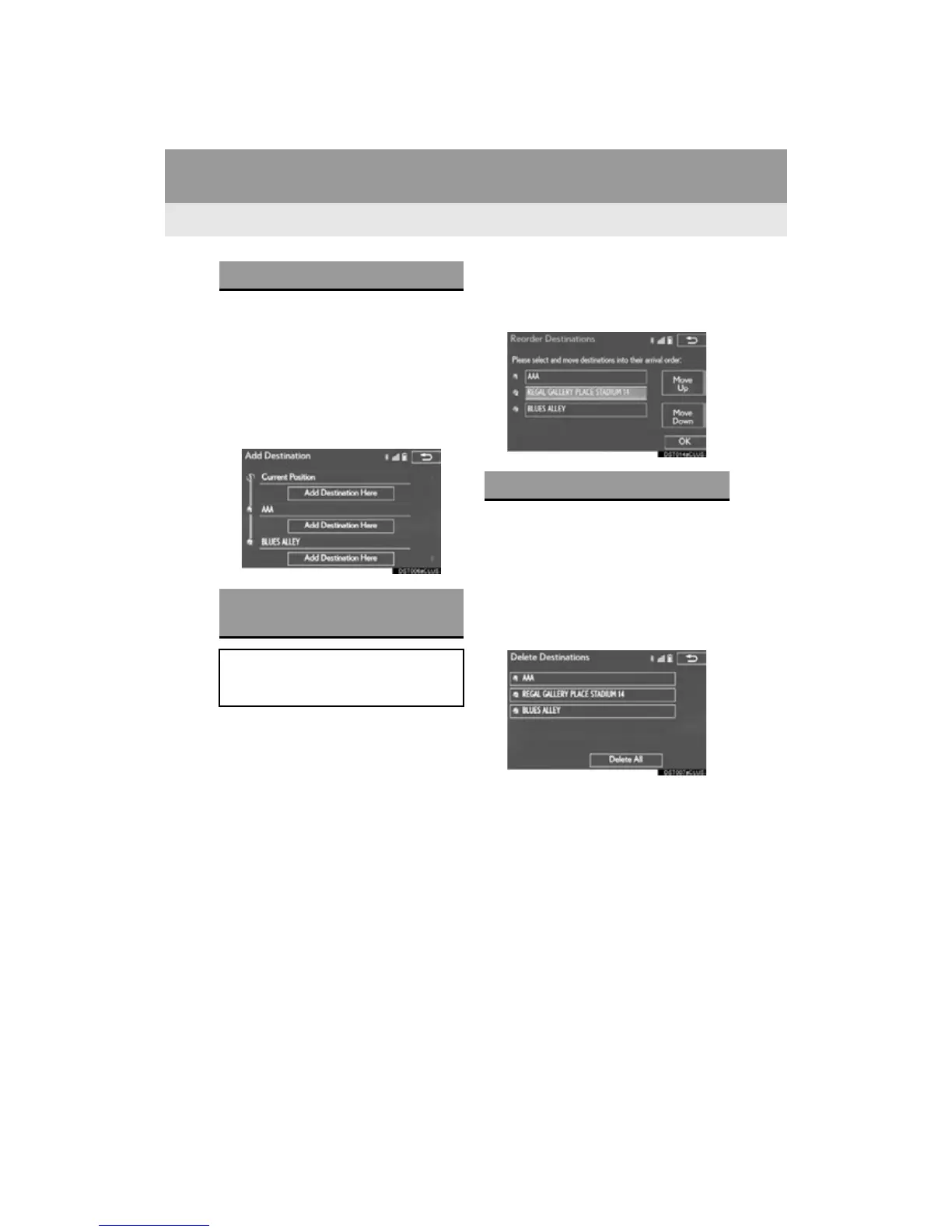
1 Display the “Route” screen. (P. 117)
2 Select “A d d ” .
3 Search for an additional destination in
the same way as a destination search.
(P. 93)
4 Select “Add Destination Here” to insert
the new destination into the route.
1 Display the “Route” screen. (P. 117)
2 Select “Reorder”.
3 Select the desired destination and se-
lect “Move Up” or “Move Down” to
change the arrival order. Then select
“OK”.
1 Display the “Route” screen. (P. 117)
2 Select “Delete”.
3 Select “Yes” when the confirmation
screen appears.
When more than 1 destination has been set,
a list will be displayed on the screen. Select
the item(s) to be deleted.
“Delete All”: Select to delete all destina-
tions on the list.
If more than 1 destination has been set, the
system will recalculate the route(s) to the
set destination(s) as necessary.
ADDING DESTINATIONS
REORDERING
DESTINATIONS
When more than 1 destination has been
set, the arrival order of the destinations
can be changed.
DELETING DESTINATIONS












 To Next Page