138
5. SETUP
LS460_600h_Navi_U
1 Display the “Traffic Settings” screen.
(P. 137)
2 Select “Avoid Traffic”.
3 Select the desired item.
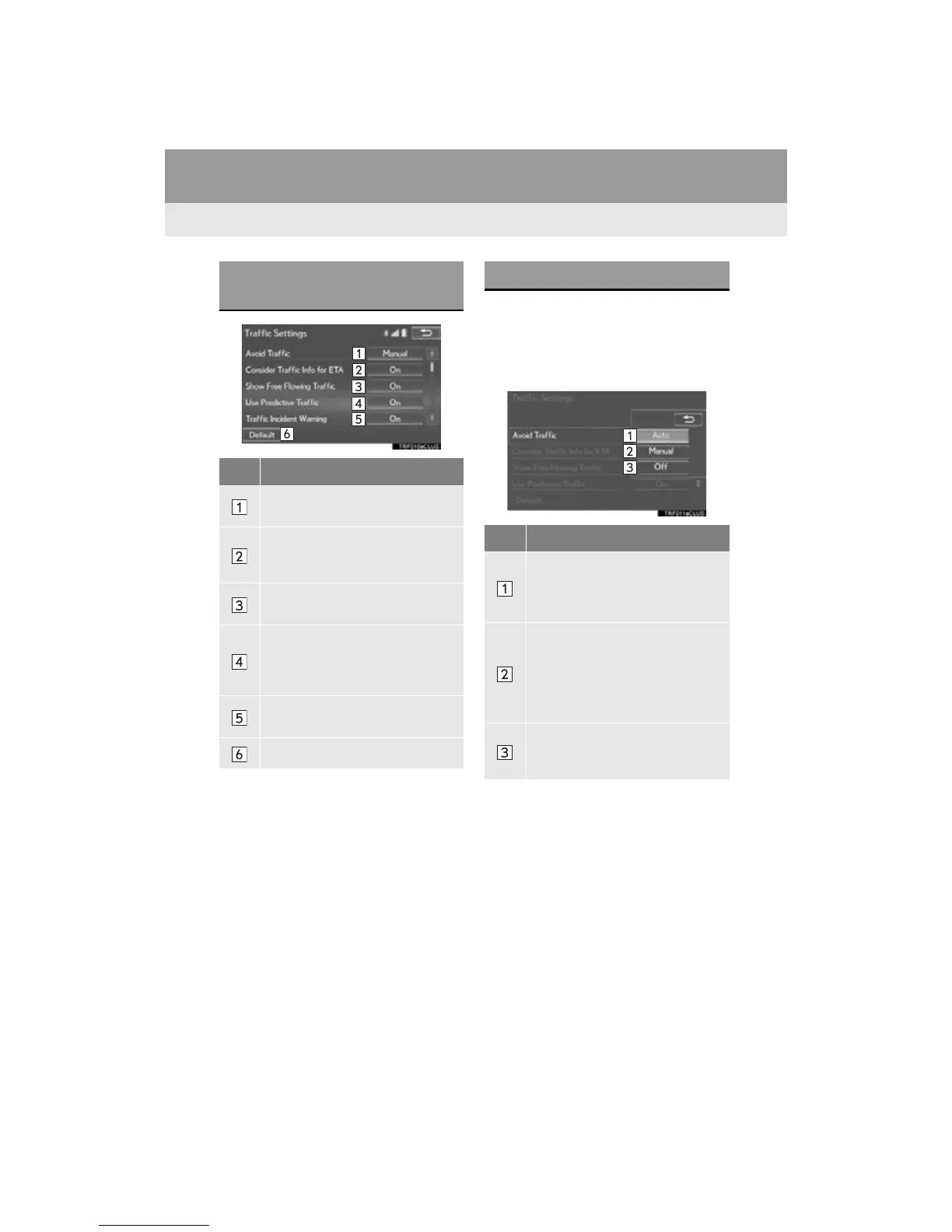
SCREEN FOR TRAFFIC
SETTINGS
No. Function
Select to set the avoid traffic function
auto/manual. (P. 138)
Select to set the usage of traffic infor-
mation for the estimated arrival time
on/off.
Select to set the display of an arrow
of free flowing traffic on/off.
Select to set to on/off whether to
consider the predictive traffic infor-
mation (P. 91) with estimated ar-
rival time and detoured route search.
Select to set traffic incident voice
warning on/off.
Select to reset all setup items.
AUTO AVOID TRAFFIC
No. Function
Select to automatically change
routes when congestion information
of the guidance route has been re-
ceived.
Select to select manually whether or
not to change routes when conges-
tion information of the guidance
route has been received. In this
mode, a screen will appear to ask if
you wish to reroute.
Select to not reroute when conges-
tion information for the guidance
route has been received.












 To Next Page