256
8. REAR SEAT ENTERTAINMENT SYSTEM OPERATION
LS460_600h_Navi_U
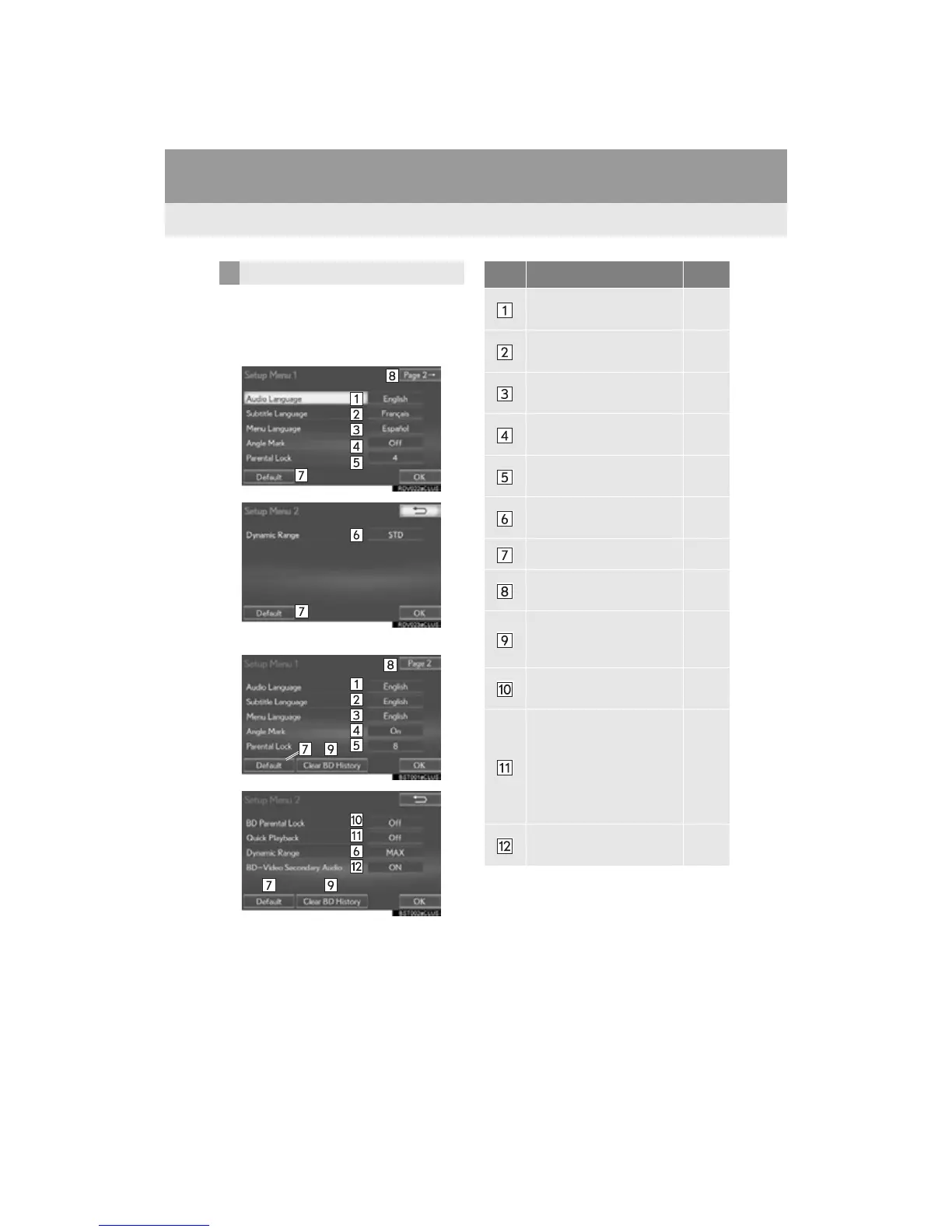
1 Select “Setup”.
2 Select the items to be set.
When “DISC” is selected
When “Rear-DISC” is selected
3 Select “OK”.
INITIAL SETUP No. Function Page
Select to change the initial
audio language.
257
Select to change the initial
subtitle language.
257
Select to change the initial
language of the disc menu.
257
Select to set the angle mark
on/off.
Select to set the parental
lock.
257
Select to set a dynamic
range.
257
Select to initialize all menus.
Select to display the second
page.
BD history data such as
bookmarks and resume
point can be deleted.
Select to set the restriction
age.
257
Select to set a quick play-
back. (BD-Video)
After inserting a BD disc
you can skip over to the first
playback point and can im-
mediately playback the
main story.
Select to set the BD-Video
secondary audio.












 To Next Page