284
8. REAR SEAT ENTERTAINMENT SYSTEM OPERATION
LS460_600h_Navi_U
1 Press the “OPTION” button.
2 Check that the following screen is dis-
played.
■ PICTURE SETTINGS SCREEN
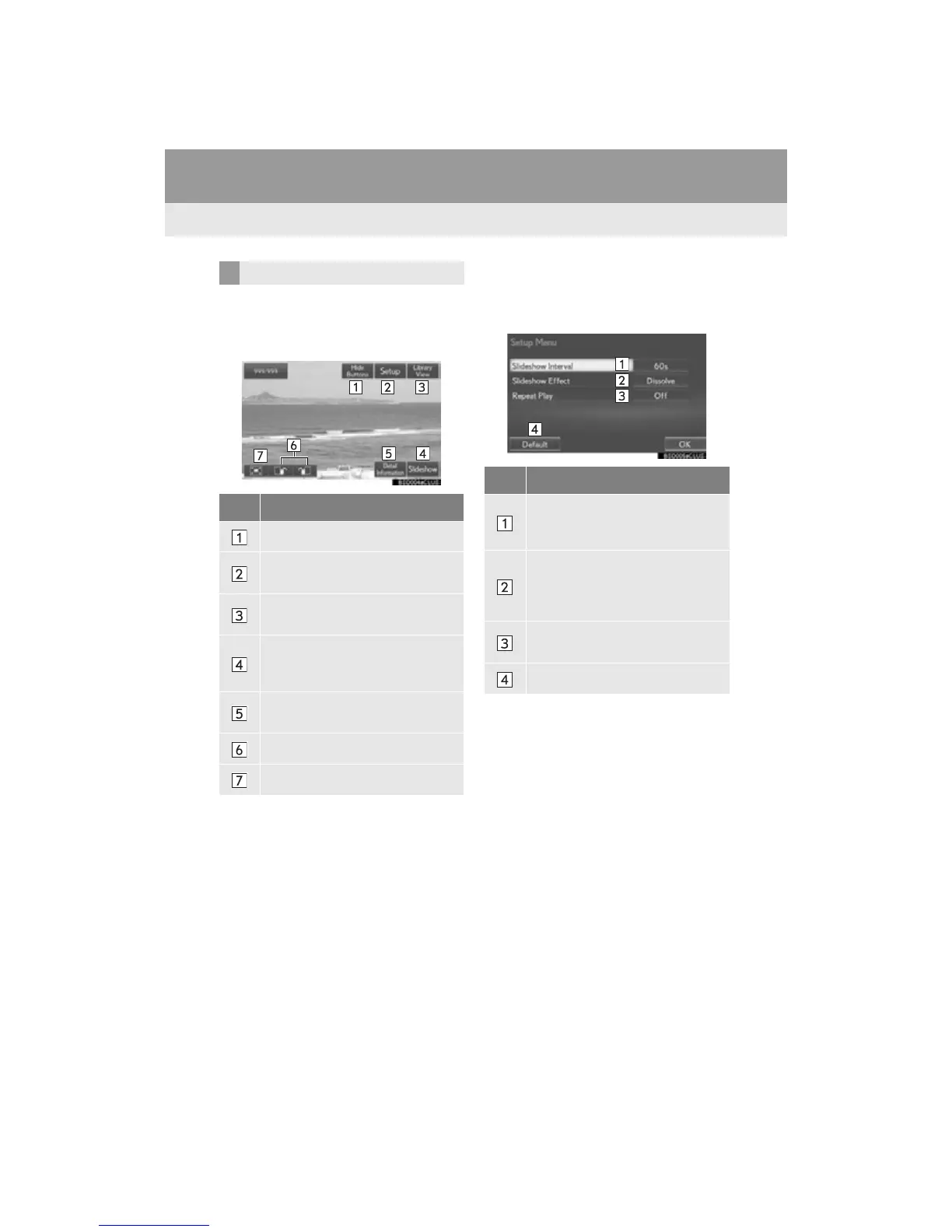
1 Select “Setup”.
2 Select the items to be set.
3 Select “OK”.
OPTION SCREEN
No. Function
Select to turn off the option screen.
Select to start the slide show settings.
(P.284)
Select to display the picture list
screen.
Select to start a slideshow.
To end the slideshow, press the
“OPTION” or “ENT” button.
Select to display the current still pic-
ture information.
Select to rotate the still picture.
Select to zoom on the still picture.
No. Function
Select to set slideshow interval time.
“5s” “10s” “15s” “30s”
“60s”
Select to set slideshow effect.
“Fade” “Slide” “Wipe1”
“Wipe2” “Dissolve” “Zoom”
“OFF”
Select to set repeat of the slideshow
on/off.
Select to restore the default settings.












 To Next Page