61
3. OTHER SETTINGS
LS460_600h_Navi_U
BASIC FUNCTION
2
1 Display the “General Settings” screen.
(P. 57)
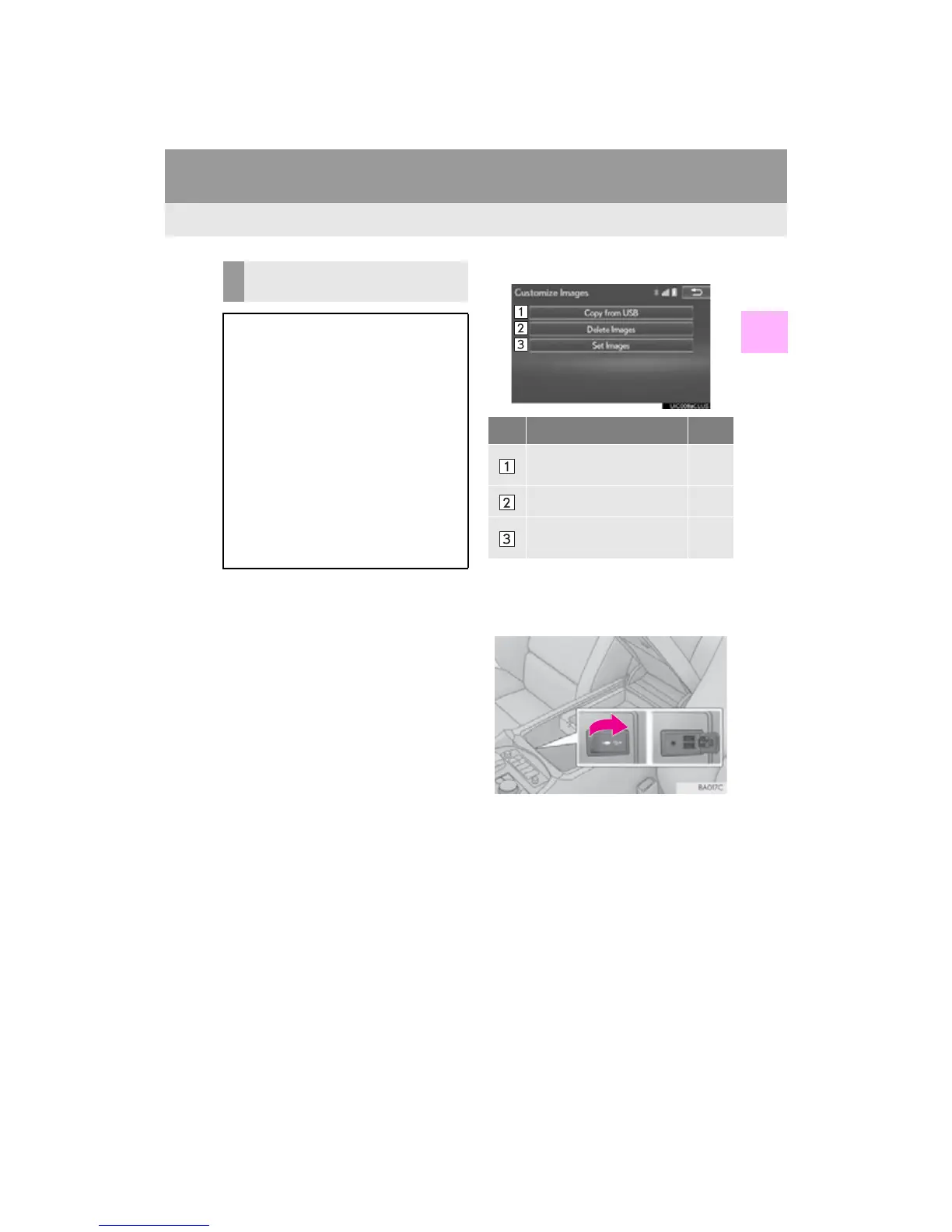
2 Select “Customize Images”.
3 Select the items to be set.
■ TRANSFERRING IMAGES
1 Open the console box, then open the
cover and connect a USB memory.
Turn on the power of the USB memory if it
is not turned on.
CUSTOMIZING THE STARTUP
AND SCREEN OFF IMAGES
An image can be copied from a USB
memory and used as the startup and
screen off Images.
One of 3 built-in movies can also be set
as the startup image.
When the engine <power> switch is
turned to ACCESSORY or IGNITION
ON <ON> mode, the initial screen (star-
tup image) will be displayed. (P. 30)
When “Screen Off” on the “Display”
screen is selected, the screen is turned
off and the desired screen off image that
is set is displayed. (To turn the screen off:
P. 38)
No. Function Page
Select to copy images from
a USB memory.
61
Select to delete images. 63
Select to set an image as the
startup or screen off image.
63












 To Next Page