315
4-5. Using the driving support systems
4
Driving
LS460_EE (OM50D49E)
Once the vehicle width extension guide lines and the parking
space lines are parallel, straighten the steering wheel and back
up slowly until the vehicle has completely entered the parking
space.
Stop the vehicle in an appropriate place, and finish parking.
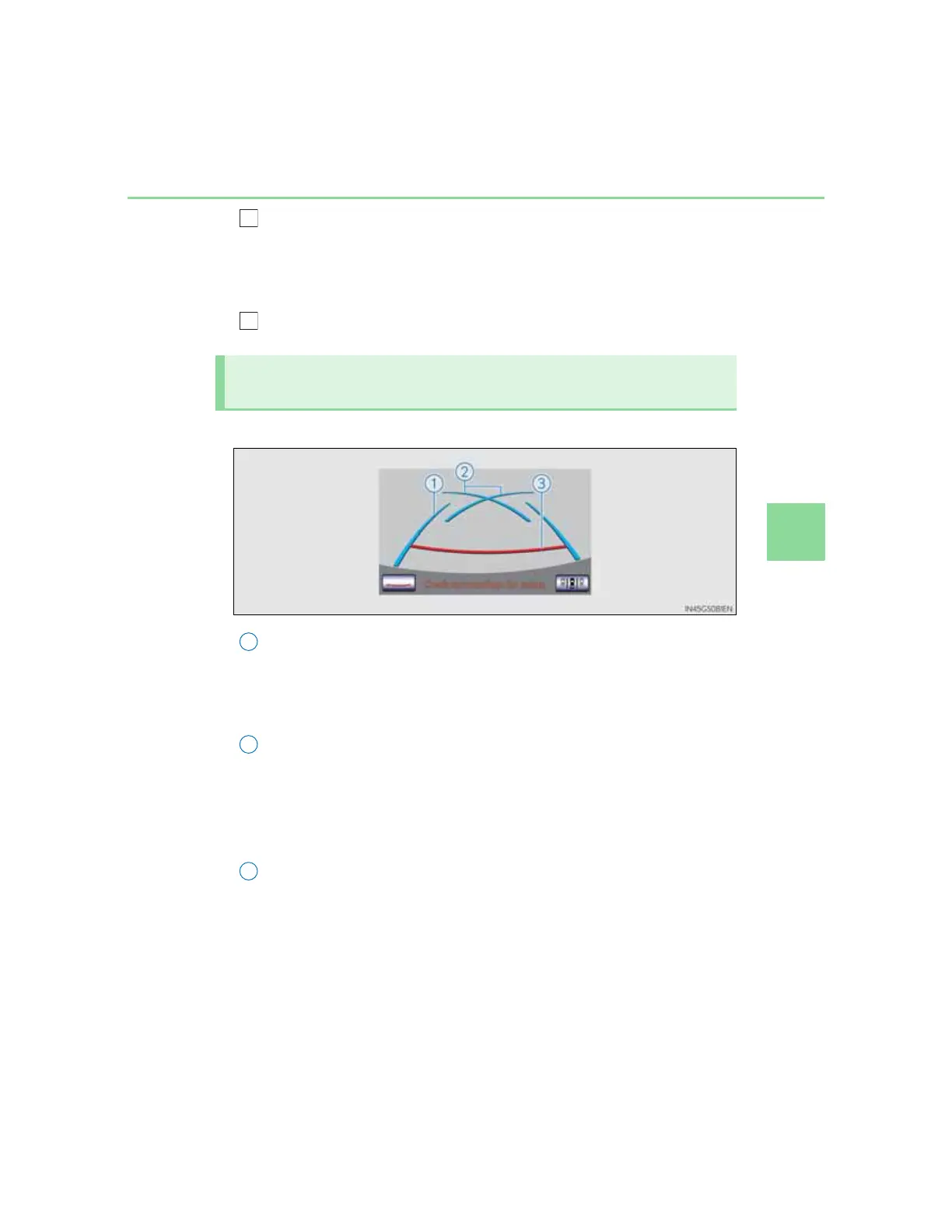
Screen description
Vehicle width extension guide lines
These lines indicate a guide path when the vehicle is being
backed straight up. The displayed width is wider than the
actual vehicle width.
Parking assist guide lines
These lines indicate the path of the smallest turn possible
behind the vehicle.
These lines also indicate the approximate position of the steer-
ing wheel when parking.
Distance guide line
This line (red) indicates points approximately 0.5 m (1.5 ft.)
behind the rear bumper of your vehicle.
Perpendicular parking (parking assist guide line display
mode)



 To Next Page