134
4-2. Radio operation
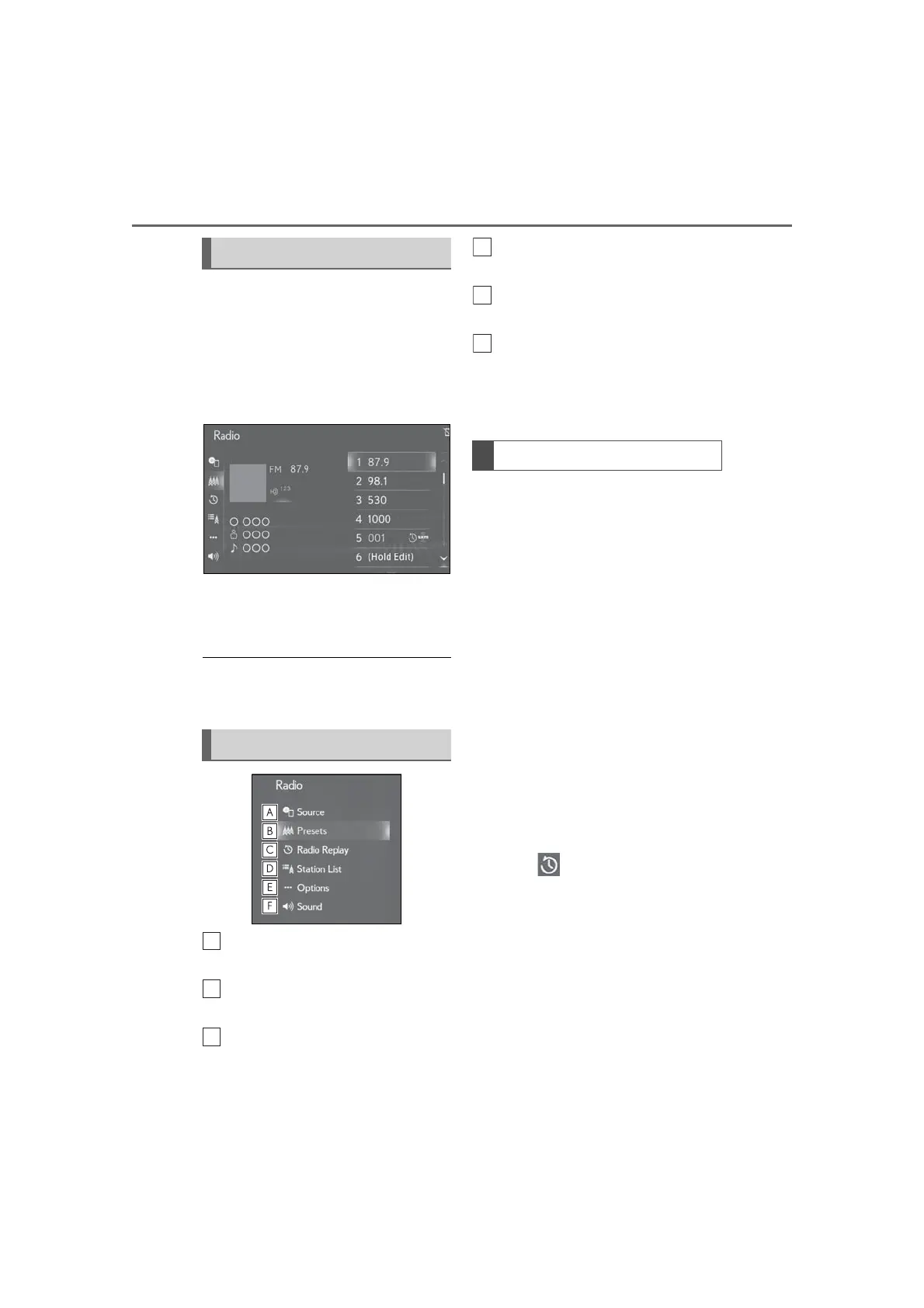
Radio mode has a mix preset function,
which can store up to 36 stations (6
stations per page x 6 pages) from any
of the AM, FM or SXM bands.
1 Tune in the desired station.
2 Select and hold “(Hold Edit)”.
To change the preset station to a dif-
ferent one, select and hold the pre-
set station.
● The number of preset radio stations dis-
played on the screen can be changed.
(P.162)
Select to display the audio source
selection screen. (P.127)
Select to display the preset station
screen.
Select to display the cache radio
control screen.
*
(P.134)
Select to display a list of receivable
stations. (P.135)
Select to display the radio options
screen. (P.136)
Select to display the sound setting
screen. (P.130)
*
: This function is not available on some
radio mode.
AM/FM
*
and SXM radio program can
be cached and played back in a
time-shifted manner.
*
: 12.3-inch display model
■ Automatic playback of the cache
If the radio broadcast is interrupted by
another audio output, such as an
incoming phone call, the system will
automatically cache the interrupted
portion and perform time-shift play-
back when the interruption ends. This
function is available when “Auto Pause”
is set to on. (P.136)
■ Playing back the cache manually
The broadcast cached in the program
cache can be played back manually.
1 Select “Radio Replay”
*1
or
“SXM Replay”
*2
on the sub menu.
*1
: 12.3-inch display model
*2
: 8-inch display model
Presetting a station
Sub menu
Caching a radio program



 To Next Page