12
ENG
ENGLISH
ASSEMBLING AND PREPARING
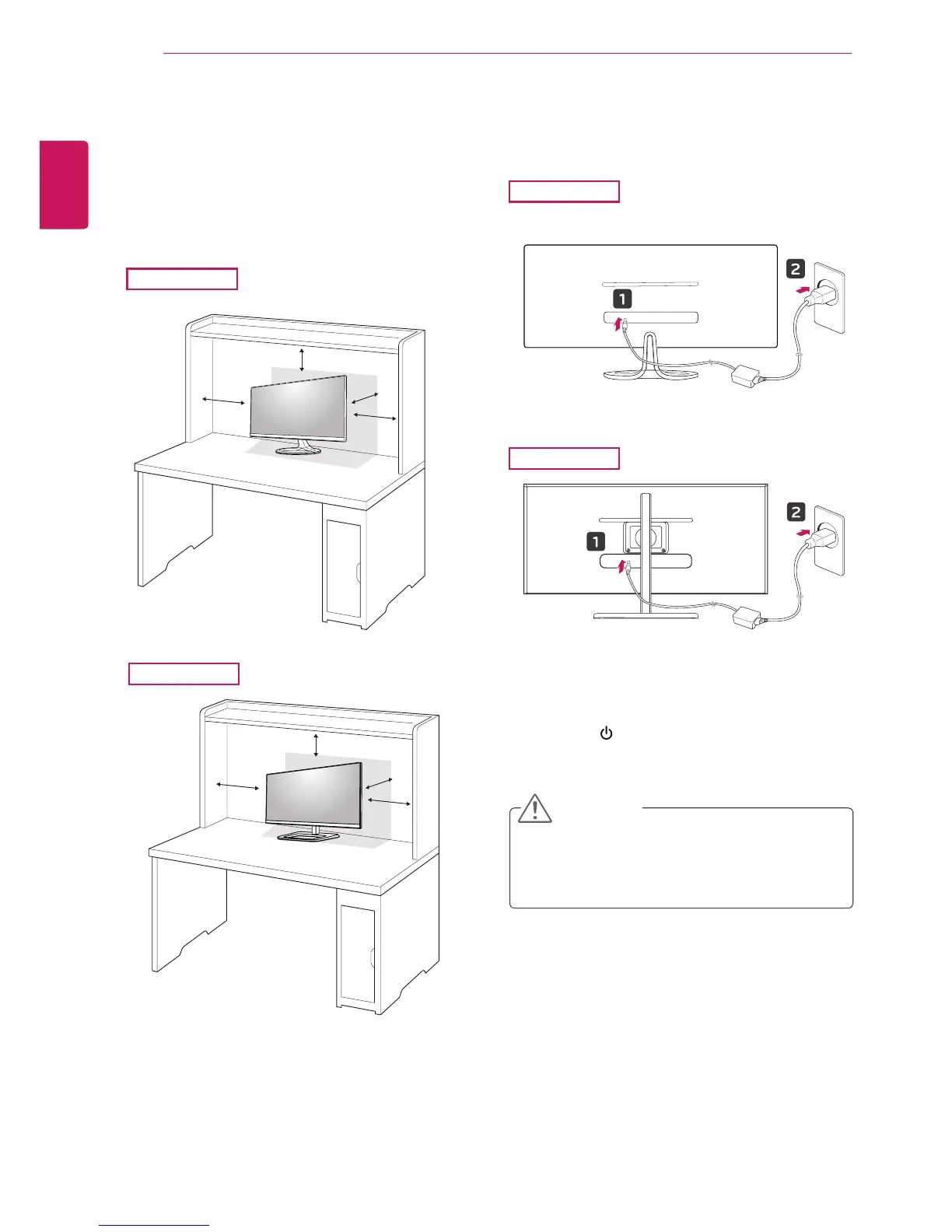
Installing onto a table
1
Liftthemonitorandplaceitonthetableinan
uprightposition.
Placeatleast10 cmawayfromthewallto
ensuresufficientventilation.
2
Connecttheadaptertothemonitor,thenplug
thepowercordintothepoweroutlet.
3
Pressthe (Power)buttononthebottomof
themonitortoturniton.
Unplugthepowercordpriortomovingor
installingthemonitor.Thereisriskofelectric
shock.
CAUTION
10cm
10cm
10cm
10cm
29EA73
29EA73
29EB73
29EB73
10 cm
10 cm
10 cm
10 cm



 To Next Page