28
ENG
ENGLISH
CUSTOMIZING SETTINGS
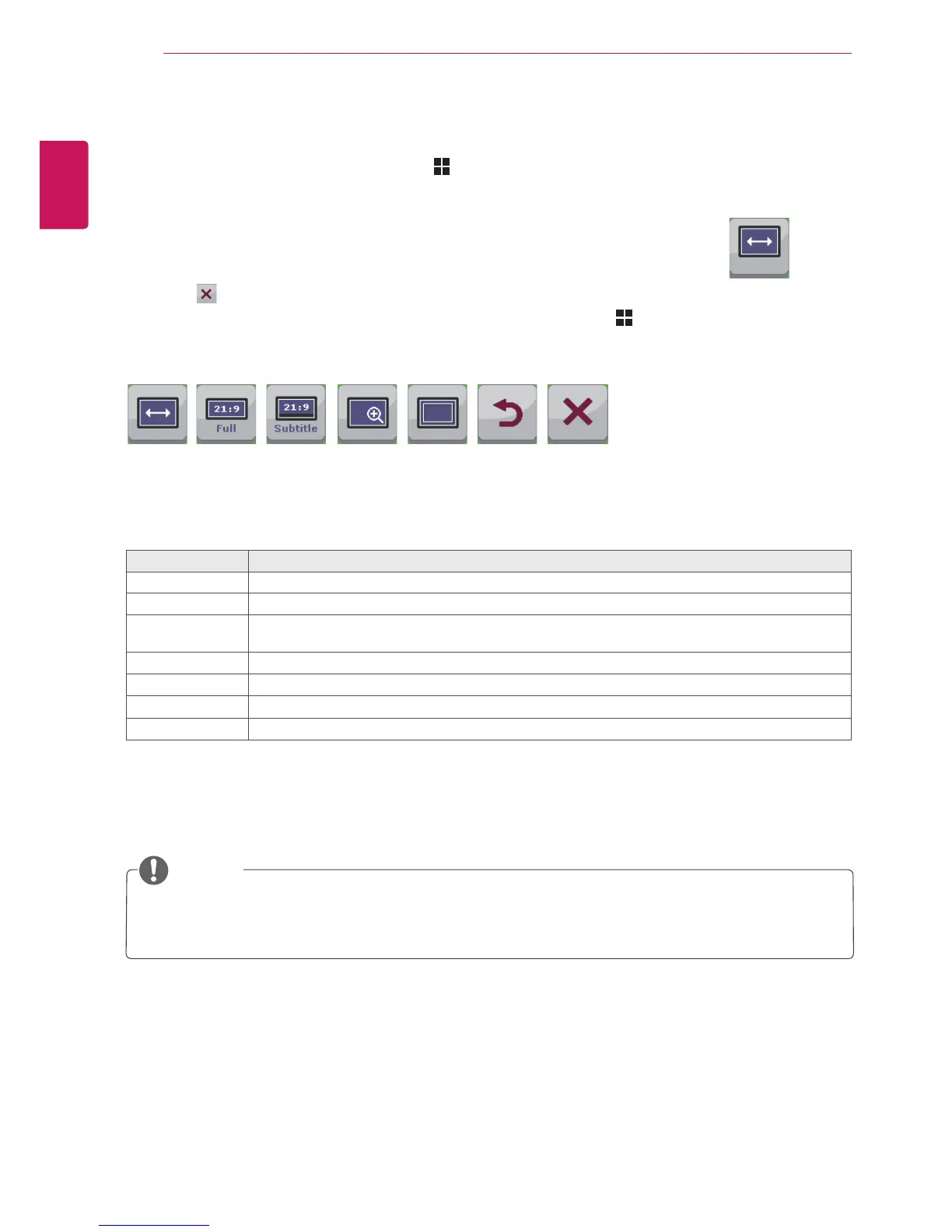
Eachoptionisdescribedbelow.
Menu > Ratio Description
Wide Displaysthevideoinwide-screen,regardlessofthevideosignalinput.
Cinema1 Enlargesthescreenwithanaspectratioof21:9.(at1080p)
Cinema2 Enlargesthescreenwithanaspectratioof21:9includingtheblackboxareaatthebottomfor
subtitles.(at1080p)
Original Displaysavideoaccordingtotheinputvideosignalaspectratio.
1:1
Theaspectratioisnotadjustedfromtheoriginal.
Back
MovestothepreviousOSDscreen.
Exit
ExitstheOSDmenu.
Ratio Settings
1
ToviewtheMenuOSD,presstheMenu( )buttonatthebottomofthemonitor.
2
Press<or>togotoRatio.
3
PressOK/PBPtoselectRatio.
4
Usethe<or>buttonstosettheoptions.
5
Select toexittheOSDmenu.
Toreturntotheuppermenuorsetothermenuitems,usetheMenu( )button.
Sub Menu
Wide Original 1:1Cinema1 Cinema2 Back Exit
Ratio
NOTE
ThedisplaymaylookthesameforWide,Originaland1:1optionsattherecommendedresolution
(2560x1080).
Theratioisdisabledintheinterlacedsignal.



 To Next Page