38
ENG
ENGLISH
PROPER POSTURE
PROPER POSTURE
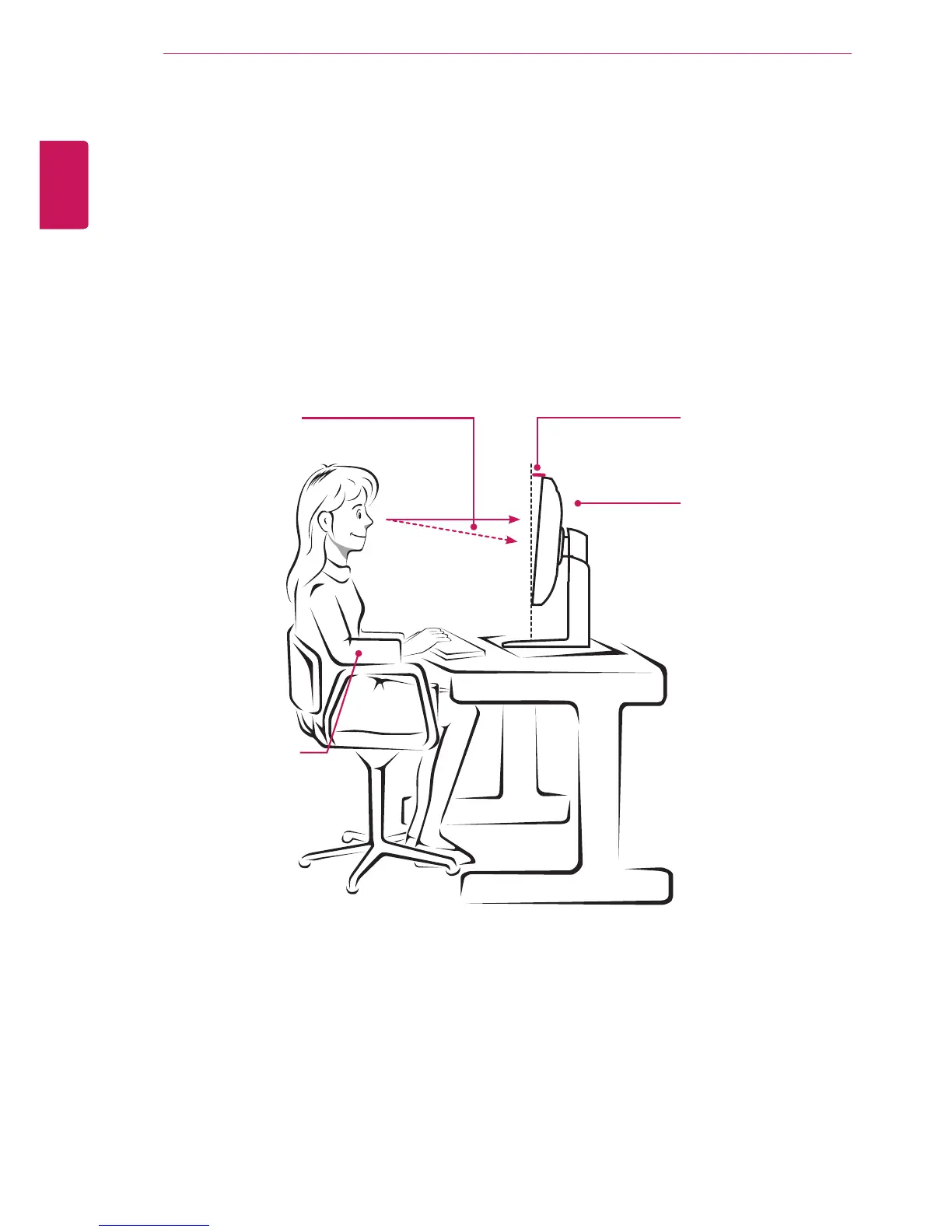
Proper Posture for Using the Monitor
Adjustthescreensothatyoucancomfortablyviewataslightdownwardanglefromyournaturaleyelevel.
Takeabreakforapproximatelytenminuteseveryhourtoreduceanyfatiguecausedbylong-timeus-
age.
Thestandofthetouchmonitorallowstheproducttobeusedintheoptimumposition.
Adjustthestandanglefrom-5°to20°toobtainthebestviewofthescreen.
Youshouldbelooking
slightlydownatthescreen.
Placeyourhandsgentlyon
thekeyboard,keepingyour
armsbentattheelbowsand
extendedhorizontallyinfront
ofyou.
Adjusttheangle
-5°to20°
Sothatthereisnoreflection
orglarefromthescreen.



 To Next Page