13
ENG
ENGLISH
ASSEMBLING AND PREPARING
Oncethepinisremoved,itisnotnecessary
tore-insertittoadjusttheheight.
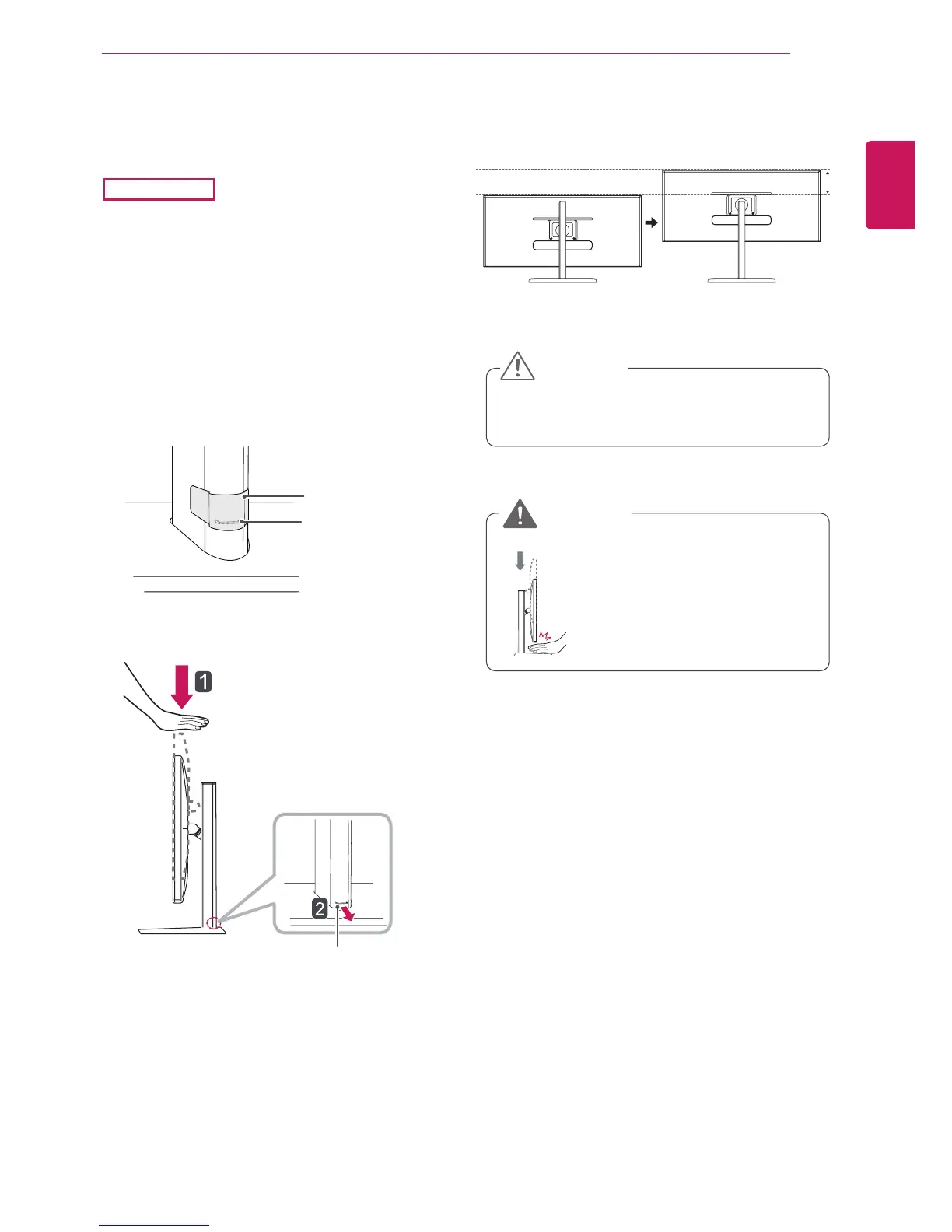
Adjusting the stand height
2
Removethetape attached to the bottom
back of the stand body and then pull out the
locking pin while pressing the head down-
ward.
3
Theheightcanbeadjustedupto110.0 mm.
Donotputyourfingersor
handbetweenthescreen
andthebase(chassis)when
adjustingthescreen'sheight.
Tape
Locking Pin
Stand Body
CAUTION
WARNING
110.0mm
Head
Locking pin
1
Standthemonitorassembledwiththestand
baseinanuprightposition
29EB73



 To Next Page