23
ENG
ENGLISH
ENTERTAINMENT
TipsforusingUSBstoragedevices
OnlyaUSBstoragedeviceisrecognizable.
IftheUSBstoragedeviceisconnected
throughaUSBhub,thedeviceisnotrecog-
nizable.
AUSBstoragedeviceusinganautomatic
recognitionprogrammemaynotberecog-
nized.
AUSBstoragedevicewhichusesitsown
drivermaynotberecognized.
TherecognitionspeedofaUSBstorage
devicemaydependoneachdevice.
Pleasedonotturnoffthedisplayorunplug
theUSBdevicewhentheconnectedUSB
storagedeviceisworking.Whensuchdevice
issuddenlyseparatedorunplugged,the
storedfilesortheUSBstoragedevicemay
bedamaged.
PleasedonotconnecttheUSBstorage
devicewhichwasartificiallymaneuveredon
thePC.Thedevicemaycausetheproductto
malfunctionorfailtobeplayed.Neverforget
touseonlyaUSBstoragedevicewhichhas
normalmusicfiles,imagefilesormoviefiles.
PleaseuseonlyaUSBstoragedevicewhich
wasformattedasaFAT32filesystem,NTFS
filesystemprovidedwiththeWindowsop-
eratingsystem.Incaseofastoragedevice
formattedasadifferentutilityprogramwhich
isnotsupportedbyWindows,itmaynotbe
recognized.
PleaseconnectpowertoaUSBstorage
device(over0.5A)whichrequiresanexternal
powersupply.Ifnot,thedevicemaynotbe
recognized.
PleaseconnectaUSBstoragedevicewith
thecableofferedbythedevicemaker.
SomeUSBstoragedevicesmaynotbesup-
portedoroperatedsmoothly.
FilealignmentmethodofUSBstorage
deviceissimilartoWindowXPandfilename
canrecognizeupto100Englishcharacters.
ConnectingUSBstoragedevices
ConnectUSBstoragedevicessuchasaUSB
flashmemory,externalharddrivetothedisplay
andusemultimediafeatures(See"Browsingfiles"
onpage24).
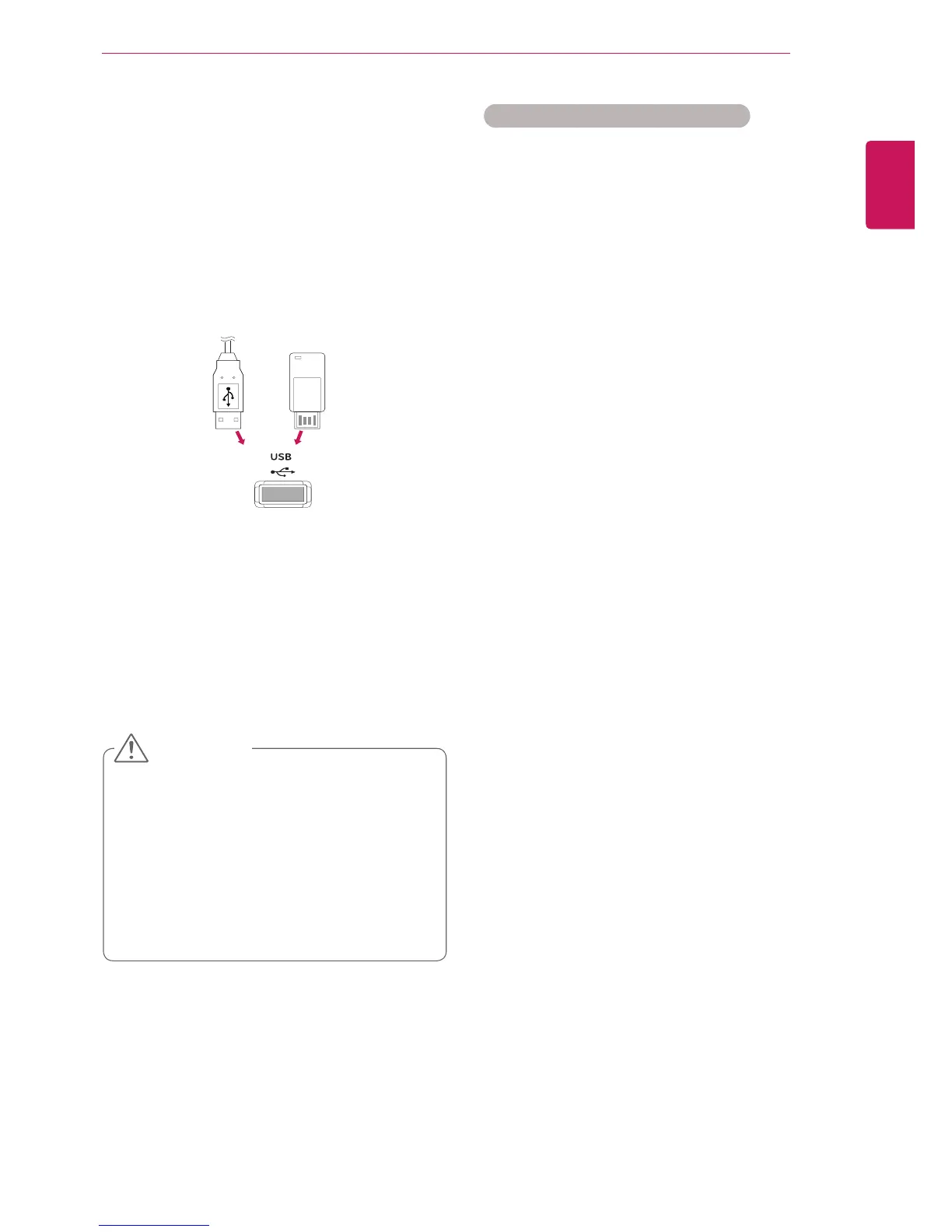
ConnectaUSBflashmemoryorUSBmemory
cardreadertotheDisplayasshownonthefollow-
ingillustration.TheMymediascreenappears.
or
DonotturnthedisplayofforremoveaUSB
storagedevicewhileEMF(mymedia)Menu
isactivated,asthiscouldresultinlossof
filesordamagetotheUSBstoragedevice.
BackupyourfilessavedonaUSBstorage
devicefrequently,asyoumayloseordam-
agethefilesandthismaybenotcoveredby
thewarranty.
CAUTION



 To Next Page