41
ENG
ENGLISH
CUSTOMIZINGSETTINGS
AUDIOsettings
1
PressMENUtoaccessthemainmenus.
2
PresstheNavigationbuttonstoscrolltoAUDIOandpress
OK.
3
PresstheNavigationbuttonstoscrolltothesettingor
optionyouwantandpressOK.
-Toreturntothepreviouslevel,pressBACK.
4
Whenyouarefinished,pressEXIT.
Whenyoureturntothepreviousmenu,pressBACK.
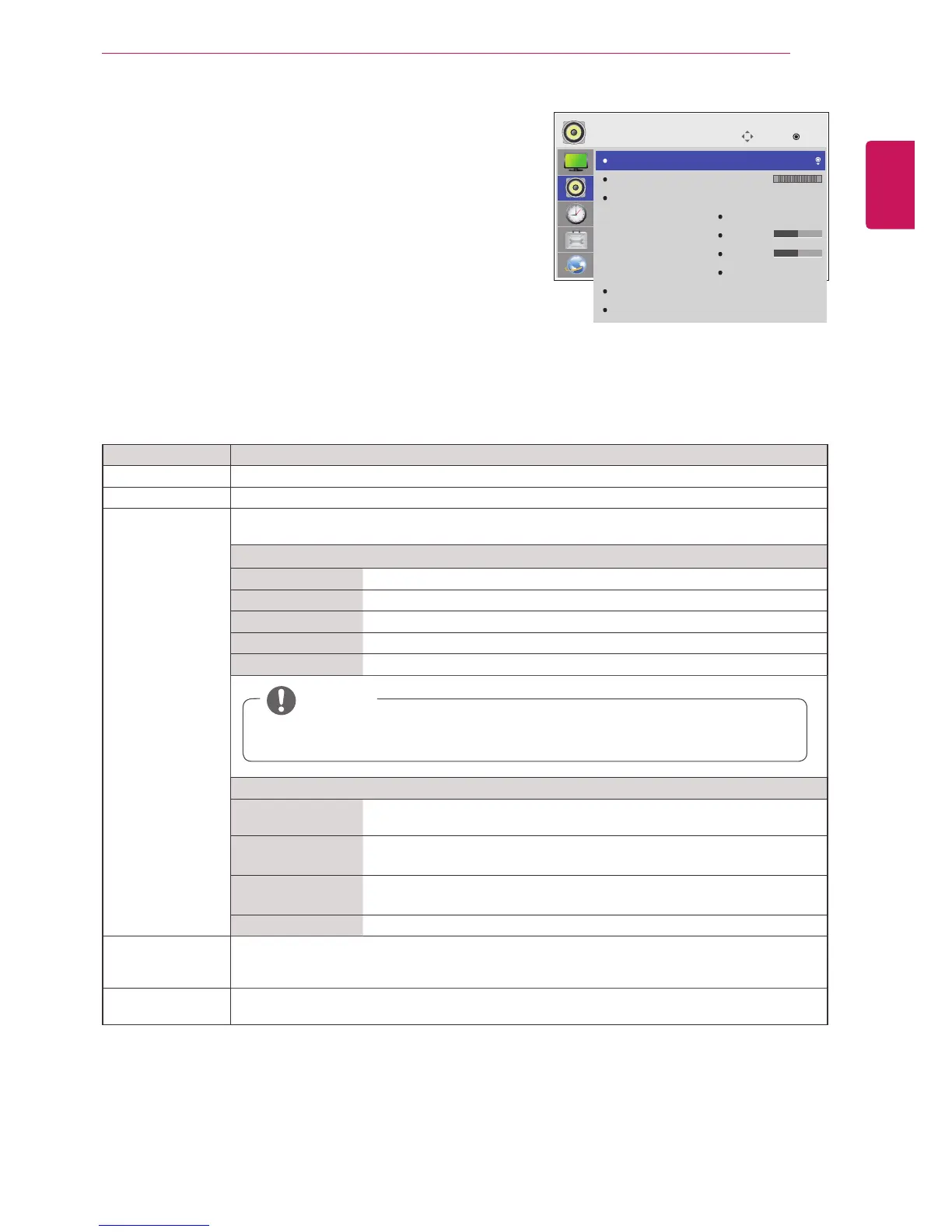
Theavailableaudiooptionsaredescribedinthefollowing:
Setting Description
ClearVoicell Bydifferentiatingthehumansoundrangefromothers,ithelpsusersmakedialogmoreclear.
Balance Adjustsbalancebetweentheleftandrightspeakersaccordingtoyourroomenvironment.
SoundMode Thebestsoundtonequalitywillbeselectedautomaticallydependingonthevideotypethatyou're
currentlywatching.
Mode
Standard Themostcommandingandnaturalaudio.
Music Selectthisoptiontoenjoytheoriginalsoundwhenlisteningtothemusic.
Cinema Selectthisoptiontoenjoysublimesound.
Sport Selectthisoptiontowatchsportsbroadcasting.
Game Toenjoydynamicsoundwhenplayingagame.
Option
InfiniteSound LG'sInfinitySoundoptionprovides5.1channelstereosoundfromtwo
speakers.
Treble Controlsthedominantsoundsintheoutput.Whenyouturnupthetreble,it
willincreasetheoutputtothehigherfrequencyrange.
Bass Makestheoutputsoundsofter.Whenyouturnupthebass,itwillincrease
theoutputtothelowerFrequency.
Reset Resetsthesoundmodetothedefaultsetting.
DigitalAudio
Input
HDMI:OutputsthesoundofdigitalsignalfromHDMIthroughthemonitorspeaker.
AudioIn:OutputsthesoundthroughthemonitorspeakerbyconnectingHDMItotheAudioIn
port.
Speaker ON:Enablessoundtothemonitorspeaker.(*Themonitorspeakerissoldseparately.)
OFF:Disablessoundtothemonitorspeaker.Usethisoptionwhenusinganexternalsounddevice.
NOTE
Ifsoundqualityorvolumeisnotatthelevelyouwant, itisrecommendedtouseaseparate
hometheatersystemorampliertocopewithdifferentuserenvironments.
Move
OK
AUDIO
ClearVoiceII
Balance
SoundMode
DigitalAudioInput
Speaker
:Off
:Standard
InfiniteSound:Off
Treble
Bass
Reset
:AudioIn
:On
0
50
50
L R



 To Next Page