48
ENG
ENGLISH
CUSTOMIZINGSETTINGS
PictureID
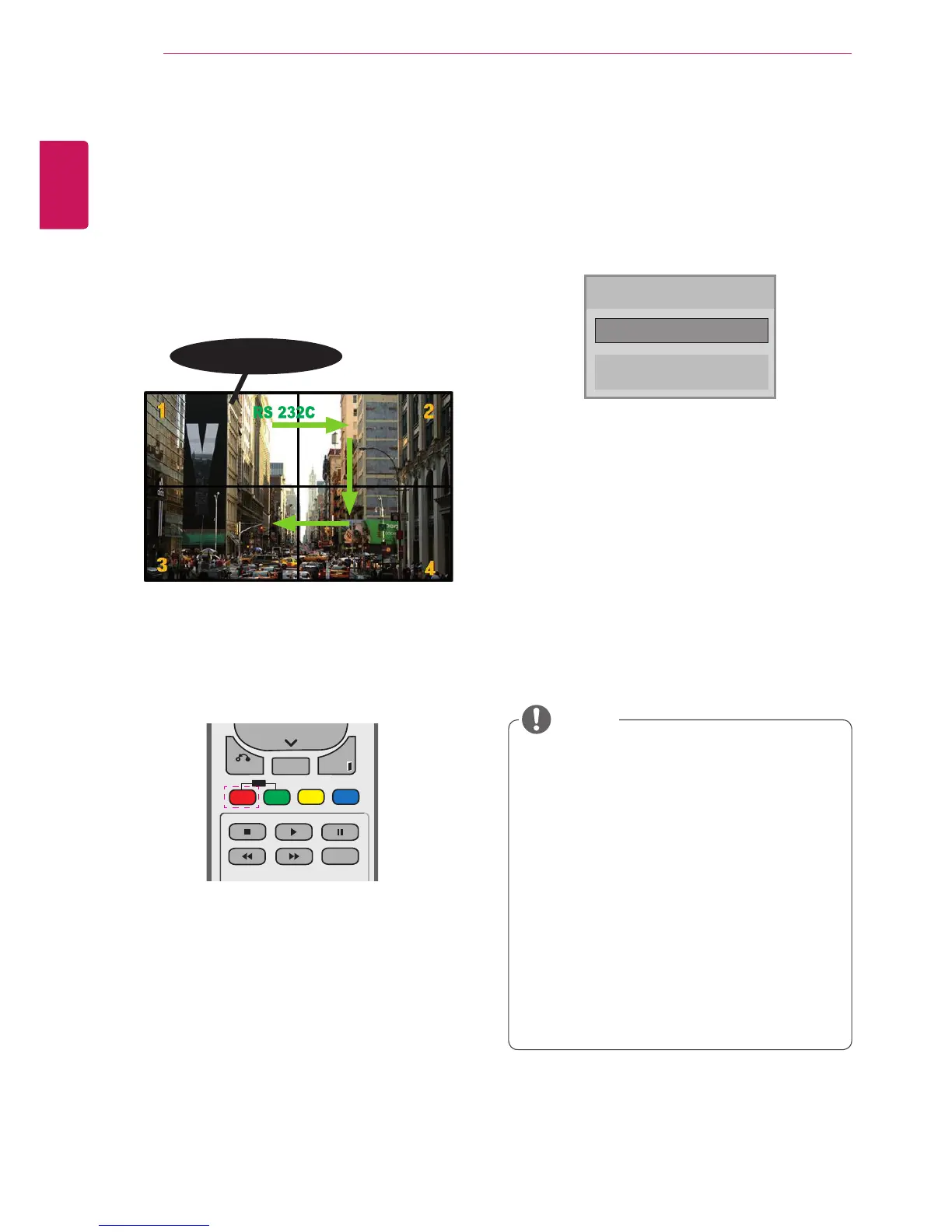
PictureIDisusedtochangethesettingsofa
specicdisplayusingasingleIRreceiverfor
multi-vision.ThesetreceivingtheIRsignal
communicateswithanothersetviaanRS232C
connection.EachsetisidentiedbyaSetID.If
youassignthePictureIDusingtheremotecontrol,
onlydisplayswiththesamePictureIDandSetID
canbecontrolledremotely.
1 PresstheredONbuttonontheremotecontrol
toassignthePictureID.
2 Ifyoupresstheleft/rightbuttonsorpressthe
ONbuttonrepeatedly,thePictureIDcycles
throughOFFand1to4.AssigntheIDyou
want.
IfyouassigntheSetIDtoeachsetwith
multi-vision,andthenassignthePictureID
usingtheredbuttonontheremotecontrol,
thekeycommandisdisplayedfortheset
withthesameSetIDandPictureID.Aset
withdifferentSetIDsandPictureIDscannot
becontrolledbyIRsignals.
Formoreinformationonhowtoassignthe
SetID,see"SetID"onpage43.
ThemaximumvalueofthePictureIDcanbe
setintheTotalSetIDmenu.
PleaserefertotheInstallationManualfor
moreinformationonTotalSetIDassignment.
Forexample,ifthePictureIDisassigned
to2,theupperrightdisplay(SetID:2)can
becontrolledbyIRsignals.
Foreachset,youcanchangethe
settingsforthePICTURE,AUDIO,TIME,
NETWORKandMYMEDIAmenusorthe
hotkeysontheremotecontrol.
IfyoupressthegreenOFFbuttonfor
PictureIDs,thePictureIDsforallsetsare
turnedoff.Ifyouthenpressanybutton
ontheremotecontrol,allsetswillstart
workingagain.
PictureIDwillbedisabledwhileusingthe
MYMEDIAmenu.
NOTE
PictureID
Close
◀
Off
▶
2X2Multi-Vision(TotalSetID:4)
SetIDsareassignedasshowninthepicture.



 To Next Page