7
ENG
ENGLISH
ASSEMBLINGANDPREPARING
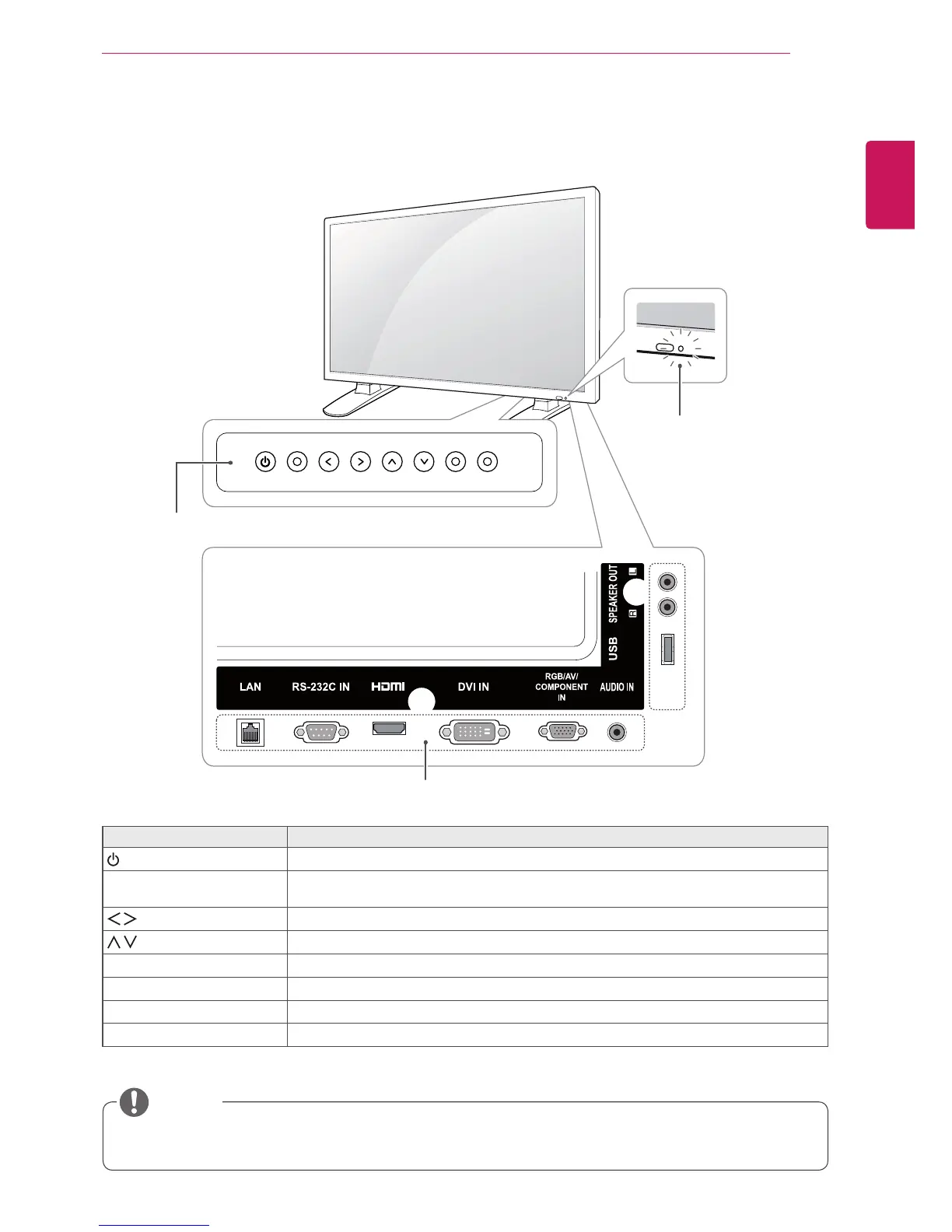
Partsandbuttons
ScreenMarks Description
Turnsthepoweronoroff.
AUTO/SET Displaysthecurrentsignalandmode.
Pressthisbuttontoadjustthescreenautomatically(availableonlyinRGBmode)
Adjuststhevolumelevel.
Adjusttheupanddown.
MENU Accessesthemainmenus,orsavesyourinputandexitsthemenus.
INPUT Changestheinputsource.
IRReceiver Thisiswheretheunitreceivessignalsfromtheremotecontrol.
PowerIndicator Turnsredwhenthemonitoristurnedon;blinksredwhenitisinEnergySavingmode.
Connectionpanel
ScreenButtons
YoucansetthePowerindicatortoonoroffbyselectingOPTIONinthemainmenu.
NOTE
PowerIndicator
LEDOn:Powerison
LEDOff:Powerisoff



 To Next Page