EasyManua.ls Logo

LG 32WL30MS - CUSTOMIZING SETTINGS; Main Menu Navigation

LG 32WL30MS
74 pages
Print Icon
To Next Page IconTo Next Page
To Previous Page IconTo Previous Page
Loading...
37
ENG
ENGLISH
CUSTOMIZINGSETTINGS
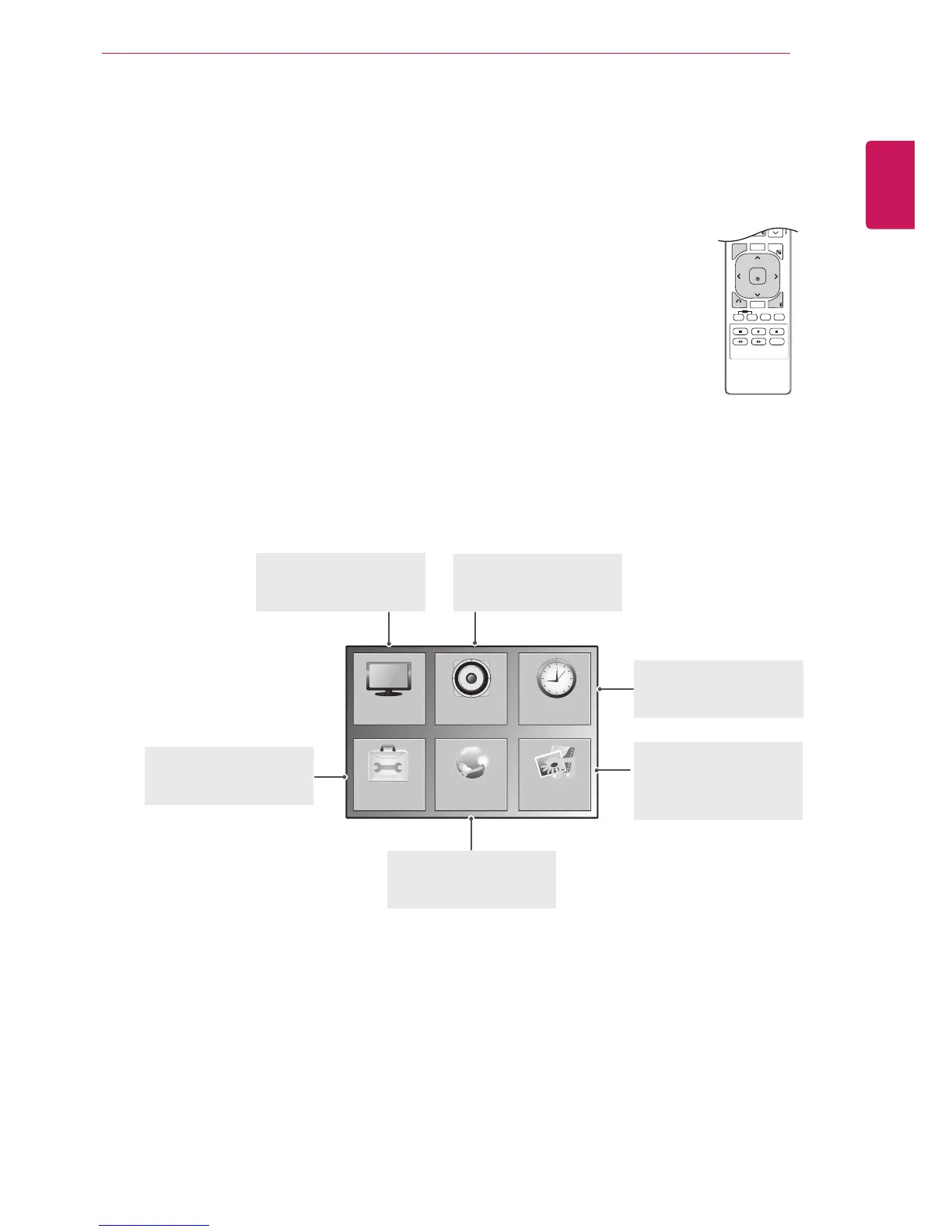
Accessingthemainmenus
1
PressMENUtoaccessthemainmenus.
2
PresstheNavigationbuttonstoscrolltooneofthefollowingmenusand
pressOK.
3
PresstheNavigationbuttonstoscrolltothesettingoroptionyouwant
andpressOK.
4
Whenyouarefinished,pressEXIT.
Whenyoureturntothepreviousmenu,pressBACK.
P
A
G
E
MARK
ARC
OK
S.MENU
PSM
AUTO
MUTE
BRIGHT
NESS
MENU
ID
BACK
TILE
ON
OFF
EXIT
OPTION
PICTURE
NETWORK
AUDIO TIME
MY MEDIA
PICTURE(Seep.38)
Adjuststheimagesize,
quality,oreffect.
AUDIO(Seep.41)
Adjuststhesoundquality,
effect,orvolumelevel.
NETWORK(Seep.49)
Setsupthenetwork
setting.
OPTION(Seep.43)
Customizesthegeneral
settings.
TIME(Seep.42)
Setsthetime,date,or
Timerfeature.
MYMEDIA(Seep.23)
Displayandplaymovie,
photoandmusiccontent
storedonyourUSB.

Related product manuals