29
ENG
ENGLISH
ENTERTAINMENT
WhenyouselecttheSetVideo,
1 PresstheNavigationbuttonstoscrolltomake
appropriateadjustments.
WhenyouselecttheSetAudio,
1 PresstheNavigationbuttonstoscrolltoshow
theSoundMode,ClearVoiceIIorBalance.
2 PresstheNavigationbuttonstoscrolltomake
appropriateadjustments.
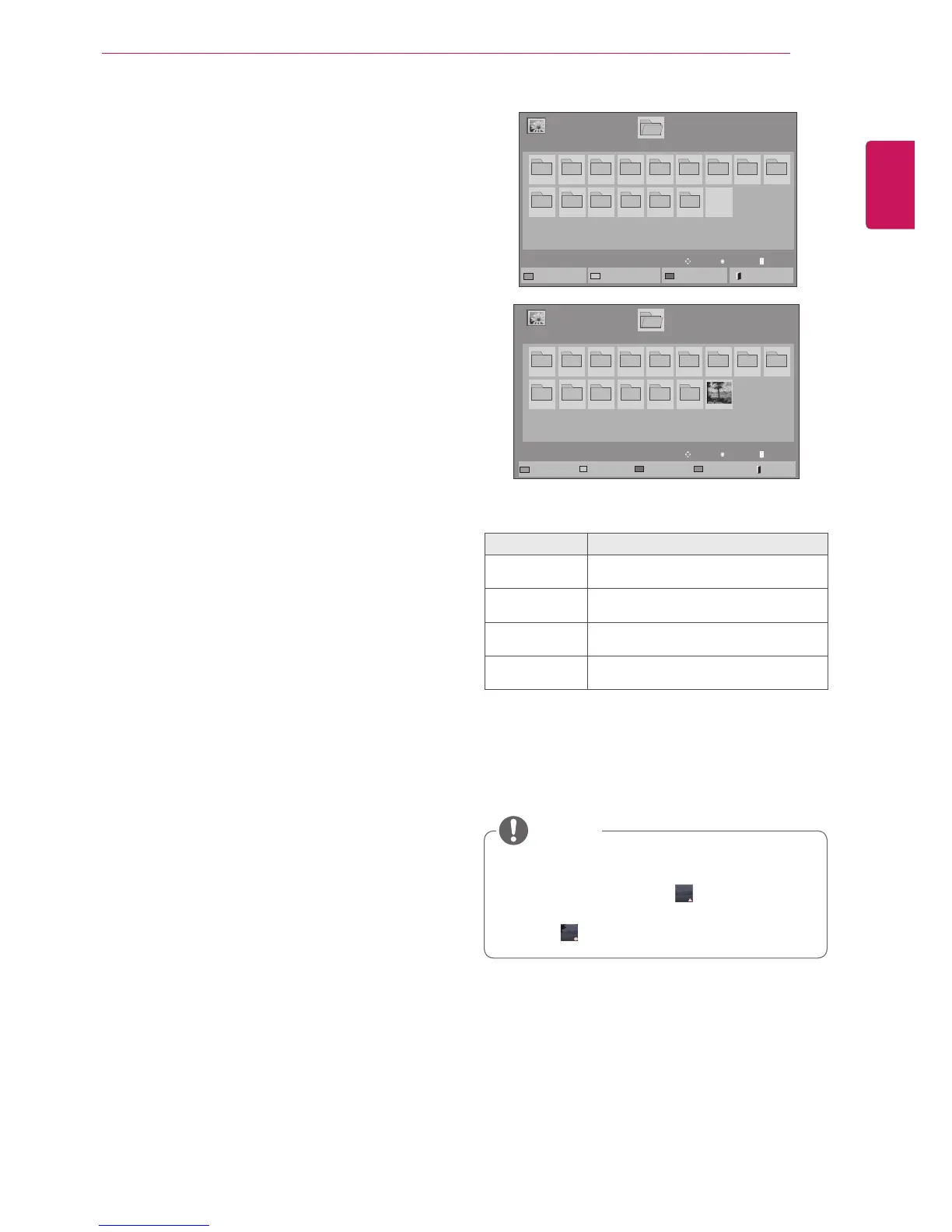
Viewingphotos
ViewimagefilessavedinaUSBstoragedevice.
Thedisplaysonthescreenmaydifferfromthe
model.
1 PresstheNavigationbuttonstoscrolltoMy
MediaandpressOK.
2 PresstheNavigationbuttonstoscrolltoPhoto
ListandpressOK.
3 PresstheNavigationbuttonstoscrolltoa
folderyouwantandpressOK.
4 PresstheNavigationbuttonstoscrolltoafile
youwantandpressOK.
5 Viewphotos.
Menu Description
ViewMarked Displaytheselectedphotofile.
MarkAll Markallphotofilesonthescreen.
UnmarkAll Deselectallmarkedphotofiles.
ExitMarkMode ExittheMarkMode.
Non-supportedfilesaredisplayedthepre-
viewimagebyicononly .
Abnormalfilesaredisplayedintheformof
bitmap .
NOTE
Page1/1
PhotoList
Drive1
Page1/1
USB1USBDrive
001
010 011 012 013 014 015
002 003 004 005 006 007
008
009
ToMusicList
ChangeNumbers
MarkMode
Exit
Page1/1
PhotoList
Drive1
Page1/1
USB1USBDrive
001
010 011 012 013 014 015
002 003 004 005 006 007
008
009
MarkMode
ViewMarked
MarkAll
UnmarkAll
Exit
ExitMarkMode
View
Move
PageChangeP
Mark
Move
PageChangeP



 To Next Page