34
ENG
ENGLISH
ENTERTAINMENT
1 PressMENUtoaccessthePop-Upmenus.
2 PresstheNavigationbuttonstoscrolltoSetAu-
dioPlayorSetAudioandpressOK.
Musicoptions
WhenyouselecttheSetAudioPlay,
1 PresstheNavigationbuttonstoscrolltoselect
theRepeatorRandom.
2 PresstheNavigationbuttonstoscrolltomake
appropriateadjustments.
WhenyouselecttheSetAudio,
1 PresstheNavigationbuttonstoscrolltoselect
theSoundMode,ClearVoiceIIorBalance.
2 PresstheNavigationbuttonstoscrolltomake
appropriateadjustments.
Option values changed in Movie List does
notaffectPhotoListandMusicList.
OptionvaluechangedinPhotoListandMu-
sicList arechangedlikewise inPhotoList
andMusicListexcludingMovieList.
NOTE
WhileplayingmediafilesfromContentsList,
onlytheBACK,EXITorVolumebuttonare
available.SelectingtheBACKorEXITbutton
stopsplayingmediafilesandreturnstothe
screenviewmode.
IfthereistheAutoPlayfolderintheUSB
deviceanditsfilesareinsupportedformats,
theycanbeplayedbackautomaticallywhen
theUSBdeviceisconnectedtothemonitor.
NOTE
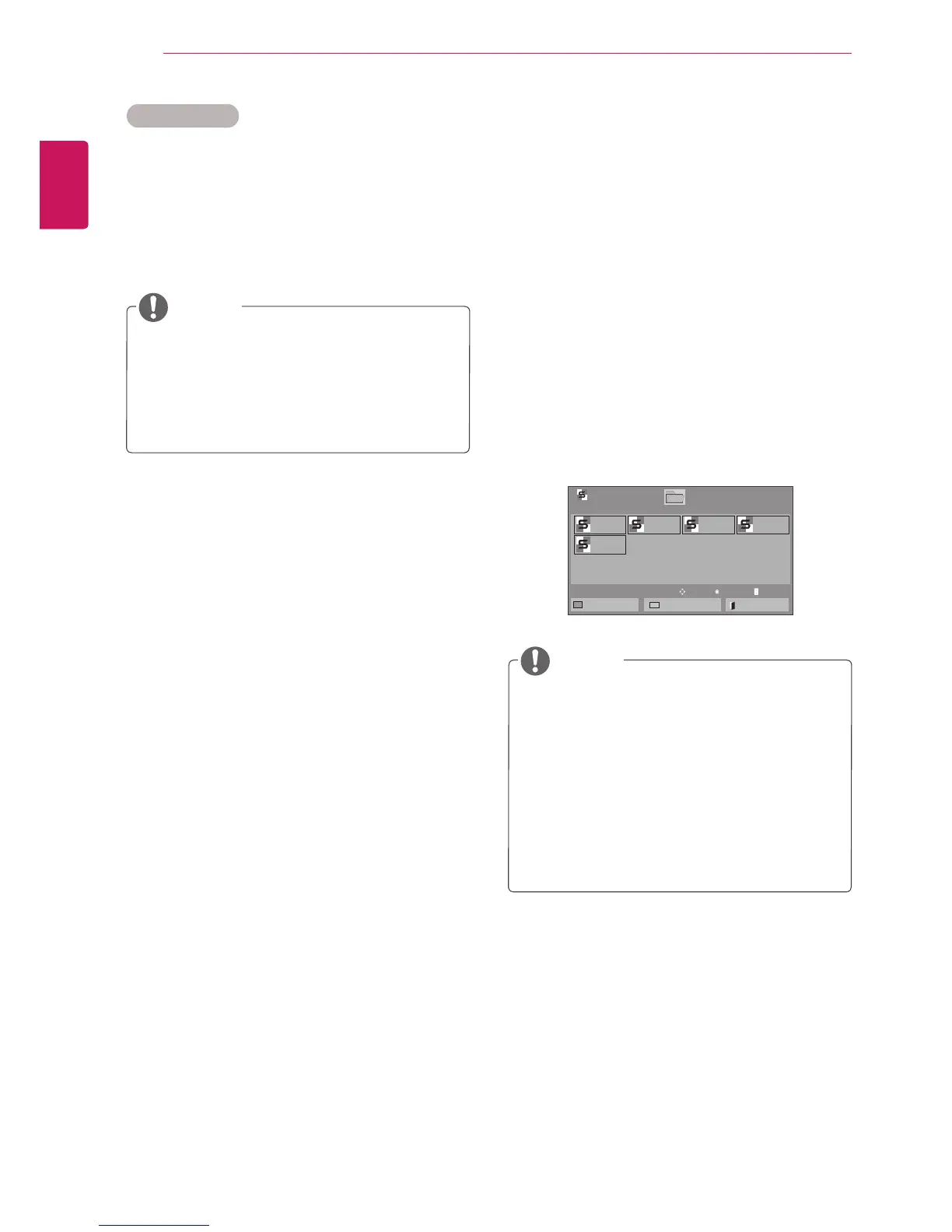
ViewingtheContentsList
PlaysbackthestoredfilesusingtheExportoption
inSuperSignManager.
1 PresstheNavigationbuttonstoscrolltoMy
MediaandpressOK.
2 PresstheNavigationbuttonstoscrolltoCon-
tentsListandpressOK.
3 PresstheNavigationbuttonstoscrolltoa
folderyouwantandpressOK.
4 PresstheNavigationbuttonstoscrolltoafile
youwantandpressOK.
Page1/1
ContentsList
Drive1
Page1/1
test1.cts
07/01/2011
test2.cts
07/01/2011
test3.cts
07/01/2011
test4.cts
07/01/2011
test5.cts
07/01/2011
USB1USBDrive
ToMovieList
ChangeNumbers
Exit
Play
Move
PageChangeP



 To Next Page