31
ENG
ENGLISH
ENTERTAINMENT
WhenyouselecttheSetPhotoView,
1 PresstheNavigationbuttonstoscrolltoselectSlideSpeed,TransitionEffectorBGM.
2 PresstheNavigationbuttonstoscrolltomakeappropriateadjustments.
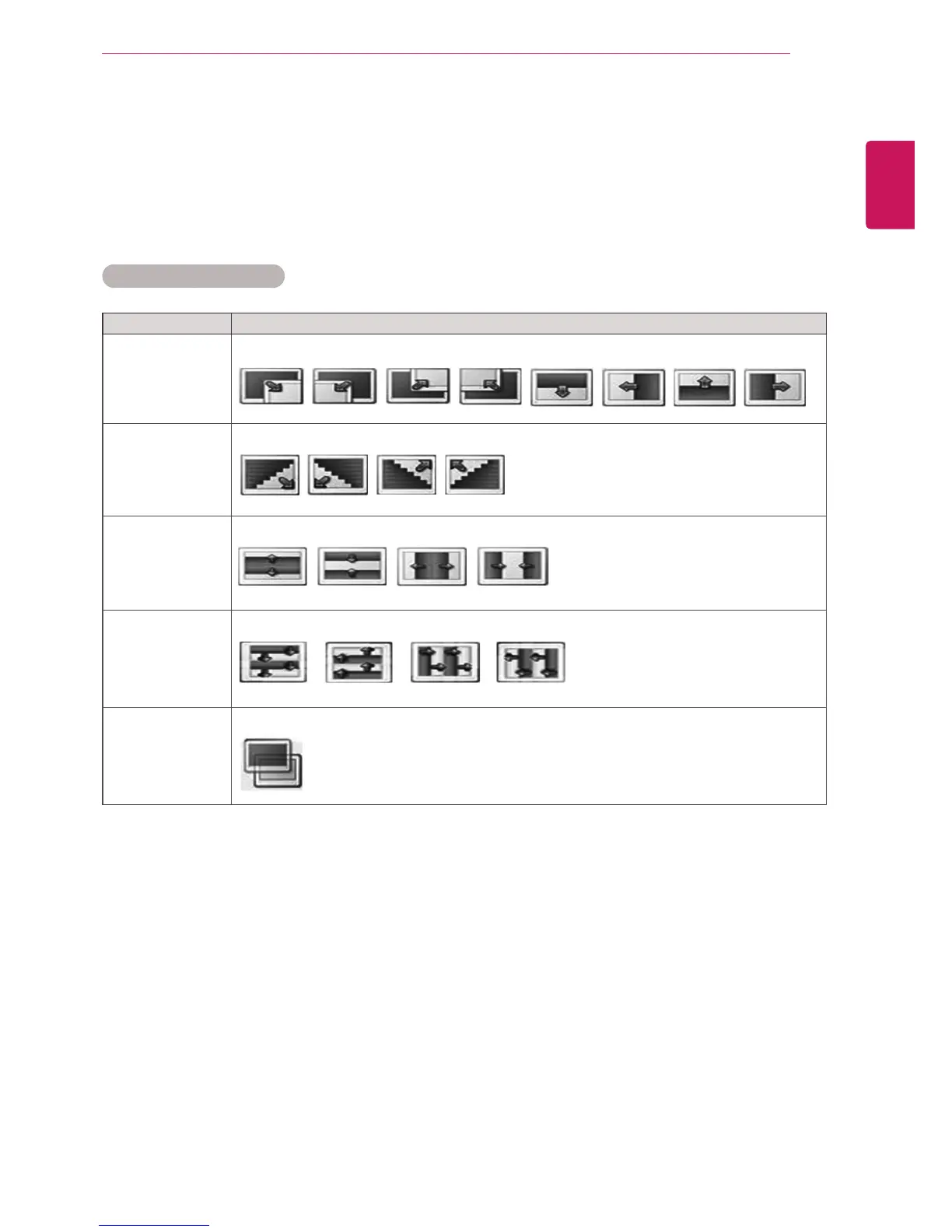
TransitionEffectOption
Option Description
Sliding Pushesthecurrentslideoutofviewasitplaystothenextslide.
Stairs Pushesthecurrentslideinastaircaseshapeasitplaystothenextslide.
DoorOpen
/Close
Pushesthecurrentslidelikeopeningorclosingthedoorasitplaystothenextslide.
Shutter Pushesthecurrentslidelikedrawingorpullingdowntheblindasitplaystothenextslide
FadeIn Fadestheslideoutslowlybeforeplayingtothenextslide.



 To Next Page