13
Part names and functions
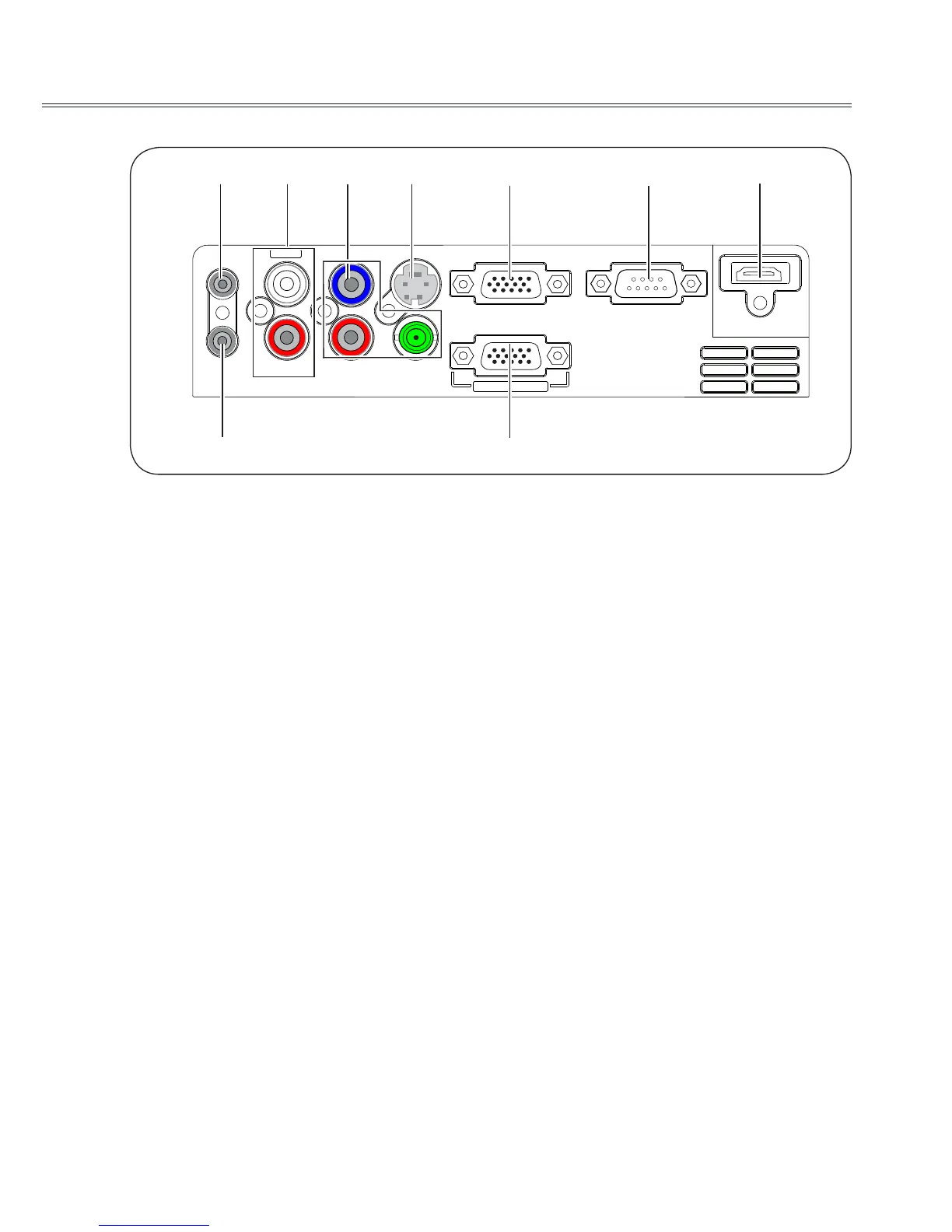
Rear terminal
①
AUDIO OUT
- Connect to external audio amplier.
- Connect the output audio signals from
②
,
⑦
and
⑧
to this port.
Note: The resistance of the external audio
amplier should be over 47kΩ, or an
earphone with lower resistance may cause
audio distortion.
②
AUDIO IN(Video Mono L/R)
- Connect the audio output signal from video
equipment connected to
③
or
④
to this port.
-
For a mono audio signal (a single audio jack),
connect it to L(MONO) jack.
③
VIDEO/Y, Pb/Cb, Pr/Cr
- Connect the component signals to these jacks.
- Connect the composite signals to the VIDEO/
Y jack.
④
S-VIDEO
Used to connect the S-video output of video
equipment.
⑤
RGB IN 1
Used to connect a computer output.
⑥
RS-232C
When using RS-232C to control the projector,
please connect the serial control line to this
terminal.
⑦
HDMI
Used to connect the HDMI digital output.
⑧
AUDIO IN (PC)
Connect the audio output signal from computer
connected to
⑤
or
⑨
to this jack.
⑨
RGB IN 2/RGB OUT
- Used to connect the computer output.
- Used to output the analog signals from
⑤
(RGB
IN 1) to the other monitor.
HDMI
RGB OUT
VIDEO/Y
Pr/Cr
R
L
AUDIO IN
AUDIO OUT
Pb/Cb
S-VIDEO
RGB IN 2
RGB IN 1
RS-232C
MONO
① ② ③ ④ ⑤
⑧ ⑨
⑥ ⑦



 To Next Page