EasyManua.ls Logo

LG BD430 - Connecting to Video Equipment

LG BD430
73 pages
Print Icon
To Next Page IconTo Next Page
To Previous Page IconTo Previous Page
Loading...
20
Installation
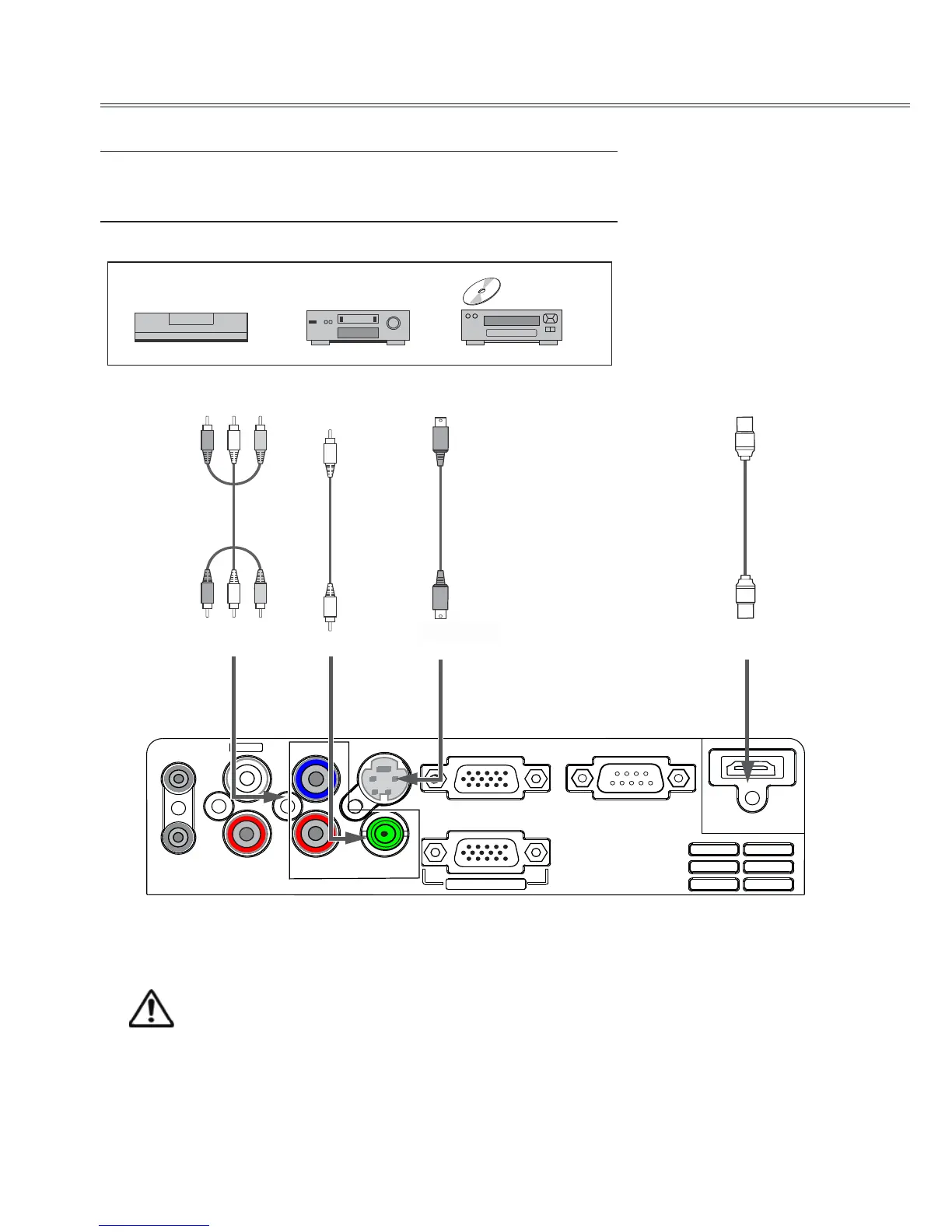
Connect to video equipment (Video, S-Video,Component,HDMI)
Cables used for connection (*Cables are not supplied with the projector.)
Video cable (RCA*1 )* S-Video cable *
HDMI cable * Component cable(RCA*3) *
Unplug the power cords of both the projector and external
equipment from the AC outlet before connecting the cables.

HDMI
RGB OUT
VIDEO/Y
Pr/Cr
R
L
AUDIO IN
AUDIO OUT
Pb/Cb
S-VIDEO
RGB IN 2
RGB IN 1
RS-232C
MONO
Component
video output
Video output S-video output
HDMI output
S-video
cable
Video
cable
RCA
cable
Video
Y-Pb/Cb Pr/Cr
S-video
HDMI
HDMI
cable

Related product manuals