EasyManua.ls Logo

LG BD430 - Computer input; Select Input Source (RGB 1;RGB 2)

LG BD430
73 pages
Print Icon
To Next Page IconTo Next Page
To Previous Page IconTo Previous Page
Loading...
31
Computer input
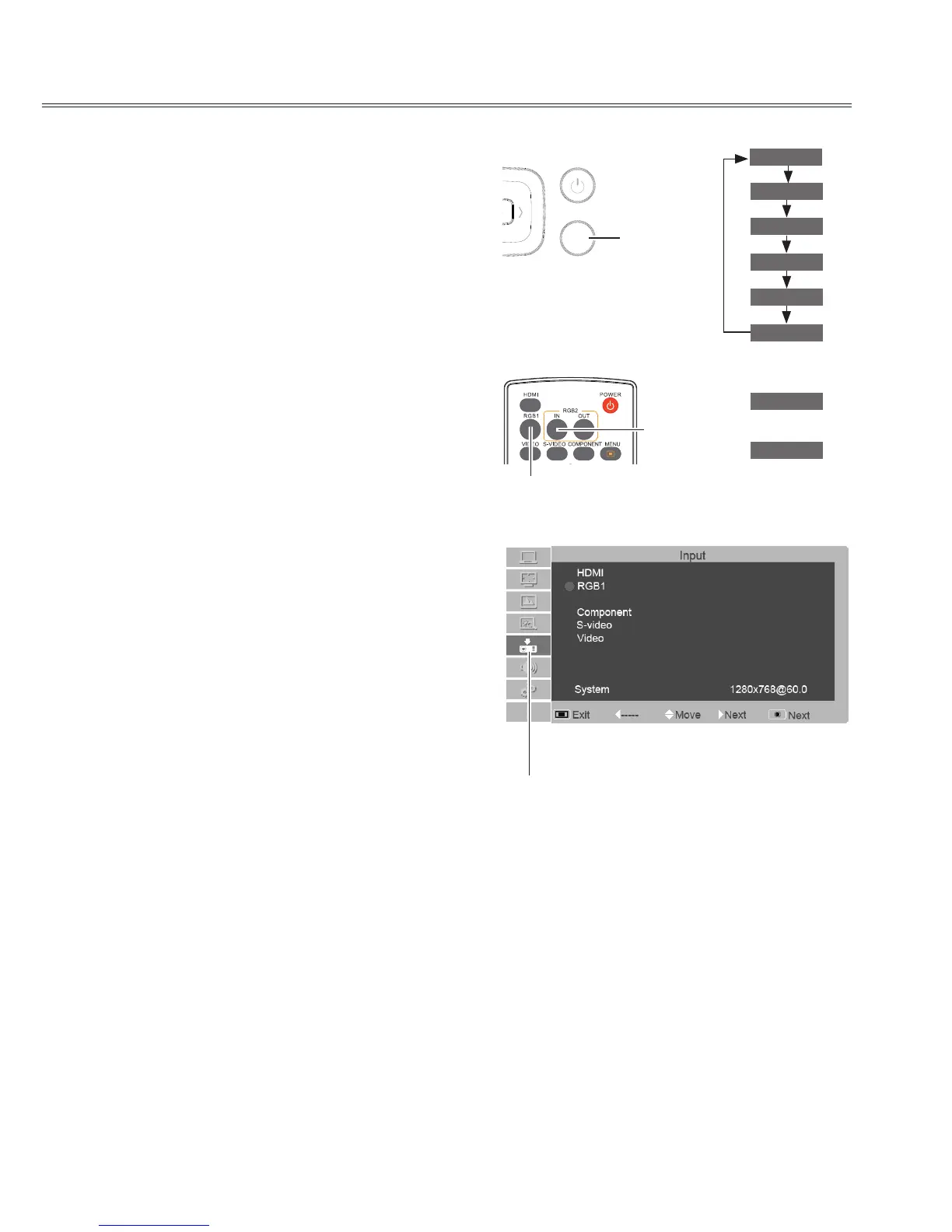
Select input source (RBG 1/RGB 2)
Direct operation
- Press the INPUT button on the top control.
- Press the RGB 1 or RGB 2 IN button on the
remote control to select RGB 1 or RGB 2.
Remote control
Top control
2930058502
AUTO
INPUT
OK
/
MENU
RGB 1 button
RGB 2 IN
button
Input icon
INPUT
button
RGB 1
RGB 1
HDMI
RGB 2
RGB 2
Component
S-video
Video
Menu operation
1 Press the MENU button to display the on
screen menu. Press▲▼ button to select the
input source icon and press the ► button or OK
button.
2 Press ▲▼ button to select RGB 1 or RGB 2,
and then press the OK button.
Input menu
RGB2 Input
√ Note:
If RGB2 can not be selected, Please refer to 47 page (Terminal).

Related product manuals