26
Basic operation
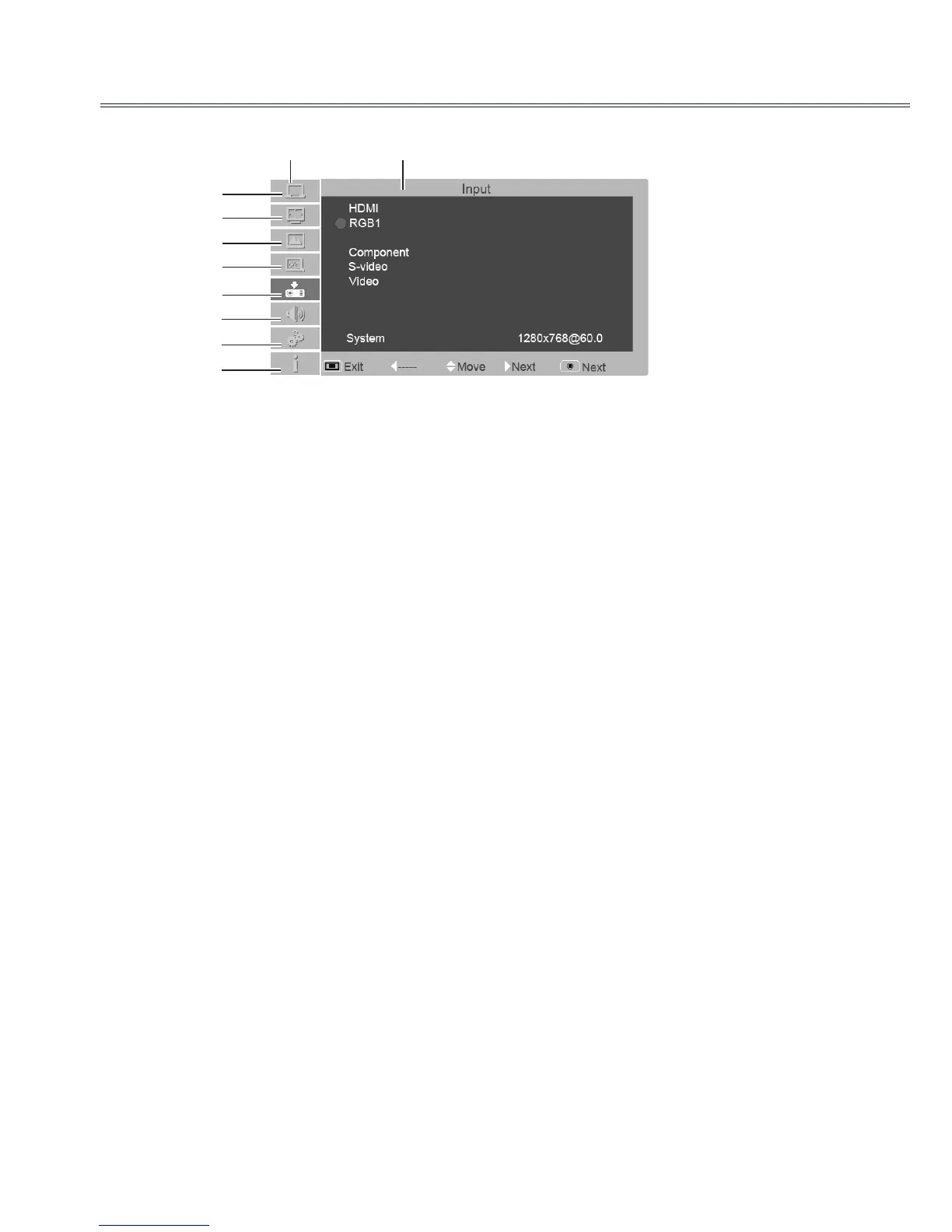
Menu bar
RGB2 Input
Main menu
Sub menu
①
②
③
④
⑤
⑥
⑦
⑧
①
PC adjust menu
Used to adjust parameters: Auto PC adj., Phase, Total dots, H Postion, V Postion, Reset, Mode
free, Store to match with RGB input signal format.
②
Screen menu
If a computer is selected as a signal source, the following setup options for the image size are
available: Normal, True,4:3, 16:9, Custom and Digital zoom +/-.
If video equipment is selected as a signal source, the following setup options for the image size are
available: Normal, 16:9 and Custom.
③
Image select menu
The available image modes are: Dynamic, Standard, Cinema, Blackboard (green), Colorboard
and User.
④
Image adjust menu
If a computer is selected as a signal source, the following image adjusting options are available:
Contrast, Brightness,Color Temp., Red, Green, Blue, Sharpness and Gamma.
If video equipment is selected as a signal source, the following image adjusting options are available:
Contrast, Brightness,Color, Tint, Red, Green, Blue, Sharpness, Gamma, Noise reduction
and Progressive.
⑤
Input menu
Used to select input source: HDMI, RGB 1, RGB 2, Component, S-video or Video.
⑥
Audio menu
To adjust the volume level or mute the audio.
⑦
Option menu
Used to congure the projector operation settings.
⑧
Information menu
Used to display information.



 To Next Page