38
Video Input
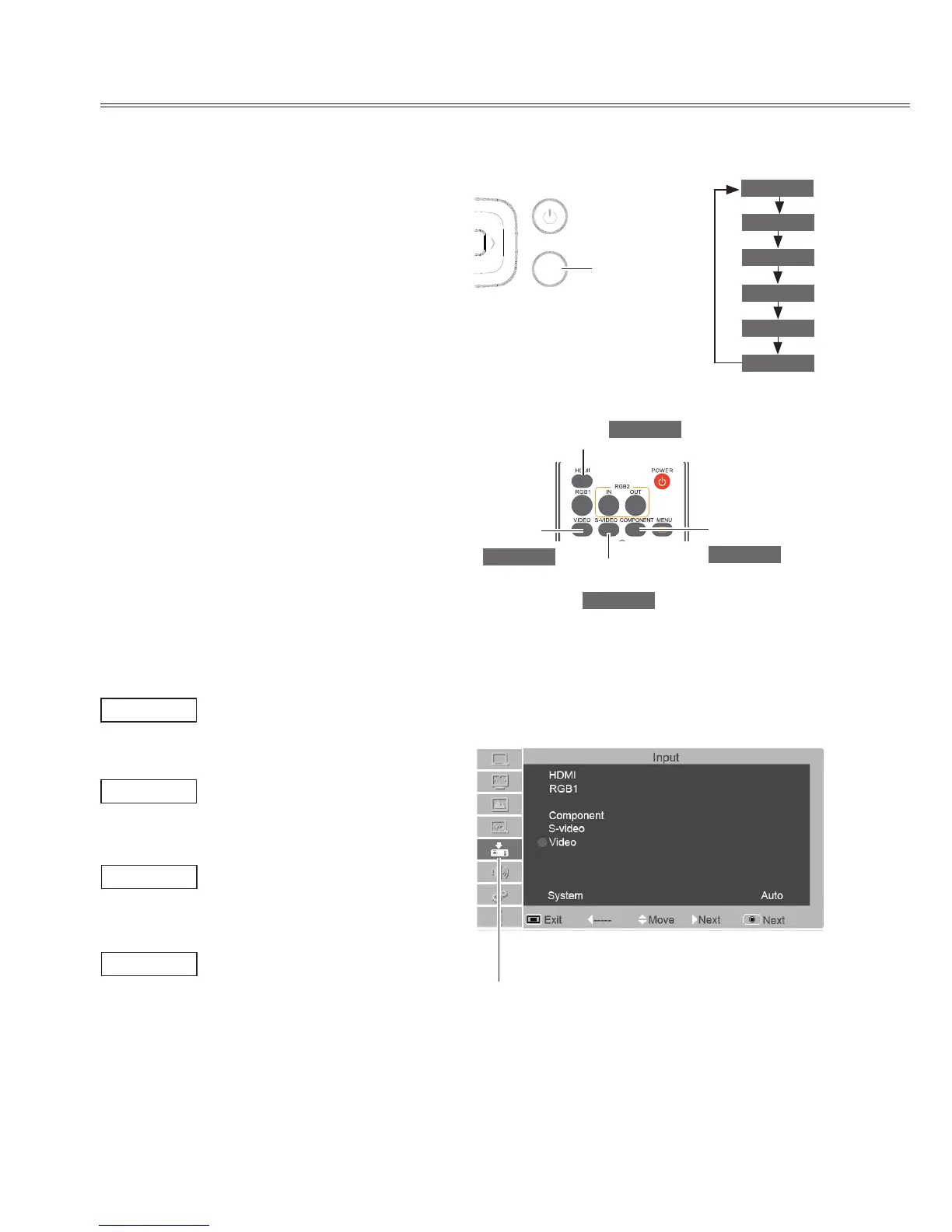
Select input source
(HDMI/Component/S-video/Video)
Direct selection
- Press HDMI, COMPONENT, S-VIDEO or VIDEO
button on the remote control.
- Press the INPUT button on the top control.
if the INPUT button is pressed again, then the
next input source will be displayed. The input
source will be changed like as the ow chart.
Menu operation
1. Press MEMU button on the remote control to
display the on screen Menu.
2. Press ▲▼ to select the icon for input source.
Then press ► or press OK.
3. Press ▲▼ to select the input source and press
OK.
Input menu
RGB2 Input
When input signal is connected to the Component
jack, select Component .
When input signal is connected to the Videojack,
select Video.
When input signal is connected to the S-Video
jack, select S-Video.
When input signal is connected to the HDMI jack,
select HDMI.
Video
S-Video
HDMI
Input icon
Remote control
Top control



 To Next Page