ENGLISH
9
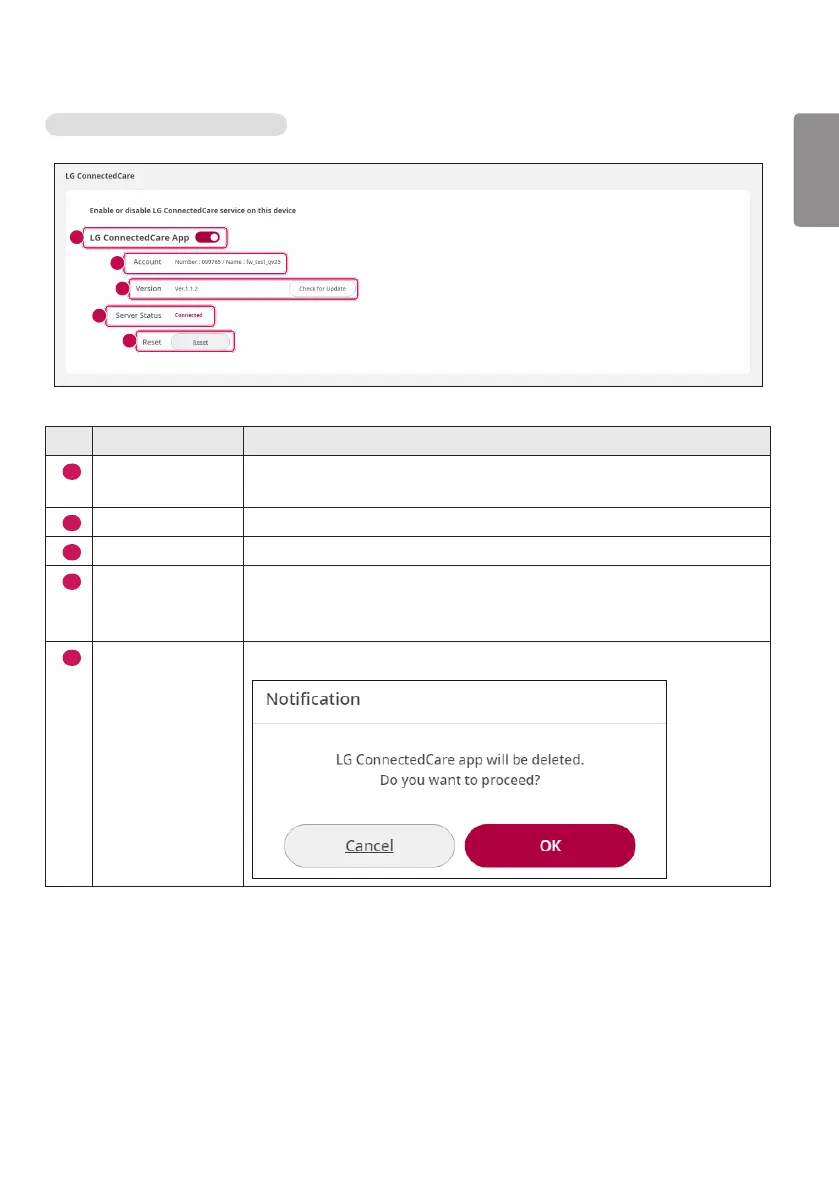
LG ConnectedCare App Installed
1
2
3
4
5
No. Item Description
1
LG ConnectedCare
App
You can activate/deactivate via the LG ConnectedCare app button.
2
Account
Displays the account number and name.
3
Version
Displays the version of the LG ConnectedCare app.
4
Server Status
Displays the status of the LG ConnectedCare app.
There are four states: Waiting for Approval, Connected, Not Connected,
and Rejected.
5
Reset
Deletes the LG ConnectedCare app.



 To Next Page