ENGLISH
10
LG ConnectedCare App Installation Process
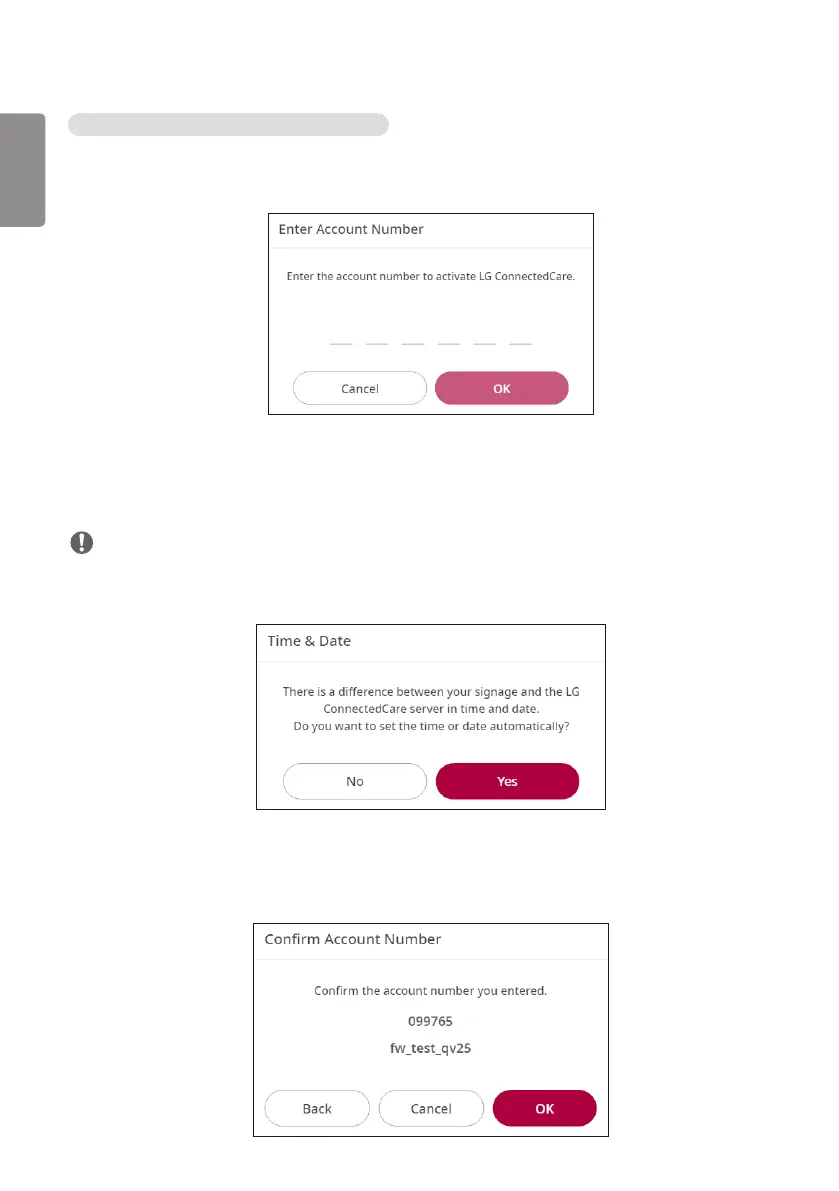
1 A pop-up for entering the account number is displayed.
- Enter the 6-digit account number and click the [OK] button.
2 A pop-up that informs the difference between the current time and the time set in the LG
ConnectedCare app is displayed.
- Click the [Yes] button to automatically set the current time.
NOTE
• The pop-up is displayed only when there is a discrepancy between the current time of Signage and the
time set in the LG ConnectedCare app.
3 A pop-up for confirming the account is displayed.
- Confirm your account number and name.
- Click the [Confirm] button to proceed with the installation of the LG ConnectedCare app.



 To Next Page