LG Media Center
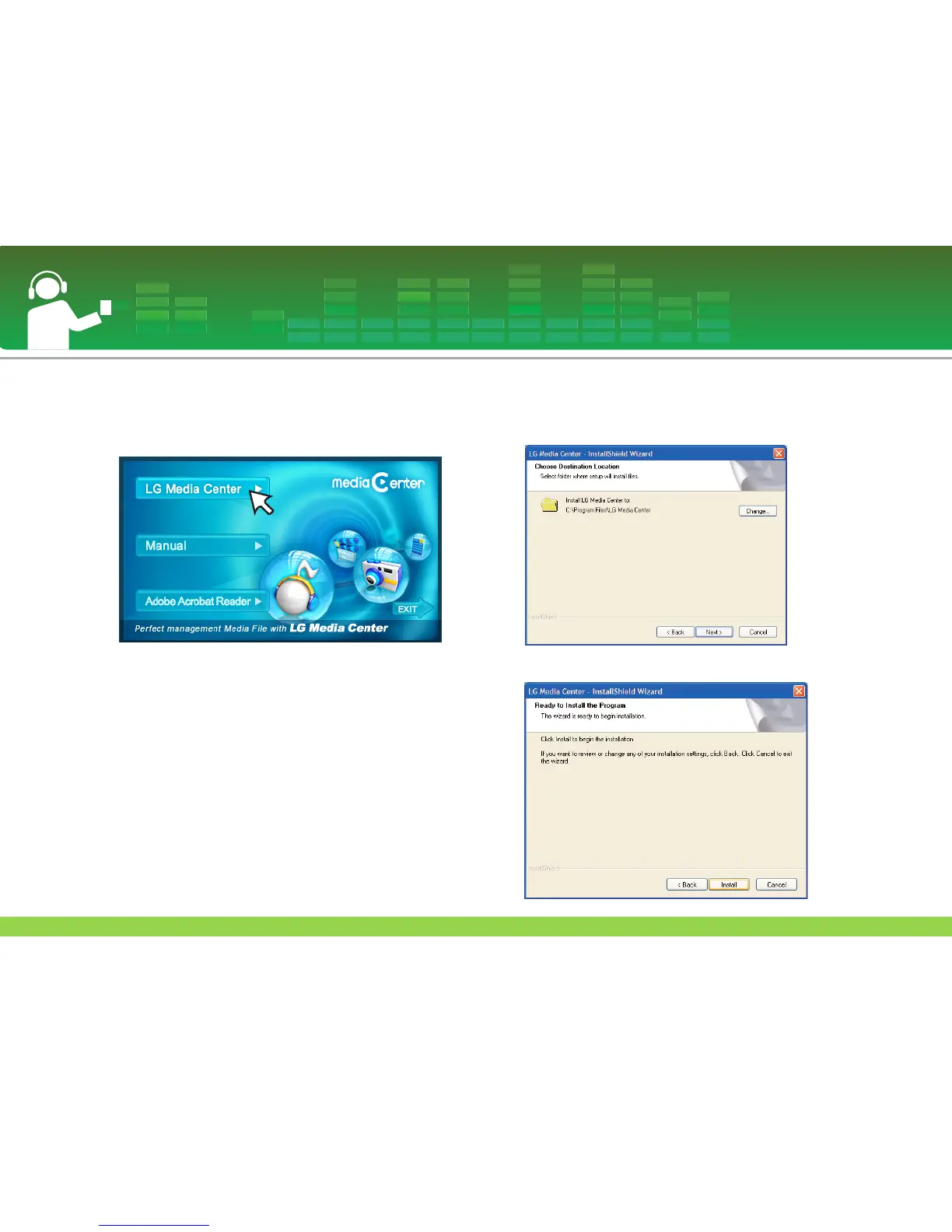
1 Insert the operation program CD into the CD-ROM.
2 Select the LG Media Center.
- Refer to page 53 for more information.
3 Follow the displayed instructions.
4 Read the License Agreement. Select the check box, and
click on [Next] button.
5 Select the installation path, and click on [Next] button.
6 Click on [Install] button to start installation.
Installing software
18



 To Next Page