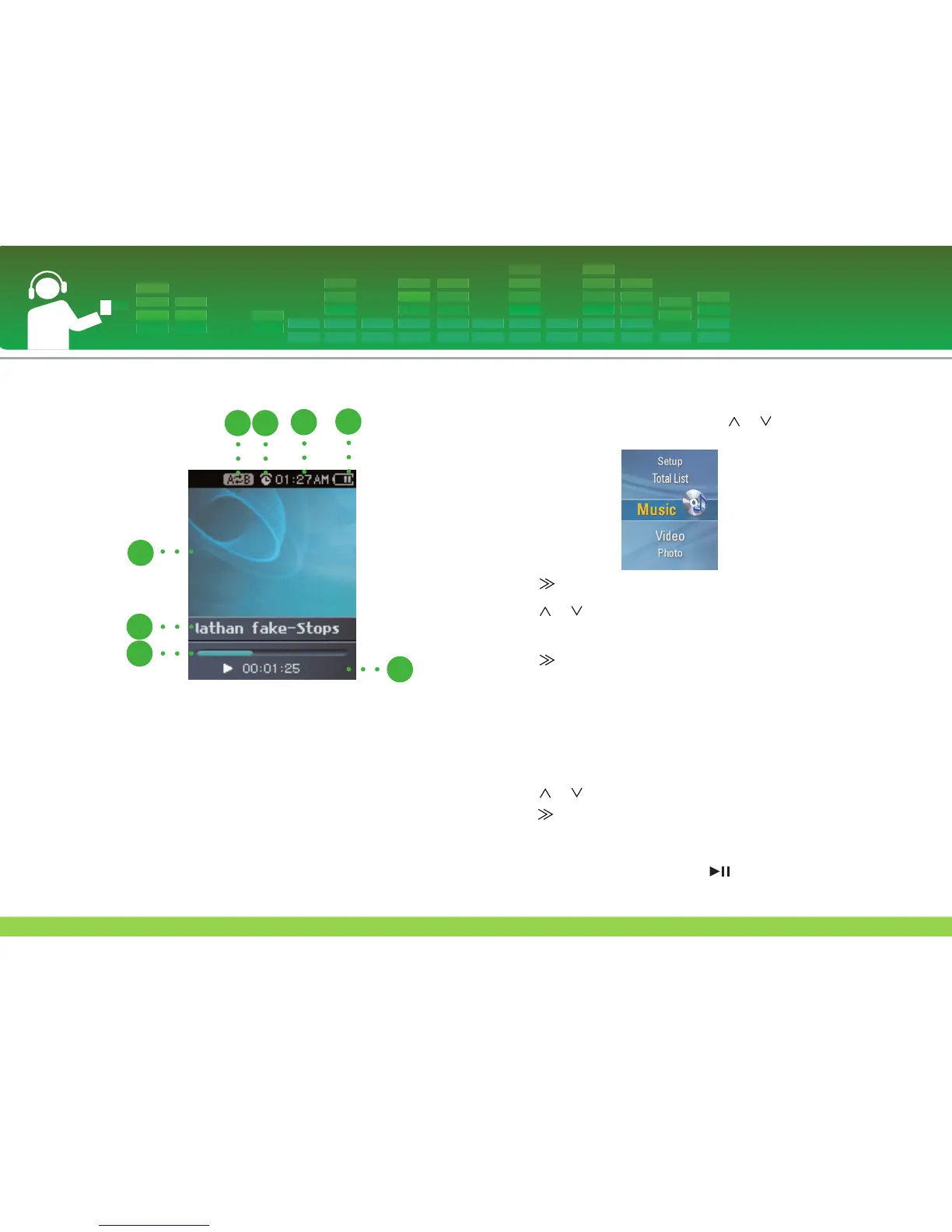
To play Music screen
1 Display
2 Music information display
3 Playing time bar
4 Playback time
5 Battery status
6 Current time
7 Alarm setting display
8 A-B Repeat display
To play the music file
1 Move to the Home menu, and press or button to
select [Music] menu.
2 Press or SELECT button to enter the submenu.
3 Press or button to select the music file.
- The supported music format : See on page 57.
4 Press or SELECT button to play.
Note:
You can play other music file on the music file list while
playing a music.
1. Press MENU button during playback.
- The music file list appears.
2. Press or button to select the music file. And then
press or SELECT button to play the selected file.
- Press and hold MENU button for 2 seconds to display home
menu.
- Select the “Now Playing” or press button to return to
the playing mode in [Library].
Playing music
30



 To Next Page