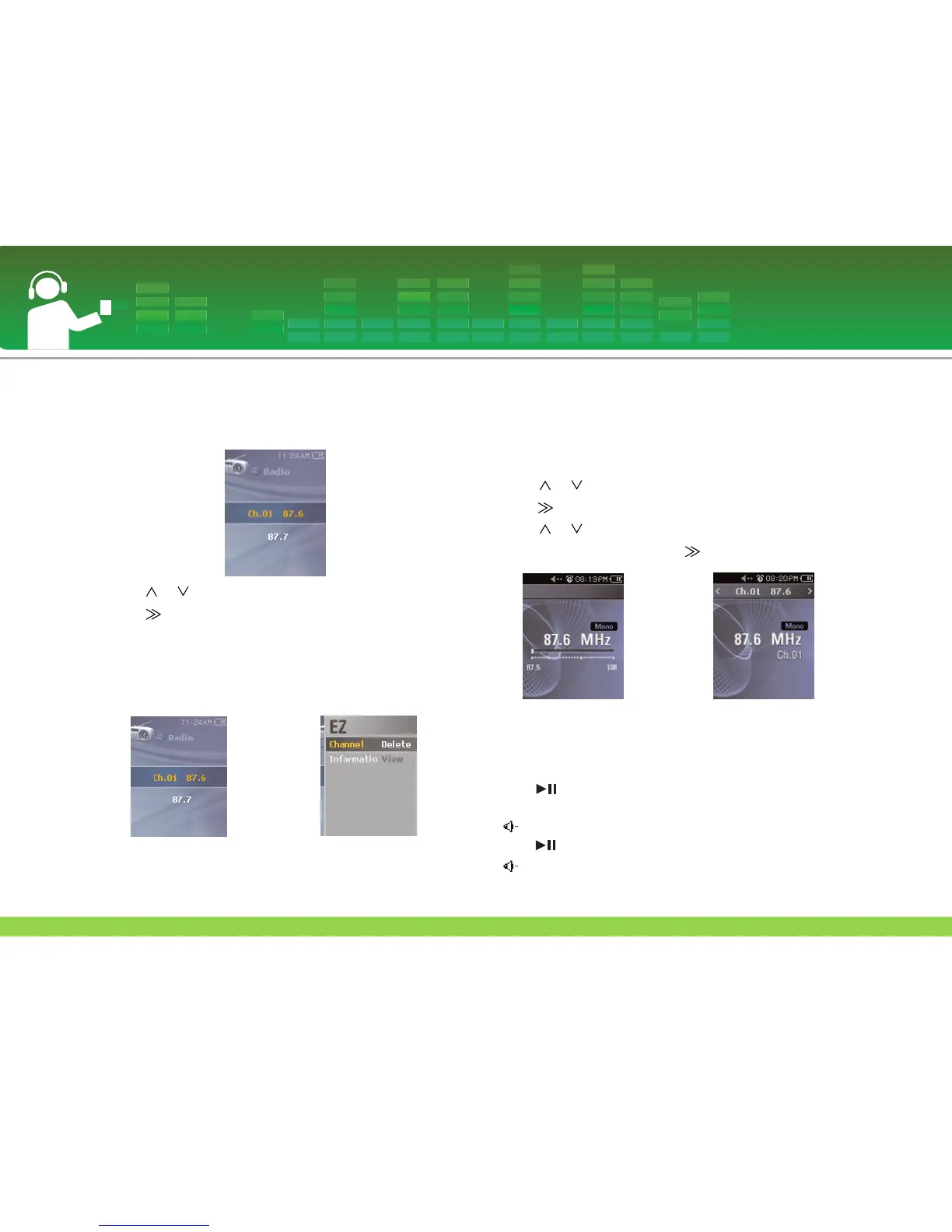
To search Channel (Preset Mode)
1 Press MENU button while listening to the radio.
- The list of saved channels will appear.
2 Press or button to select channel.
3 Press or SELECT button.
- Radio reception screen displays.
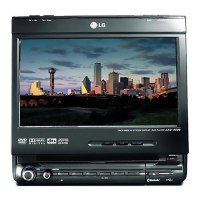
EZ menu
1 Press ez button to display EZ menu screen in the list of
saved channels.
- Channel : Deletes the selected channel.
- Information : Displays information of the selected channel.
To toggle of channel/frequency
mode
1 Press ez button while listening to the radio and then EZ
menu screen displays.
2 Press or button to move to [Radio Mode] and then
press or SELECT button.
3 Press or button to select to [Preset Mode] or [Non
Preset Mode] and then press or SELECT button.
Set/Cancel Mute
1 Press button while listening to the radio. Then, the
sound will become mute.
- icon will appear and the sound will become mute.
2 Press button to return to the normal.
- icon will disappear.
FM radio reception (Optional)
46
Non Preset Mode
Preset Mode


 To Next Page