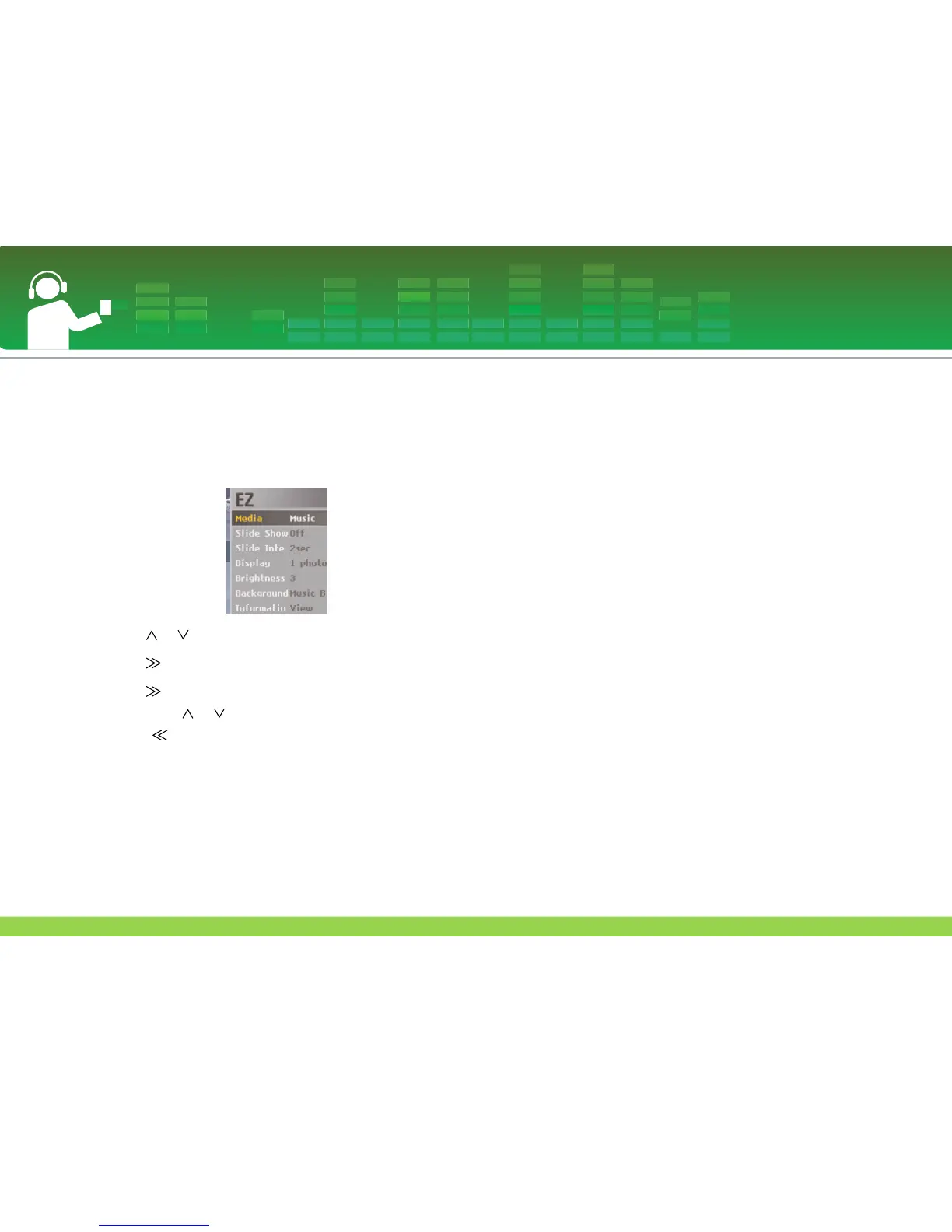
EZ menu
You can set the desired function or switch to the other mode
using.
1 Press ez button to display EZ menu screen while viewing
photo file.
2 Press or button to move to the desired item.
3 Press or SELECT button to move to the submenu.
4 Press or SELECT button after changing the setting
by pressing or button.
- Press button to exit without change.
5 Press ez button to exit the EZ menu.
Media selection
You can listen to music or radio while viewing the photo file.
(FM radio reception is optional.)
1 ez button > [Media] > [Music]/[Radio]
- If the [Media] is set to the [Music]/[Radio], the [Media] will
be automatically changed to [Music]/[Radio].
- You can control the volume level while viewing the photo.
2 ez button > [Music]/[Radio] > [Back]/[Cancel]/[Next]/
[Previous]
- [Back]: You can go to the [Music]/[Radio].
- [Cancel]: The [Music]/[Radio] mode will be turned off, the
mode will be changed to [Media].
- [Next]/[Previous]: Plays the previous or next music in case
of [Music] mode.
Plays the previous or next channel if there
are stored channels in case of [Radio]
mode.
Displays the [Cancel] or [Back] the if there
are no stored channels in case of [Radio]
mode.
View Photo File
38


 To Next Page