Library
If you download the music file from internet or PC, the MP3
player rebuilds them.
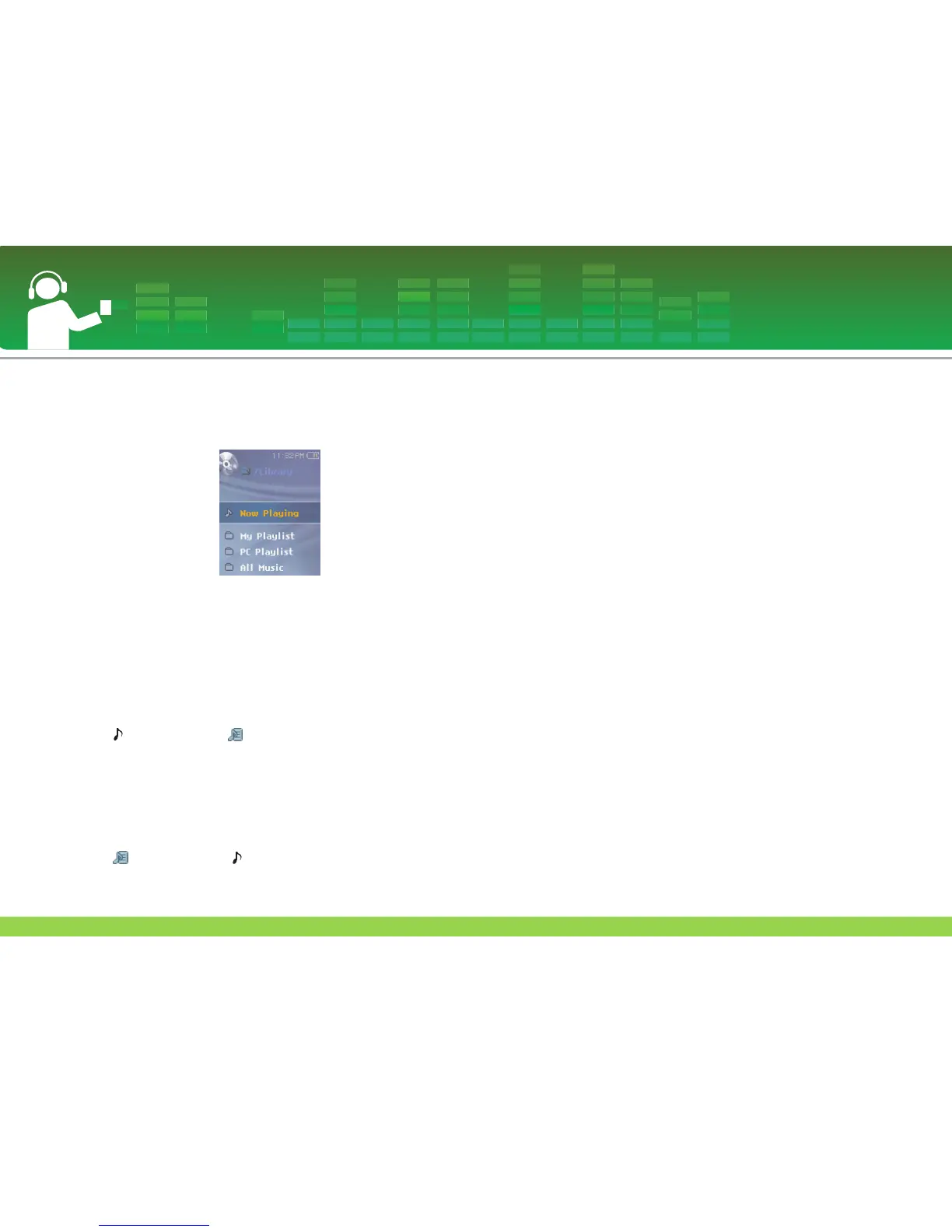
Now Playing
This feature displays the playing mode screen of current
music file.
My Playlist
You can select and manage your own playlist.
1 Select the music you want to add on the [My Playlist] of
[Library] list and then press ez button.
- icon changes to icon and it is added in [My Playlist].
- It can add one at a time.
2 You can confirm and play the added music in [My
Playlist].
3 Press ez button again to delete the added music in [My
Playlist].
- icon changes to icon.
- When the list is updated, the my playlist will be automatical-
ly disabled.
PC Playlist
You can play the MP3 player automatically the playlist cre-
ated in the WMP 10 (Windows Media Player 10) or the LG
Media Center through the Auto Sync mode.
- When the playlist and corresponding files are unchecked
in the Auto Sync mode, music will be deleted in the MP3
player. It is recommended to keep all Music files always
checked.
All Music
Plays the total music in [Library].
Artist
Plays the music
by artist.
Album
Plays the music by album.
Genre
Classifies and plays music by genre.
Recorded File
Plays the radio recording file (Optional) or voice recording
file.
Playing music
32


 To Next Page