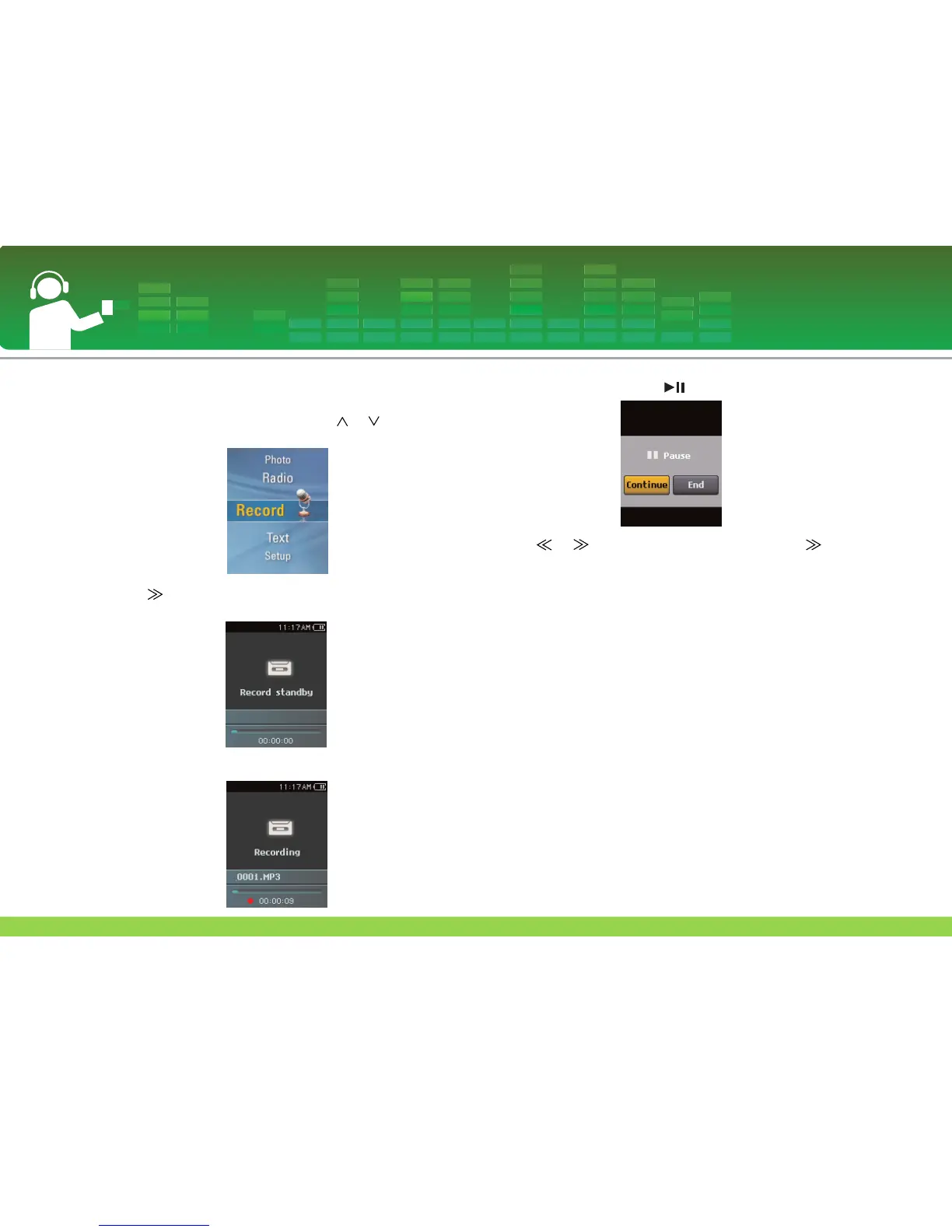
Voice recording
1 Move to the Home menu, and press or button to
select [Record] mode.
2 Press or SELECT button to open the recording
standby screen.
3 Press REC button to start recording.
4 To pause recording, press button.
5 Press or button to select “End”, and press or
SELECT button.
- Select “Continue” to resume recording.
- The recorded files will be stored under Record folder
named V060925_0001 (Year Month Date_Order)
6 To stop recording, press REC button.
- Files less than one second long will not be stored.
7 Refer to “Recorded file” on page 32 to play prerecorded
files.
- Files less than one second long will not be stored.
Recording
43


 To Next Page