44
SMART APPLICATION FUNCTION
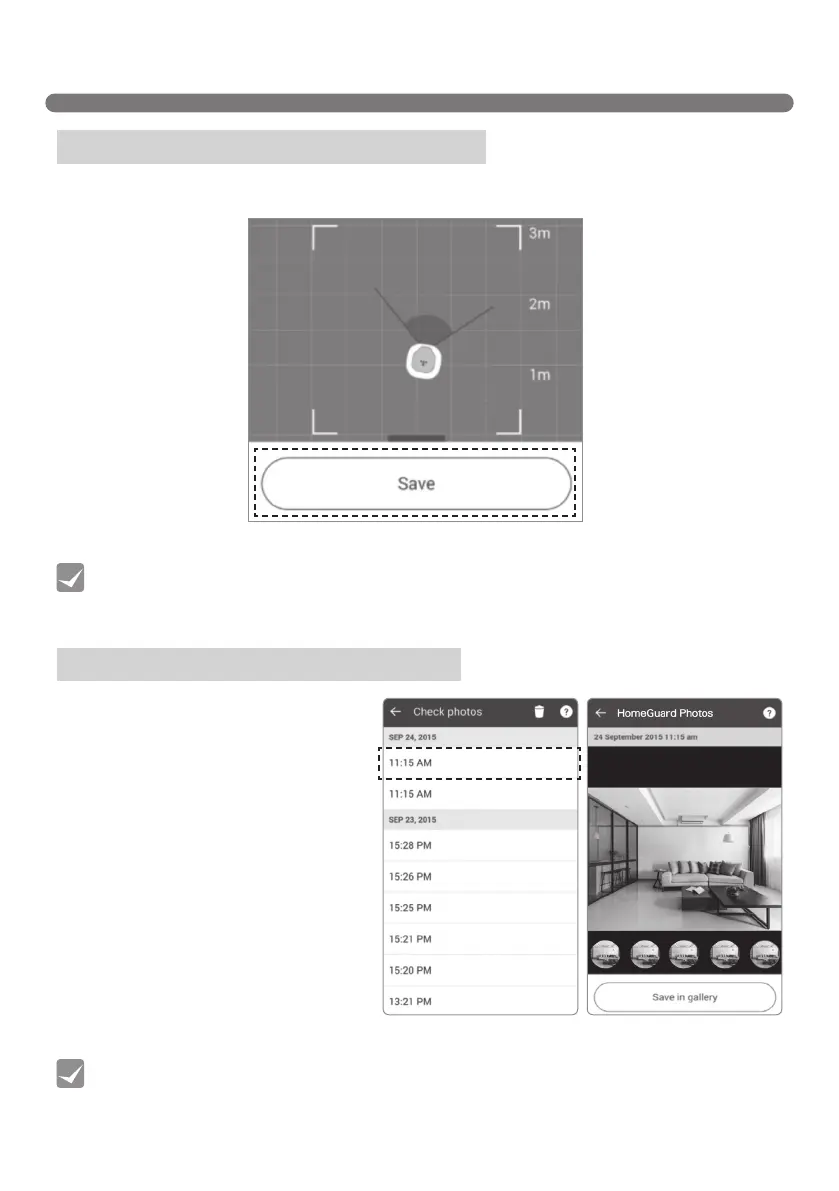
3. Check if the location is satisfactory from the video feed and click "Save" to complete location setup.
Menu - HomeGuard (Location setting)
Menu - HomeGuard (Check photos)
You can view the pictures taken in Home
Guard mode that have been sent by the
Robot Cleaner and can save them on
your Smartphone.
Up to 20 pictures are stored on the
Robot Cleaner. Click "Save in Gallery"
if you want to save the pictures on your
smartphone. If they are not saved to your
smartphone, then they will be deleted and
overridden with any ongoing new photos.
[Saving Location setting]
[HomeGuard Photos][HomeGuard Photos list]
• The Robot Cleaner searches for the saved location with the Home station as the starting
point, so you will have to set up the location again if the station has been moved.
• Upon detecting movement, The Robot Cleaner takes 5 consecutive pictures.
Tip
Tip



 To Next Page