User Manual 10H52188UM51 - Rev. 1 - 09/2011 17
Liebert NXC Single UPS Installation and Commissioning
2.4.1 Connecting I/O Cables
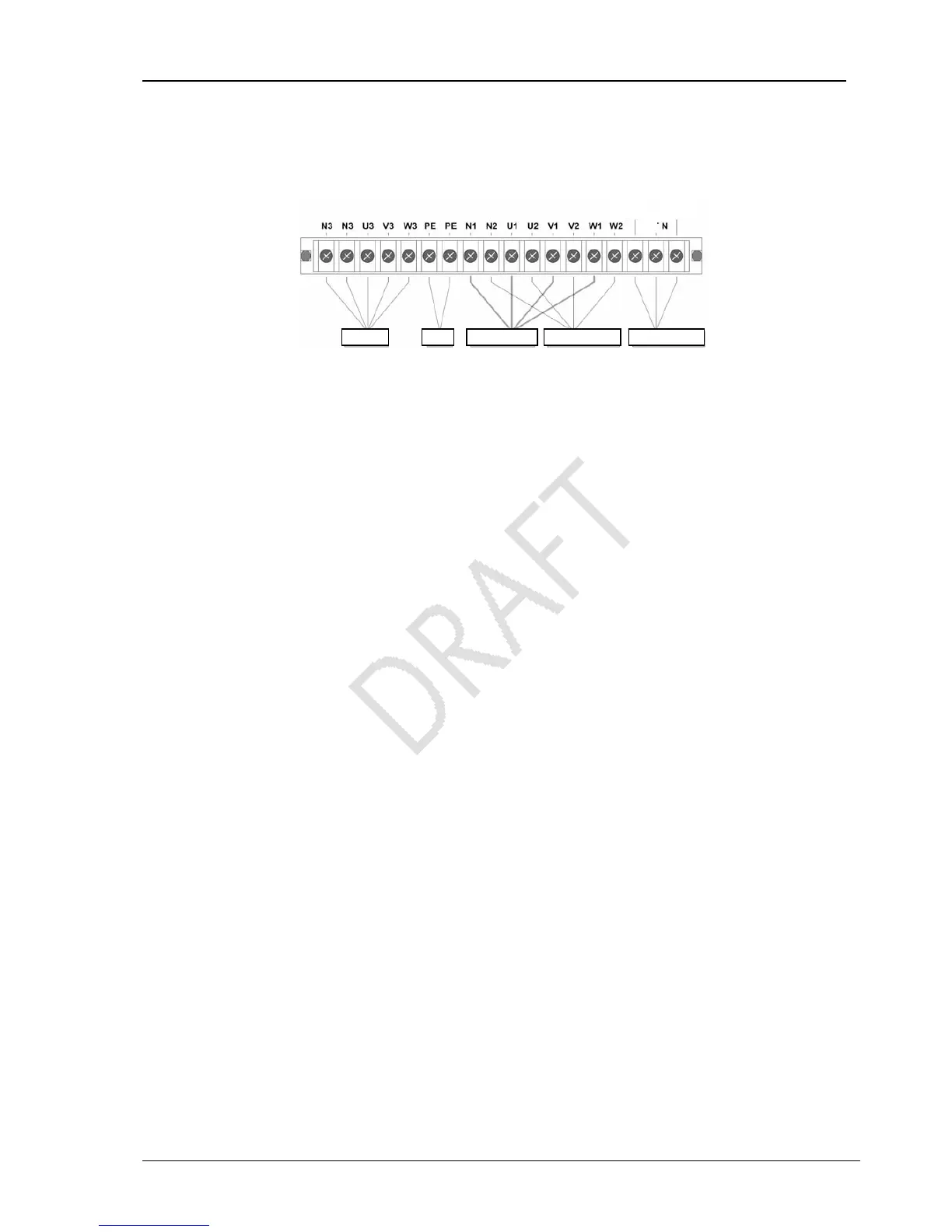
The power cables of the UPS should be connected through the I/O terminal block located on the UPS rear panel. Figure 2-3
gives the terminal layout of the I/O terminal block.
Figure 2-3 Terminals layout of the I/O terminal block
Power distribution mode
According to the user’s requirements, the I/O cable connections can be configured into four types:
3-in 3-out, common source configuration (factory default),
3-in 3-out, split-bypass configuration,
3-in 1-out, common source configuration,
3-in 1-out, split-bypass configuration.
Self-distribution
The four I/O cable connection procedures of the self-distribution are as follows:
3-in 3-out, common source configuration (factory default)
1. Connect the live lines (input phase L1, input phase L2 and input phase L3), N line and PE line respectively to the I/O terminal
block (U1, V1, W1 and N1 and PE terminals) of the UPS.
Short connect U1 and U2, V1 and V2, W1 and W2 of the UPS I/O terminal block using the copper shorting bar 3 respectively
(factory default).
2. Connect the live lines (output phase L1, output phase L2 and output phase L3), N line and PE line respectively to the I/O
terminal block (U3, V3, W3 and N3 and PE terminals) of the UPS, as shown in Figure 2-4.
OUTPUT GND MAINS INPUT BYPASS INPUT EXT. BATTERY
BAT+
BAT-
BAT



 To Next Page