48 User Manual 10H52188UM51 - Rev. 1 - 09/2011
UPS Operation Instructions Liebert NXC
5.3 UPS Complete Shutdown
If you need to shut down the UPS completely, transfer the UPS from Inverter mode to Maintenance Bypass mode according to
the procedures in 5.2.4, so as to make no effect on the use of the load during the UPS power-off. Then if the power to the load is
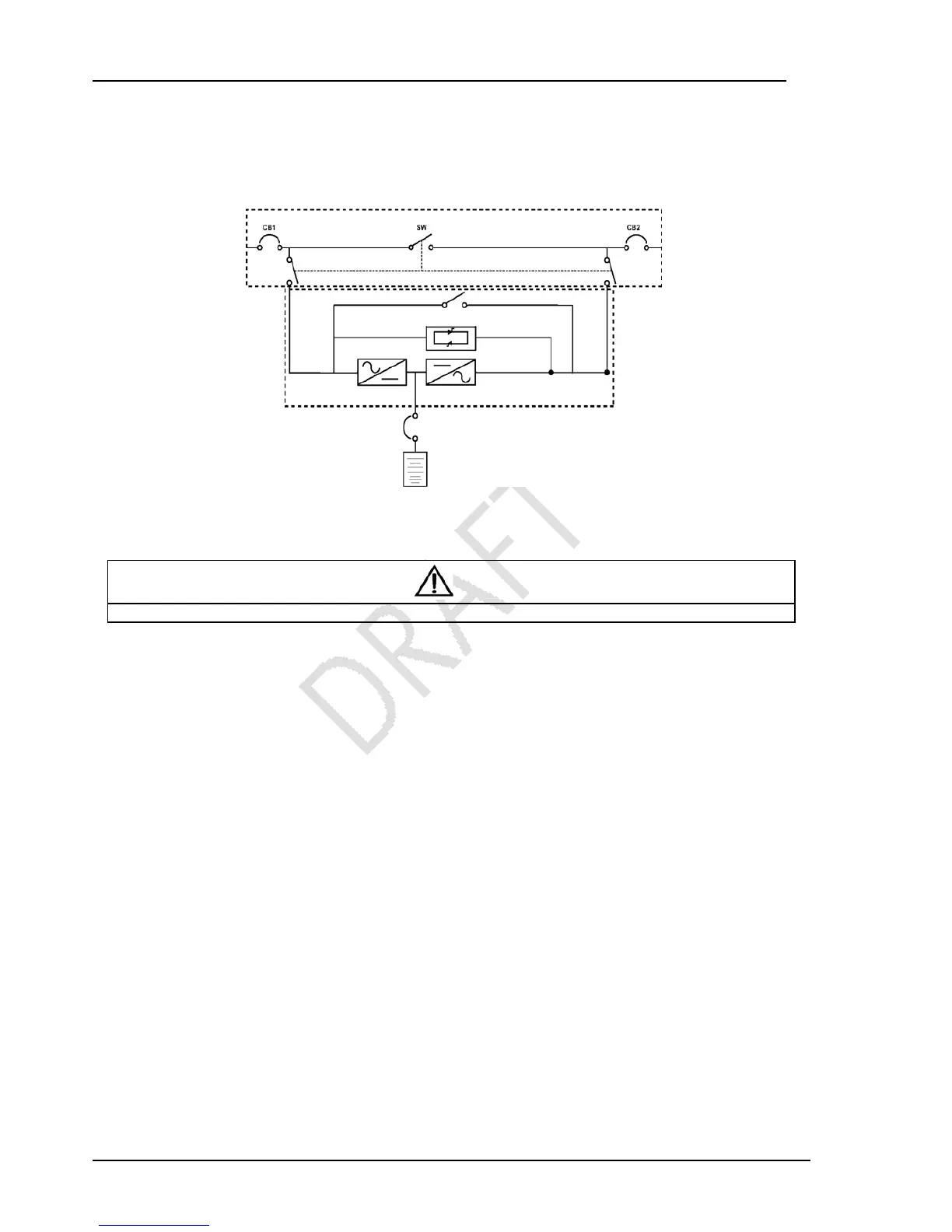
not needed, open the maintenance bypass LBS directly, as shown in Figure 5-1.
Figure 5-1 Configuration of the UPS with external maintenance bypass
For the UPS system which the distribute power is accomplished by user, if you need to isolate the UPS from AC power,
disconnect the external input MCB. (If the mains and bypass are independently powered, close the two input MCBs).
Caution
Open the maintenance bypass input in order to prevent the physical injury.
5.4 EPO
EPO switch is designed to switch off the UPS in emergency conditions (such as fire, flood). The system will turn off the rectifier,
inverter and stop powering the load immediately (inverter and bypass output included), and the battery stops charging or
discharging.
If the mains input is present, the UPS control circuit will remain active; however, the output is closed. To remove all mains power
from the UPS, the external input switch should be disconnected.
5.5 Auto Restart
When the mains power failure, the UPS draws power from the battery to supply the load until the batteries end of discharge is
reached, then the UPS will shut down.
The UPS will automatically restart and recover output power supply:
After the mains power is restored.
The UPS Auto Restart function is enabled.
After the Auto Restart is delayed (default: 10 minutes). During the Auto Restart delay, the UPS will charge the battery to
provide a safety margin for equipment shutdown if input power fails again.
If the Auto Restart function is disabled, you can restart the UPS manually by pressing the FAULT CLEAR button.
5.6 UPS Reset
The EPO action or the following reasons such as inverter overtemperature, power-off overload, battery overvoltage and
excessive switching may result in the UPS power-off. After all appropriate measures have been taken to clear the faults indicated
by the alarm message appearing on the LCD, you can carry out the following steps to restore the UPS to normal operation state.
1. Press the FAULT CLEAR button to make the system exit the EPO state.
2. Press the ON button for 2s.



 To Next Page