22 User Manual 10H52188UM51 - Rev. 1 - 09/2011
Single UPS Installation and Commissioning Liebert NXC
Changing power distribution mode
Note
This product is compatible with 3-in 3-out/3-in 1-out, factory default: 3-in 3-out. Change the format according to the following steps if
you need to change the power distribution mode.
From 3-in 3-out to 3-in 1-out
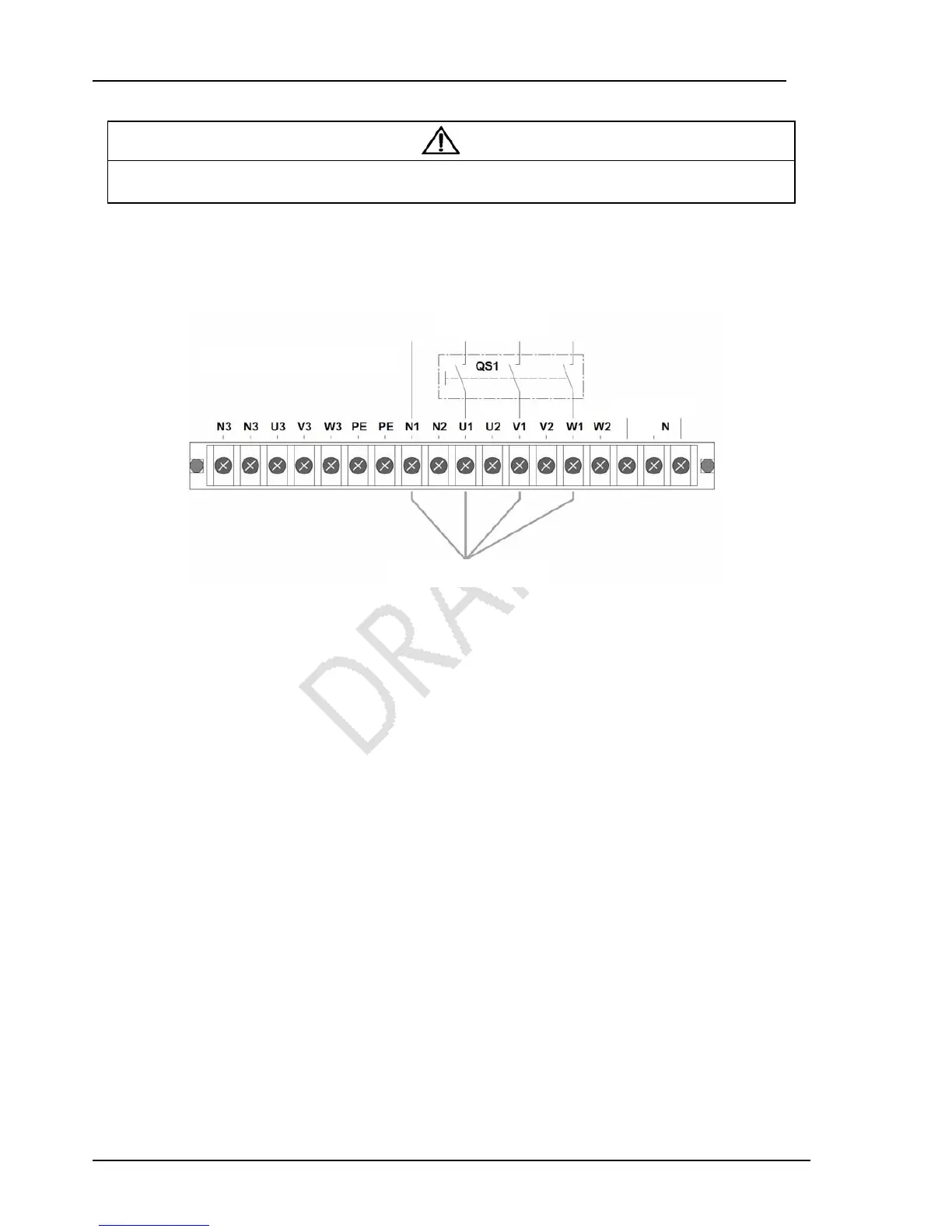
1. Remove all the copper shorting bars 3 shown in Figure 2-4 of the 3-in 3-out system; connect the main input cables only. It is
prohibited to connect the bypass input cables, output cables and battery cables, as shown in Figure 2-10.
Figure 2-10 Main input
2. Remove the EPO jumpers of the dry contact port 4 (see Figure 6-2 and Table 6-1).
3. Power on the system with LBS (Load Circuit Breaker) QS1. Set the system to ‘Single’ through the LCD menu ‘Settings’ -> ‘3
Phase Output or 1 Phase Output’ (default password: 12345), and power off the system completely, then power on the system
again, enter this menu to confirm the setting is valid.
4. Power off the system completely, and replace the EPO jumpers of the dry contact port 4, and remove the main input cable.
From 3-in 1-out, to 3-in 3-out
1. Remove all copper shorting bars shown in Figure 2-7 and Figure 2-8 of the 3-in 1-out system, connect the main input cables
only. It is prohibited to connect the bypass input cables, output cables and battery cables, as shown in Figure 2-10.
2. Remove the EPO jumpers of the dry contact port 4 (see Figure 6-2 and Table 6-1).
3. Power on the system. Set the system to ‘Three’ through the LCD menu ‘Settings’ -> ‘3 Phase Output or 1 Phase Output’
(default password: 12345), and power off the system completely, then power on the system again, enter this menu to confirm
the setting is valid.
4. Power off the system completely, replace the EPO jumpers of the dry contact port 4, and remove the main input cable.
2.4.2 Connecting and Installing External Battery
Notes
For the installation and commissioning of an external Battery, refer to “Liebert NXC Battery User Manual”.
to UPS Recti



 To Next Page