26 User Manual 10H52188UM51 - Rev. 1 - 09/2011
Single UPS Installation and Commissioning Liebert NXC
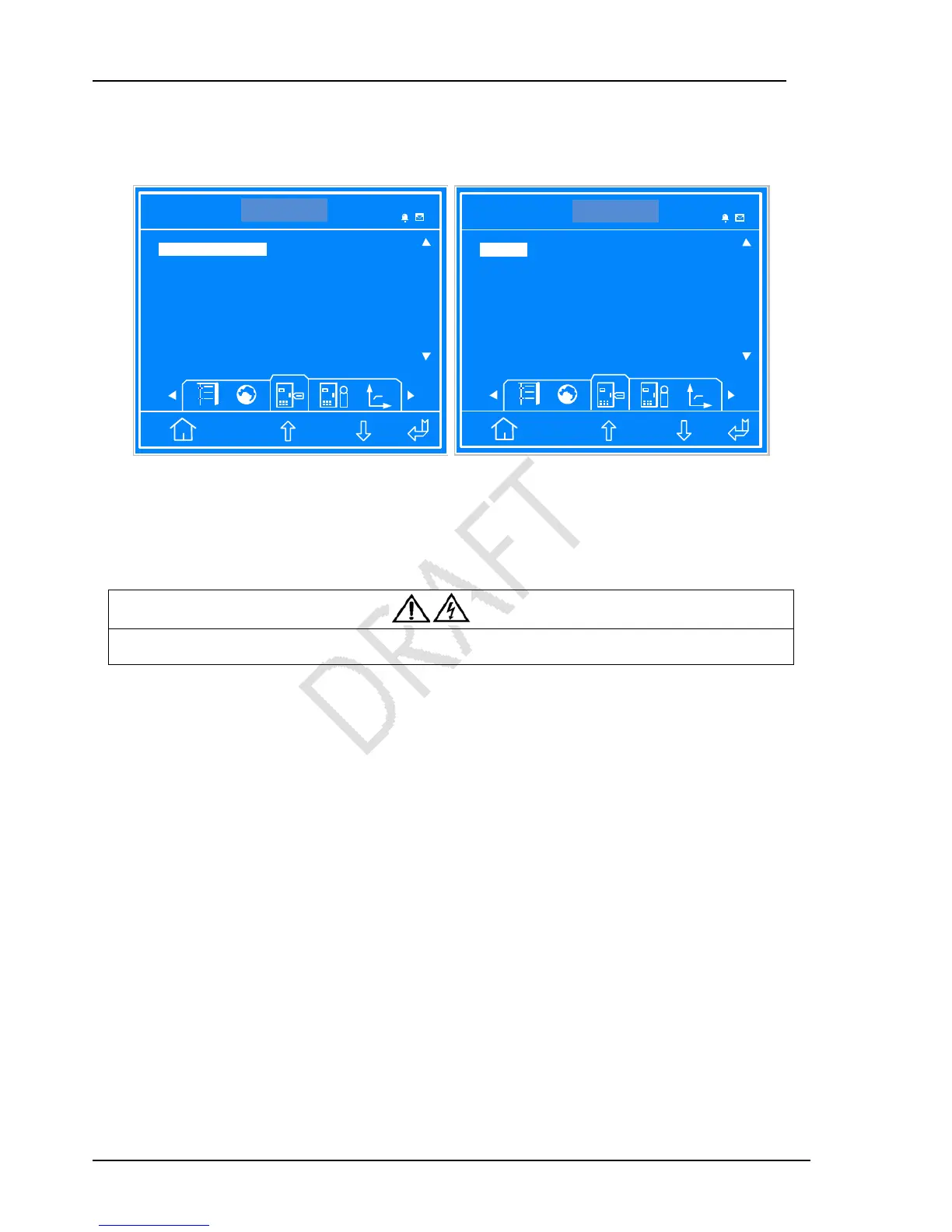
Set “Output Voltage Level” and “LBS Function” according to the user requirement, set “Command password” to “12345”, the
default value of “Protocol” is “Velocity”, select “Three” or “Single” in “3 Phase Output or 1 Phase Output”, as shown in Figure
2-14.
ITA 016kVA
Settings
Single
200 208 220 230 380 400 415 480
LBS Function MASTER
Command password
ESC
380V
Output Voltage Level
NONE SLAVE MASTER
*****
14:30:36
ITA 016kVA
Settings
Single
YDN23 Velocity
3 Phase Output or 1 Phase Output Three
ESC
YDN23
Protocol
Three Single
14:30:36
Figure 2-14 Settings interface 3
2.5.3 Normal Mode Start-Up
1. Close the UPS output MCB (QS4), the input MCB (QS1) and the bypass MCB (QS2) on by one. The maintenance bypass MCB
(QS3) must be opened.
Warning
After closing the above mentioned MCBs, the UPS output terminal block of the load will be live, pay attention to the personnal safety
to avoid electric shock. Note whether it is safe to feed power to load.
2. LCD displays the self-test screen; the fault indicator (red) and inverter indicator (green) are on at the same time for about 5
seconds. After the self-test, UPS enters the bypass state, the fault indicator turns on and the buzzer beeps for 1 second.
3. The rectifier runs in normal state about 30 seconds, the rectifier start-up is finished.
4. Finish and check the parameter settings of the single UPS.
5. Press the ON button for 2 seconds, the inverter indicator (green) are blinking, the inverter starts, and the inverter indicator
turns on.
6. Measure whether the inverter output voltage is normal.
7. If the battery is not connected, the fault indicator is blinking. If the battery is connected (internal battery with MCB QS6 and
QS7), the fault indicator turns off.
2.5.4 Battery Mode Start-Up
1. Close the battery LBS; press the battery cold start button on the UPS front panel for 2 seconds, the LCD displays the start
screen. The fault indicator (red) will blink and the buzzer will beep continuously after the rectifier finish the start.
2. Press the ON button for 2 seconds, the inverter starts, and the inverter indicator (green) turns on.



 To Next Page