30 User Manual 10H52188UM51 - Rev. 1 - 09/2011
Parallel UPS Installation and Commissioning Liebert NXC
3.3.3 Connecting external Battery Cables
All the UPSs in parallel system can either share the battery strings, or use battery strings independently.
Note
Each UPS should be equipped with the independent battery MCB. Refer to Table 2-4 for selection of the battery MCB.
Using battery string independently
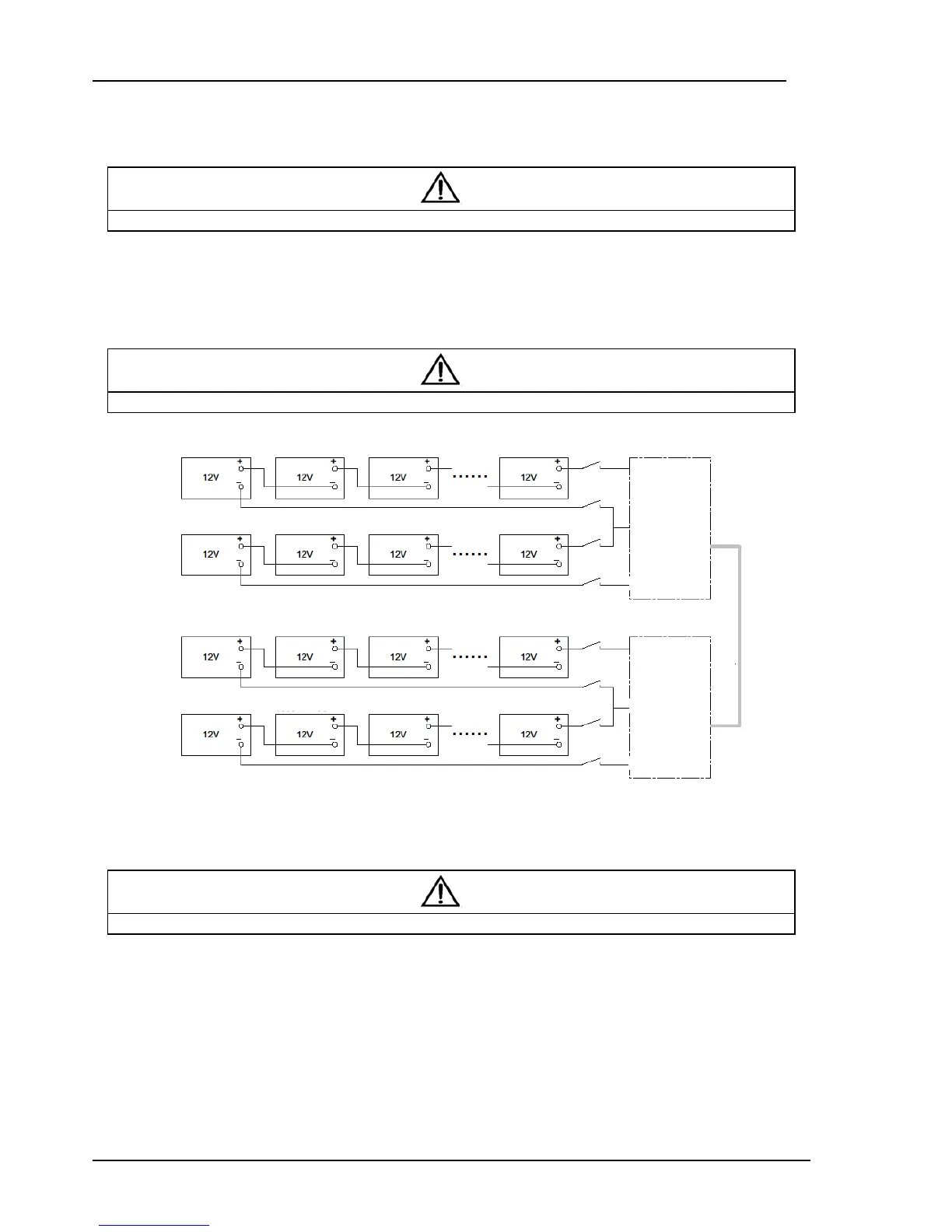
When each UPS of the parallel system uses the battery string independently, the battery cables connection of each UPS in
parallel system is the same with that of the single UPS, refer to 2.4.2. The schematic diagram of battery strings in 1 + 1 parallel
system when using battery string independently is shown in Figure 3-3.
Note
Make sure that the LCD settings are correct when using the battery strings independently, refer to 3.4.2 for details.
Figure 3-3 Connection principle diagram upon using battery strings independently
Sharing battery string
Using the shared battery string in parallel system can save investment in equipment for users.
Note
To ensure the abundant backup time of the battery, it is recommended to use the external battery cabinet with big capacity.
1. Wiring
Power off the parallel system completely, disconnect the battery MCBs of all single UPSs, and then use battery cables (refer to
2.4 for the cables and the MCBs) to connect ‘+’, ‘N’, ‘-’ and ‘PE’ terminals of the battery string respectively to ‘Bat +’, ‘Bat N’,
‘Bat -’ and ‘PE’ terminals of the corresponding UPS I/O terminal block in parallel system through each battery MCB, as shown in
Figure 3-4.
first Block
second Block
third Block sixteen Block
UPS 1
first Block
second Block
third Block sixteen Block
first Block
second Block
third Block sixteen Block
UPS 2
first Block
second Block
third Block sixteen Block
Batter



 To Next Page