USER MANUAL – FLEXSTEP V2 – US VERSION 08.02
Liftup North America, Inc. | 5626 56th Commerce Park Blvd | Tampa, FL 33610 | T: +1 844 543 8878 | M: info@liftup.us | www.liftup.us
10. Instructions for the use
The FlexStep is a unique 2-in-1 application, designed to act as both a staircase and a wheelchair
lift. To begin with, the FlexStep is an ordinary staircase but, by pressing on the operating buttons,
it folds up or down into a platform and becomes a wheelchair lift.
10.1 Everyday use
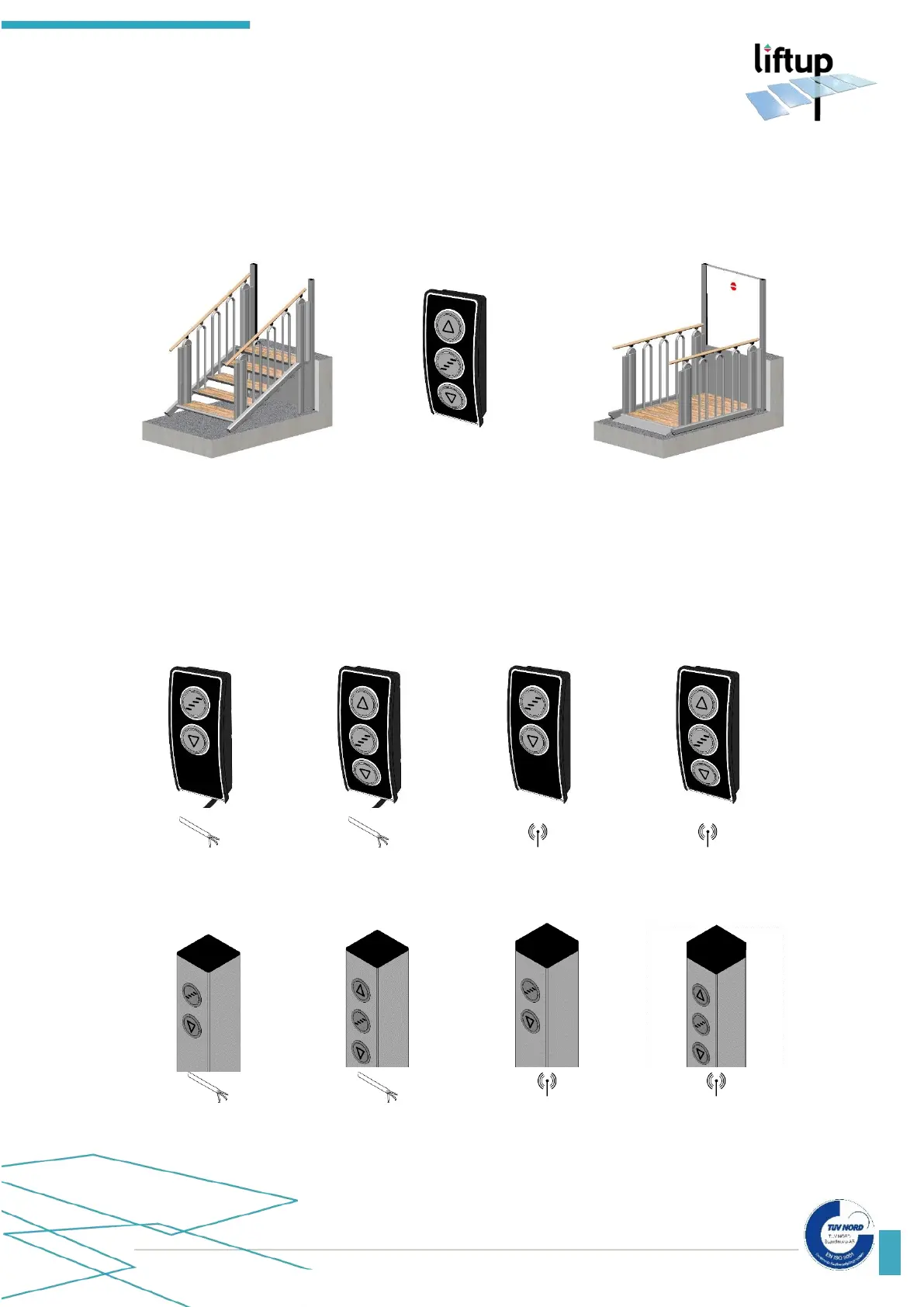
The FlexStep can be activated and operated by means of the operating panel on the platform
(fig. 12), a remote control (optional equipment) (fig. 9) or operating panels on the upper and
lower levels respectively: Standard call stations (figs. 1-4), call station columns (figs. 5-8) or key-
operated call stations (fig. 10) In addition, the lift can be turned on and off by means of a key
switch (optional equipment) (fig. 11).
Fig. 1:
Standard call station with
cable, 2-way
Fig. 2:
Standard call station with
cable, 3-way
Fig. 3:
Standard call station,
wireless, 2-way
Fig. 4:
Standard call station,
wireless, 3-way
Fig. 5:
Call station column with
cable, 2-way
Fig. 6:
Call station column with
cable, 3-way
Fig. 7:
Call station column,
wireless, 2-way
Fig. 8:
Call station column,
wireless, 3-way



 To Next Page