USER MANUAL – FLEXSTEP V2 – US VERSION 08.02
Liftup North America, Inc. | 5626 56th Commerce Park Blvd | Tampa, FL 33610 | T: +1 844 543 8878 | M: info@liftup.us | www.liftup.us
13. Pairing transmitter and receiver
13.1 Wireless call station/call station column 2.4 GHz
The transmitter and receiver must always be paired in order to work. This is normally done at
the factory or by an authorised service technician. The receiver will not respond to a transmitter
it is not paired with. A receiver can be paired with up to 20 transmitters. A transmitter can be
connected to several receivers if necessary.
How to pair the transmitter and receiver:
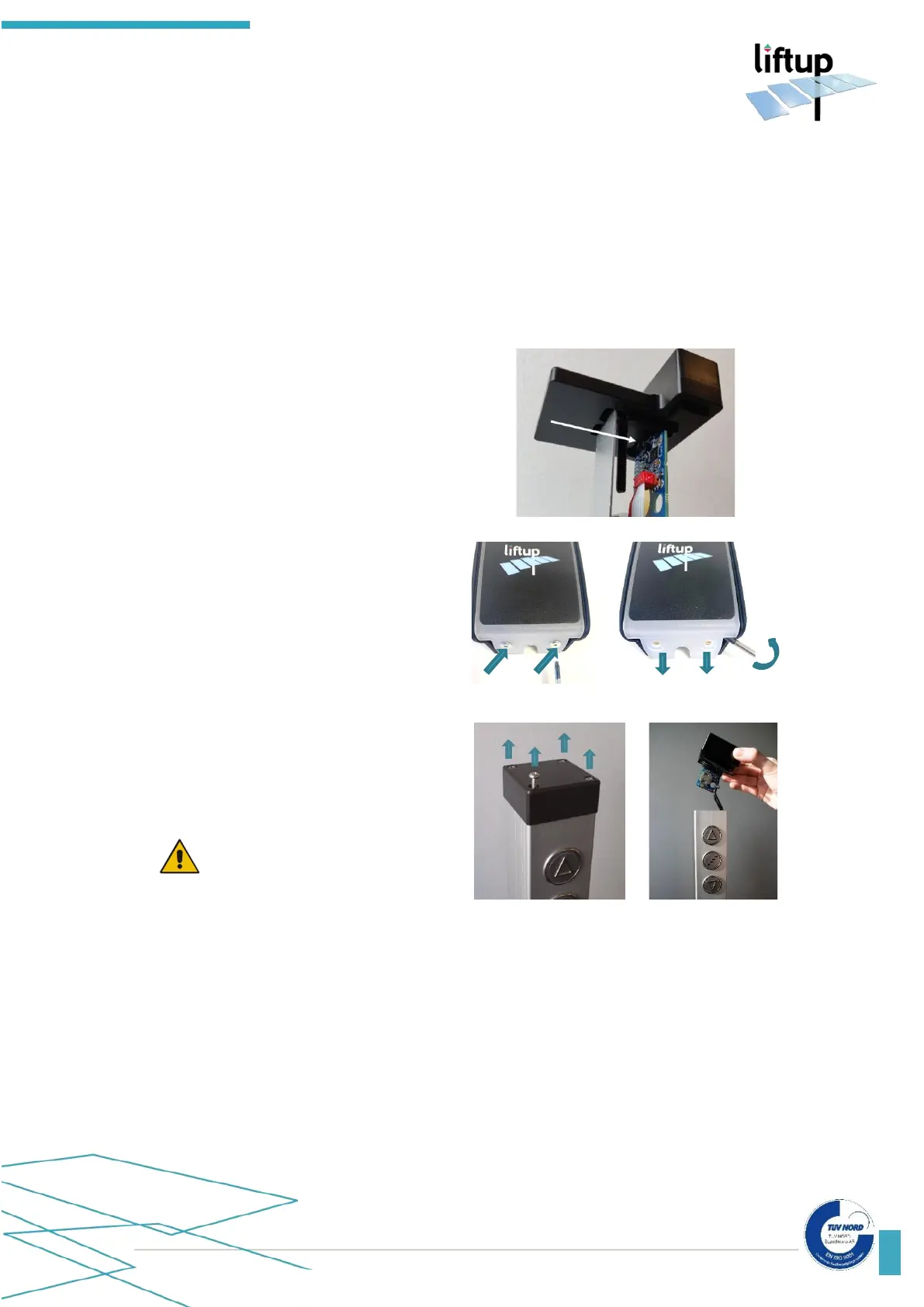
1. To gain access to S4 on the receiver,
loosen the top screw and pull up the
receiver “MODULE1” from the top of
the wall profile.
2. Press briefly on S4 on the receiver and
the control light (LED) will start to flash
slowly. The receiver will now be in
installation mode for 2 minutes.
3. Gaining access to the transmitter.
Call station
In order to gain access to the printed
circuit board, loosen the 2 Torx screws
and pull down the top cover to separate
it from the body.
Call station column
To gain access to the printed circuit
board containing the transmitter, loosen
the 4 screws and pull up the top cover
carefully. Pull the printed circuit out of
the top cover carefully.
IMPORTANT!
Be careful not to disconnect the wires
from each other. Pull the printed circuit
out of the top cover carefully.



 To Next Page