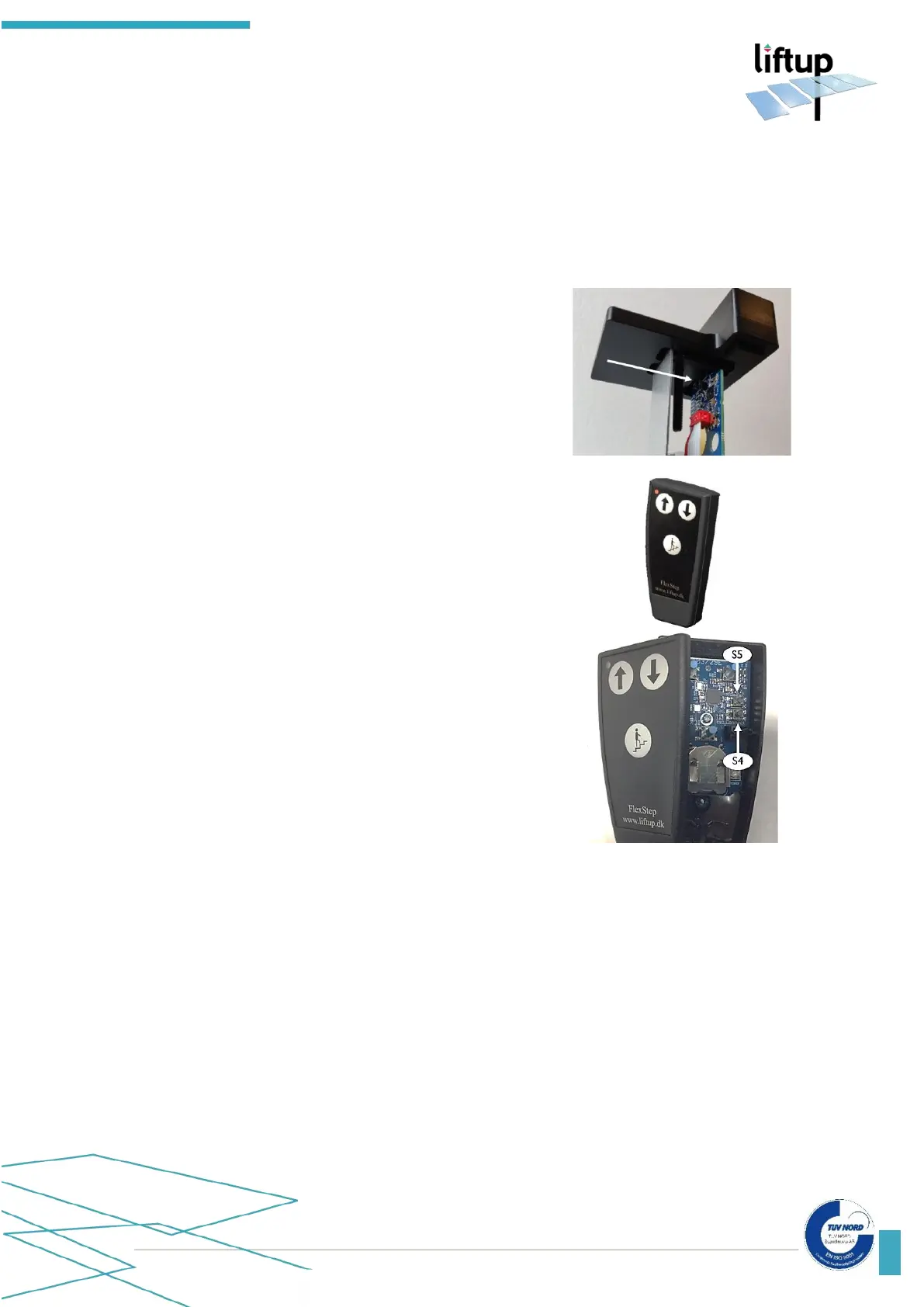
13.2 Remote control 2.4 GHz
The transmitter and receiver must always be paired in order to work. This is normally done at
the factory or by an authorised service technician. The receiver will not respond to a transmitter
without it having been paired with the receiver. A receiver can be paired with up to 20
transmitters. A transmitter can be paired with several receivers if necessary.
How to pair a transmitter and receiver:
1. To gain access to S4 on the 2.4 GHz receiver, loosen the
top screw and pull up MODULE1 from the top of the wall
profile.
2. Press briefly on S4 on the receiver and the control light
will start to flash slowly. The receiver will now be in
installation mode for 2 minutes.
3. Press the ‘up arrow’ (↑) and ‘down arrow’ (↓) on the
remote control at the same time and hold them down for
5 seconds until the control light on the remote control
starts to flash slowly. The remote control will now be in
installation mode for 2 minutes. It should be flashing
yellow. If it is flashing red, it is an 868 MHz model and is
not suitable for the receiver.
Alternatively:
Press on Connect (S4), if the remote control is open.
4. Once the control light on the remote control stops
flashing, it has been paired with the lift.
5. Test the system to ensure that the pairing has been
performed correctly; if not, repeat 1-4 above.
6. Repeat from step 2 above if several remote controls are
to be paired.



 To Next Page