USER MANUAL – FLEXSTEP V2 – US VERSION 08.02
Liftup North America, Inc. | 5626 56th Commerce Park Blvd | Tampa, FL 33610 | T: +1 844 543 8878 | M: info@liftup.us | www.liftup.us
10.5 Return to staircase and auto return
By activating the button with the staircase symbol, the FlexStep can be
transformed to its normal function as a staircase.
If no operating buttons or IR sensors have been active for approx. 60 seconds (default
programming), the FlexStep will automatically return to its normal position as a staircase. An
acoustic alarm will be sounded during this operation (see section 10.8). The function can be
disconnected if you do not want the lift to automatically revert to a staircase.
Liftup recommends that the auto return function be always switched off if there are no safety
devices at the upper level.
10.6 Emergency stop
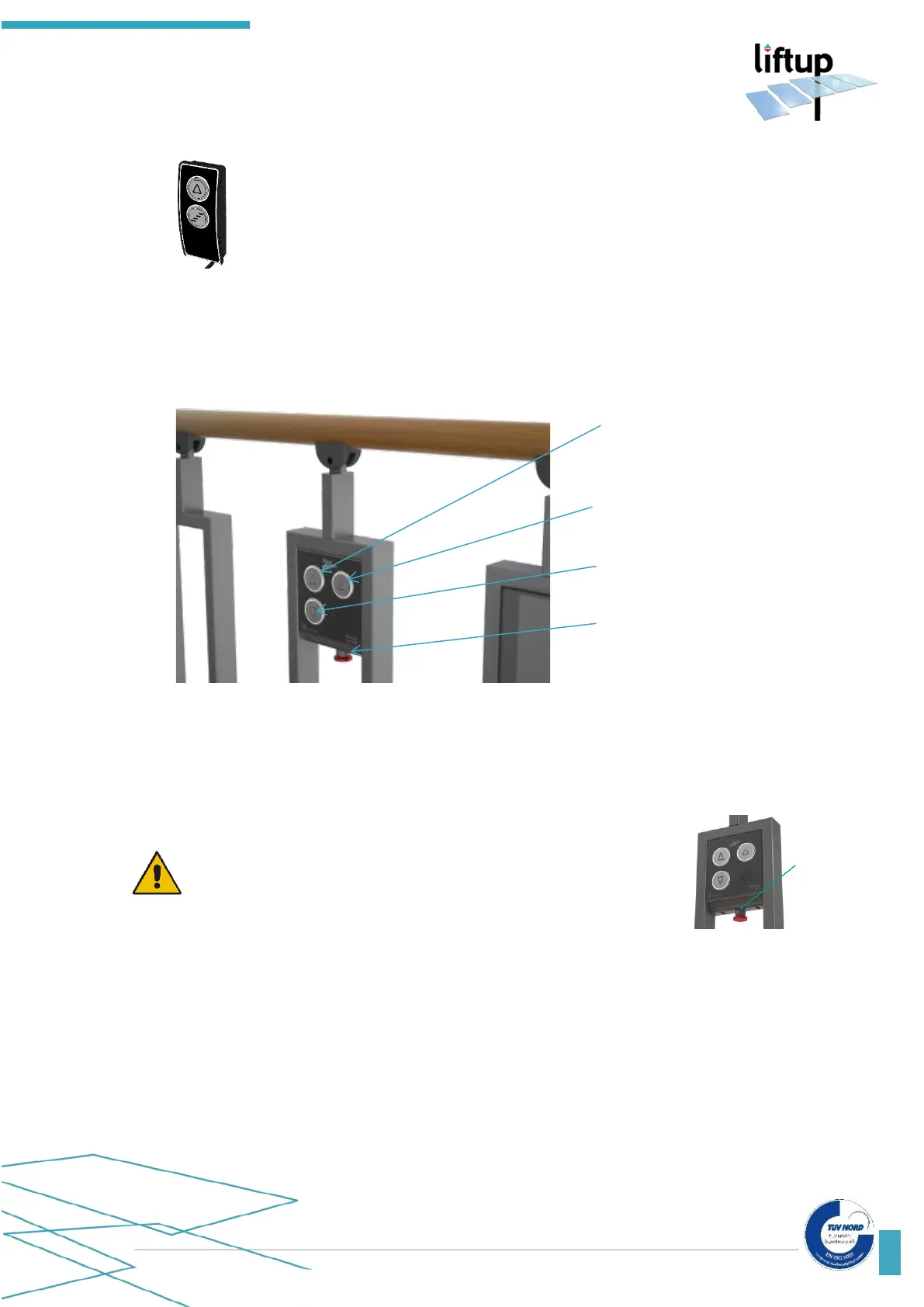
If the lift makes an unintended movement or if it needs to stop in
order to avoid an element of danger, press EMERGENCY STOP. In
order to disengage the emergency stop, turn the button clockwise
and the system will be ready to use.
To operate an alarm function on the operating panel, see section 10.9.
10.7 ON/OFF switch
The lift is equipped with an ON/OFF switch. It is positioned at the bottom of the right-hand
side of the control box. The ON/OFF button is used to interrupt the power supply to the lift.
If this is turned off at the same time as activating the emergency stop, the staircase will be turned
off completely.
Alarm
(optional equipment)



 To Next Page