Liftup North America, Inc. | 5626 56th Commerce Park Blvd | Tampa, FL 33610 | T: +1 844 543 8878 | M: info@liftup.us | www.liftup.us
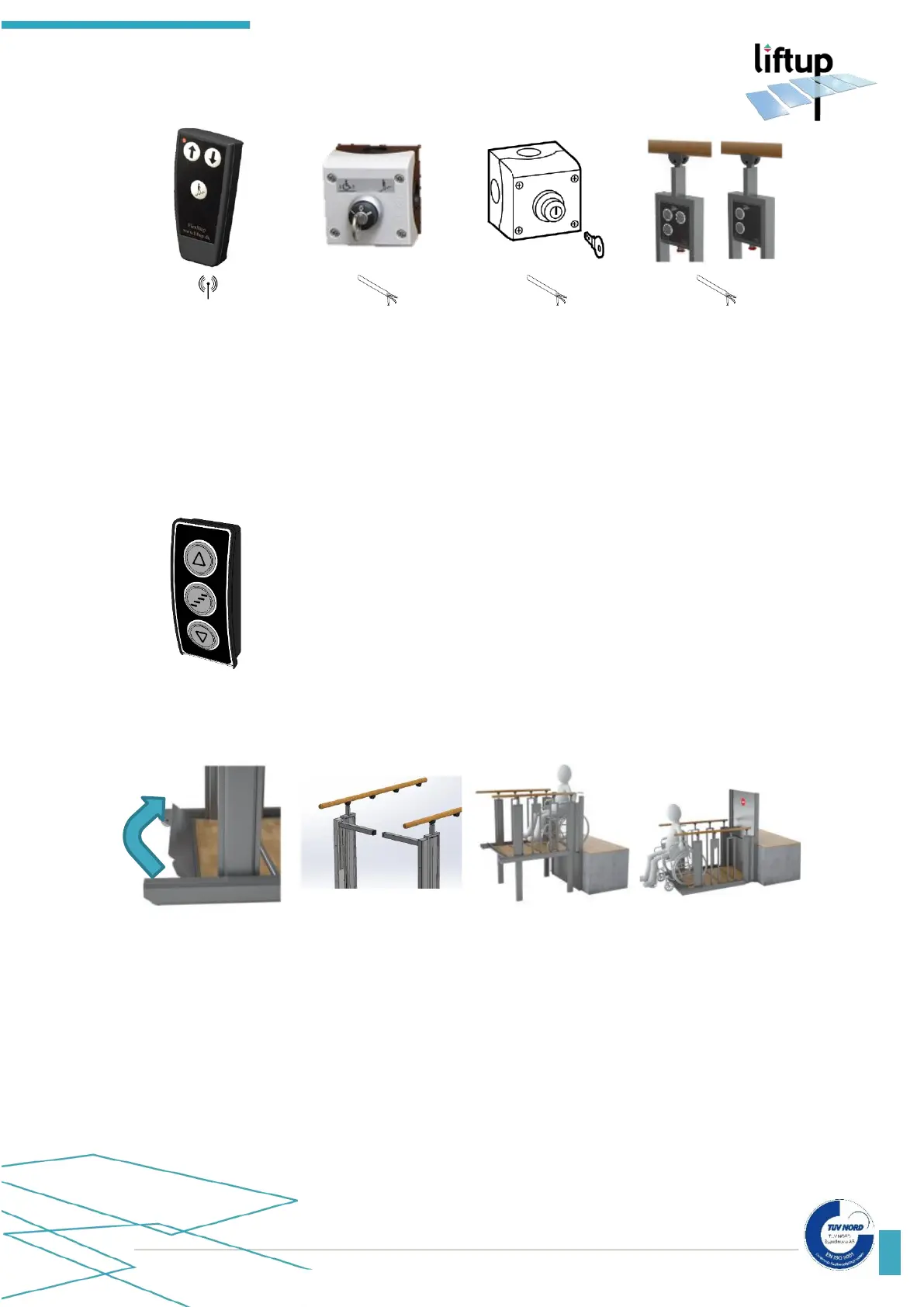
The lift is activated from the UPPER level by pressing and holding in the
arrow key () on the operating panel.
The staircase is transformed into a platform and first moves to the
LOWER level where the roll-off protection (ramp (fig. 1) and automatic
onboard barrier (fig. 2)) are raised and locked.
The platform then moves to the UPPER level and the barrier/door at
the upper level is opened so that access is given to the platform. Drive
onto the platform carefully and lock/brake the wheelchair (fig. 3).
Press and hold in the arrow key (), upon which the platform will move
down to the LOWER level. When the platform reaches the lower level,
the roll-off protection is lowered and the ramp acts as a drive-on/drive
off ramp (fig. 4). Drive away from the platform carefully (fig. 4).



 To Next Page