USER MANUAL – FLEXSTEP V2 – US VERSION 08.02
Liftup North America, Inc. | 5626 56th Commerce Park Blvd | Tampa, FL 33610 | T: +1 844 543 8878 | M: info@liftup.us | www.liftup.us
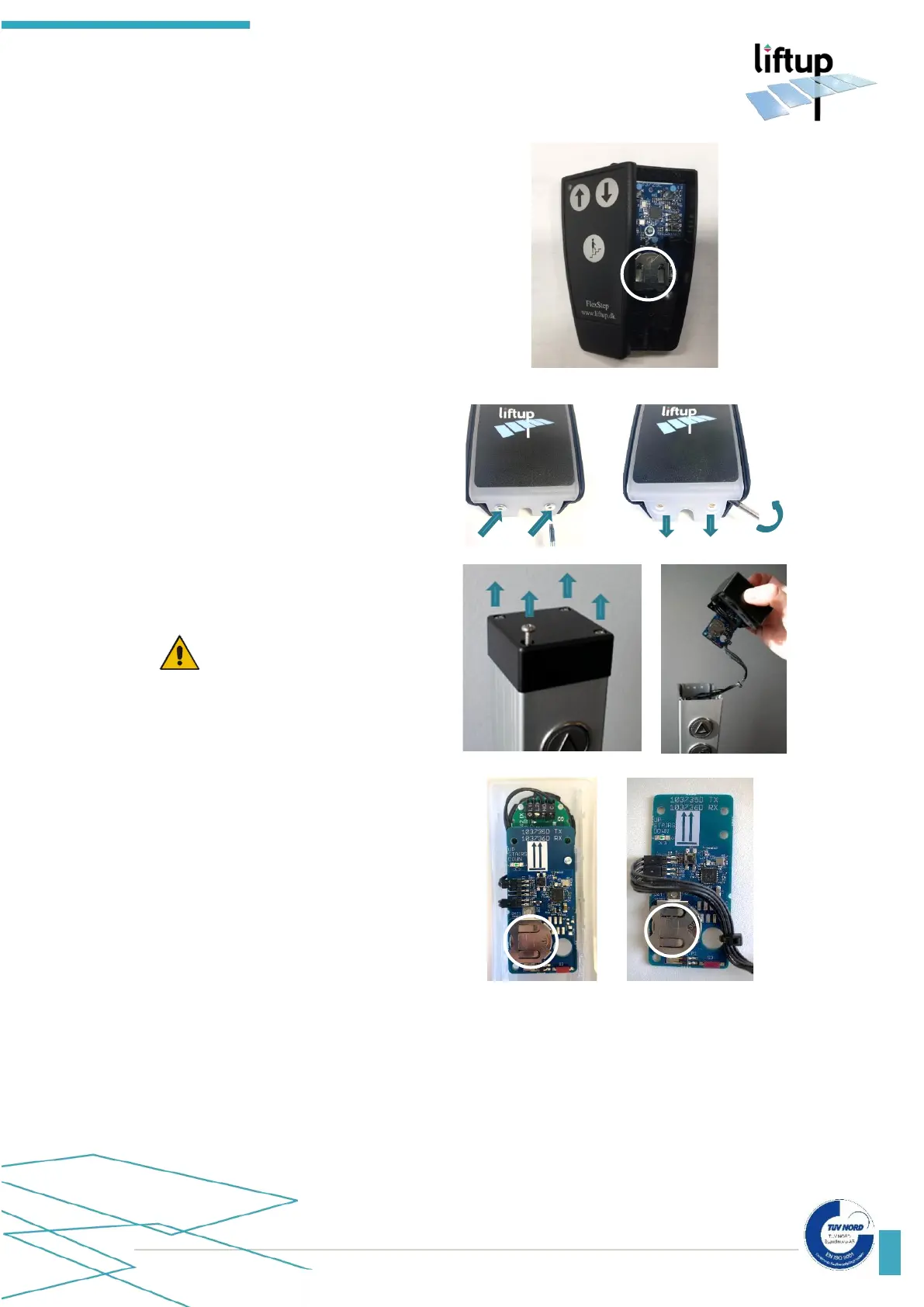
How to replace the battery
Hand-held remote control:
1. Loosen the screw (Torx TX 6) on the
rear of the remote control
2. Remove the rear panel
3. Replace the battery
4. Replace the rear panel and test the
remote control
Call station:
In order to gain access to the battery, loosen
the 2 Torx screws and pull down the top
cover to separate it from the body.
Call station column
To gain access to the battery, loosen the 4
screws and pull up the top cover carefully.
IMPORTANT!
Be careful not to disconnect the wires
from each other. Pull the printed circuit
out of the top cover carefully.
1. Replace the battery
2. Put the unit together in the reverse order
and test the buttons.
If the remote control or receiver has been without power for a long period of time, it may be
necessary to calibrate the system (pair the two units), see section 13.



 To Next Page