13
IP Camera Control icon description
Item Description
Pan and tilt speed.
ZOOM. Press +/- or move the slider to adjust.
FOCUS. Press +/- or move the slider to adjust.
IRIS. Press +/- or move the slider to adjust.
Press left or right arrow keys to select desired preset point, adjust view
to appropriate position then press to set the current position as the
preset point.
Press left or right arrow keys to select desired preset point, then press
to move the view to the selected preset point.
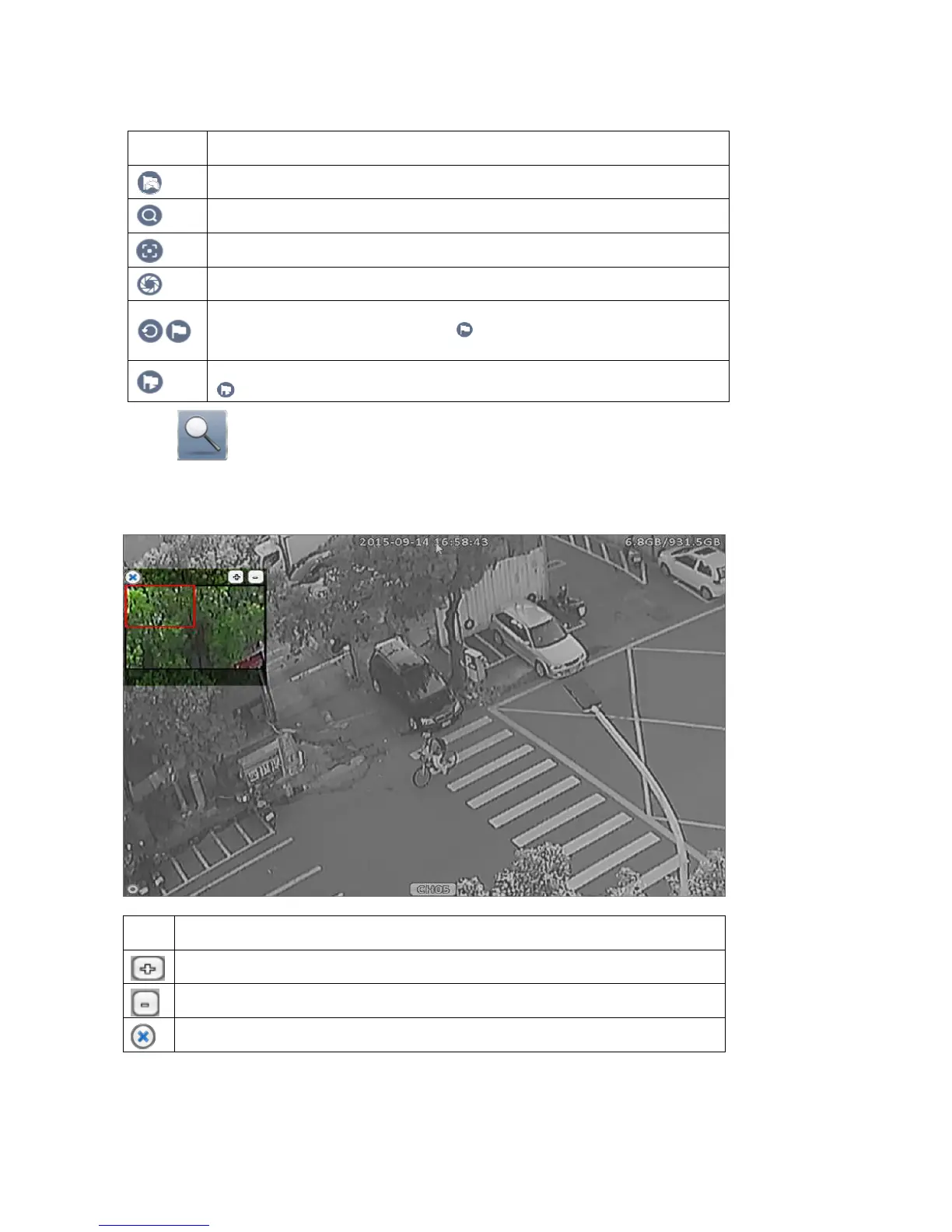
2-7 Zoom
In the digital zoom mode, user can move the zoom area by dragging the red rectangle.
Digital zoom operation show as below:
Icon Description
Zoom-in the area specified by the red rectangle.
Zoom-out the area specified by the red rectangle.
Exit digital zoom mode.



 To Next Page