8-6 CHAPTER 8: OPERATION
ALPHA ST320 S2
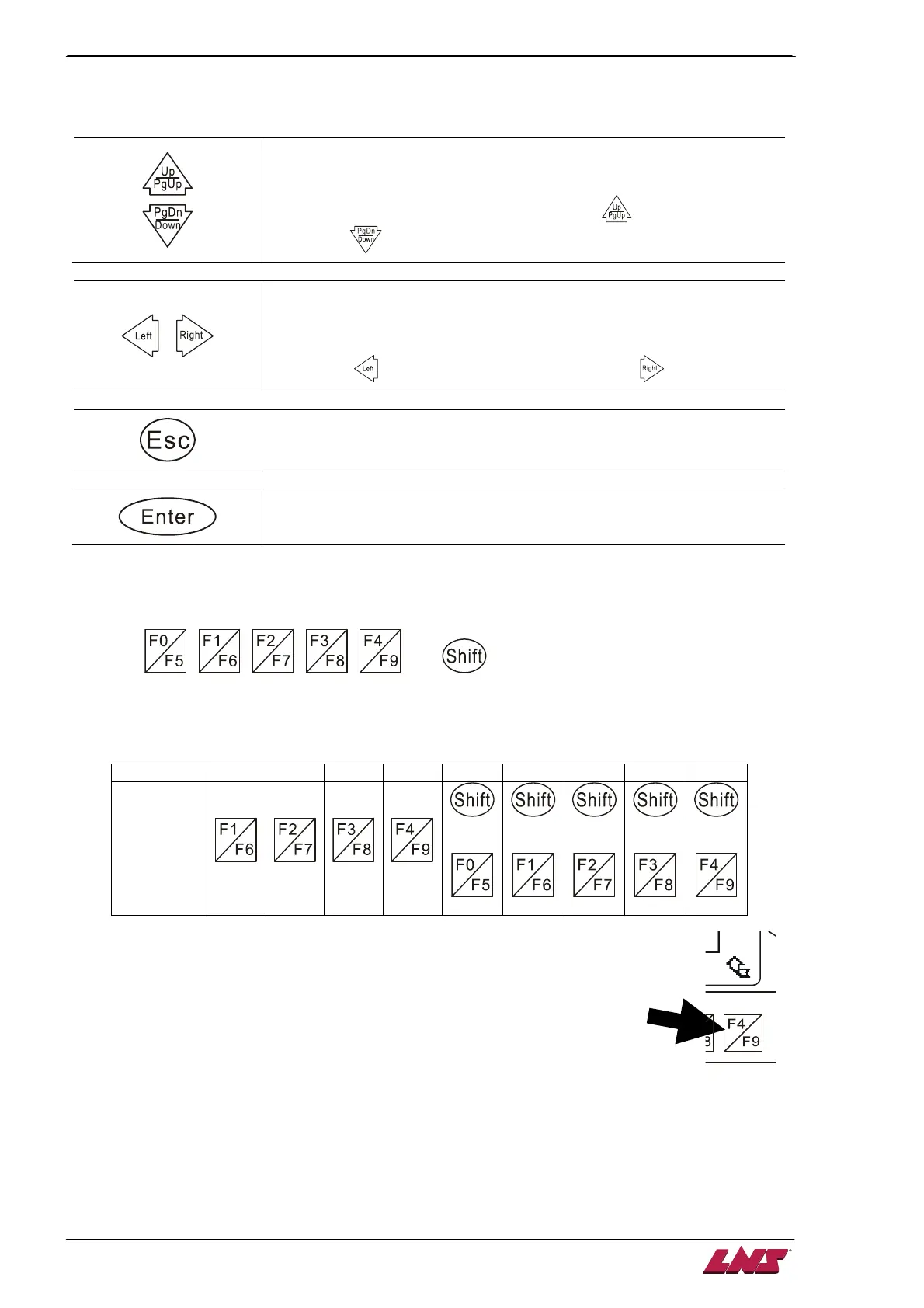
2.2. Command keys
Increase / decrease the numerical value of a specific digit.
Example :
If one digit is “4”, increase it to “5” by pressing or decrease it to “3”
by pressing .
Move the blinking cursor to the left / right.
Example :
If the cursor is current staying at ”4” of number “345”, move it to digit “3”
by pressing or move the cursor to “5” by pressing .
By pressing this key to exit from a parameter setup page without
changing the setting.
Use this key to validate a new parameter setting.
2.3. Numerical key pad
Shown as , , , , and . They serve to enter numbers or execute
functions attributed to them.
1. When editing parameter values, the key pad can be used as alternative to the previously described
Up/Down keys. Numbers are entered according to the following table:
Number
1 2 3 4 5 6 7 8 9
Key
Combination
+
+
+
+
+
2. On some screens, functions are assigned to the keys. The assigned function is
indicated by an icon displayed above the corresponding key. In the screen shown
below, the F4/F9 key can be used to return to the previous screen.
2.4. Status Indication Area
Alarm (red)
This LED will be ON when:
- Powering up the bar feeder. After initialization of the HMI the LED will turn OFF.
- There is a communication failure between the PLC and the HMI.
RS-485 (green)
The RS-485 LED indicates communication activity between the PLC and HMI. The RS-232 interface is
not used and the LED remains OFF.













 To Next Page