CHAPTER 8: OPERATION 8-5
ALPHA ST320 S2
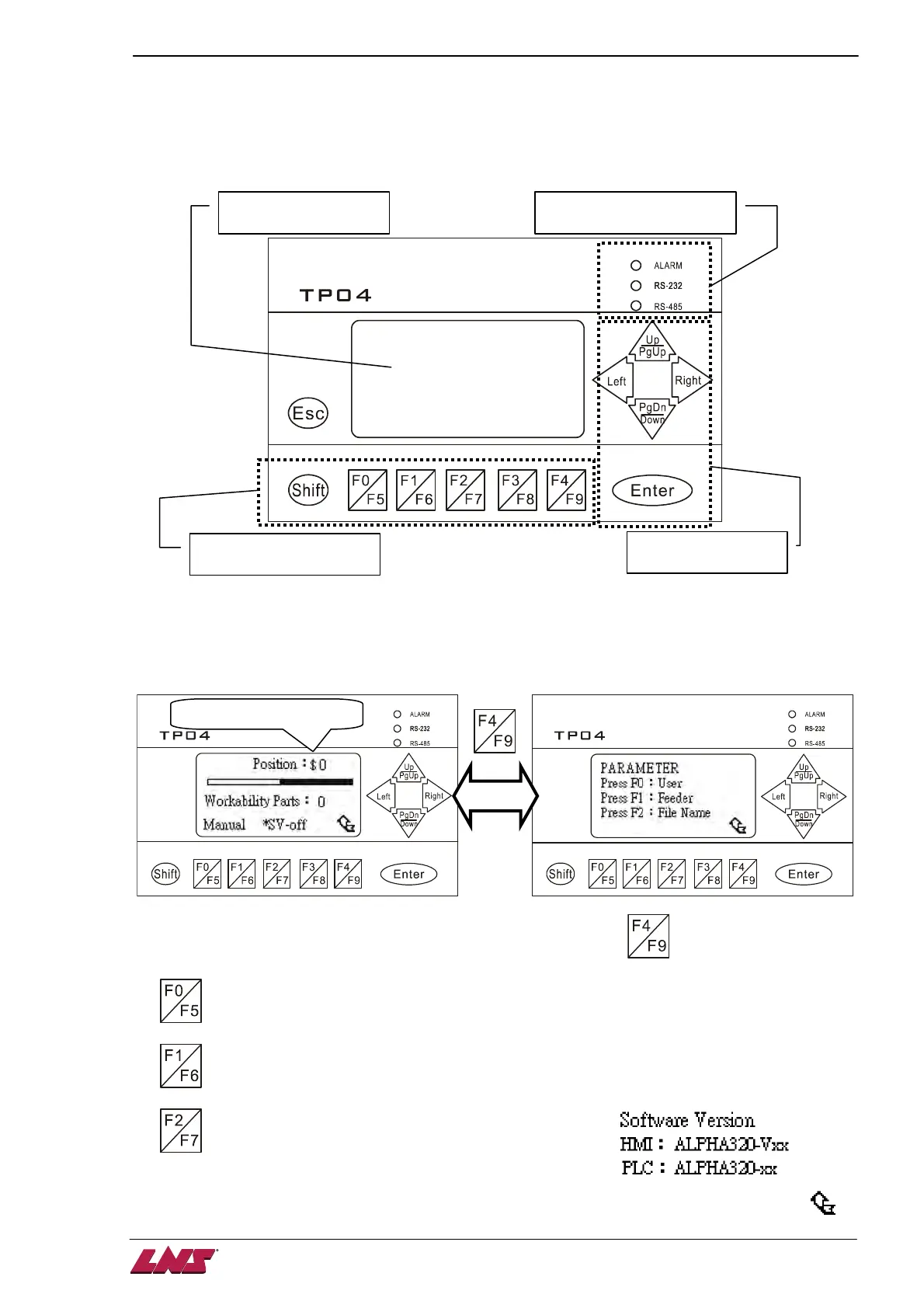
2. ONBOARD HMI (human-machine interface)
The interface allows the user to read messages and set parameters.
2.1. Text display area
T
he display provides parameters, status information and error messages:
After powering up the screen shown left above is displayed. Press key to switch to the Parameter
screen as shown on the right. In the Parameter screen 3 selections are available:
1. : To access the OPERATION PARAMETER screen. Refer to Chapter 8.5.
2. : To access the SERVICE PARAMETER screen. Refer to Chapter 8.6.
3.
: To display the software version. Both HMI and PLC has
their own software as shown. This information is sometimes
necessary when you contact us for technical support.
Text display area
Status indication area












 To Next Page