Quick Guide YM Zenit
+
10
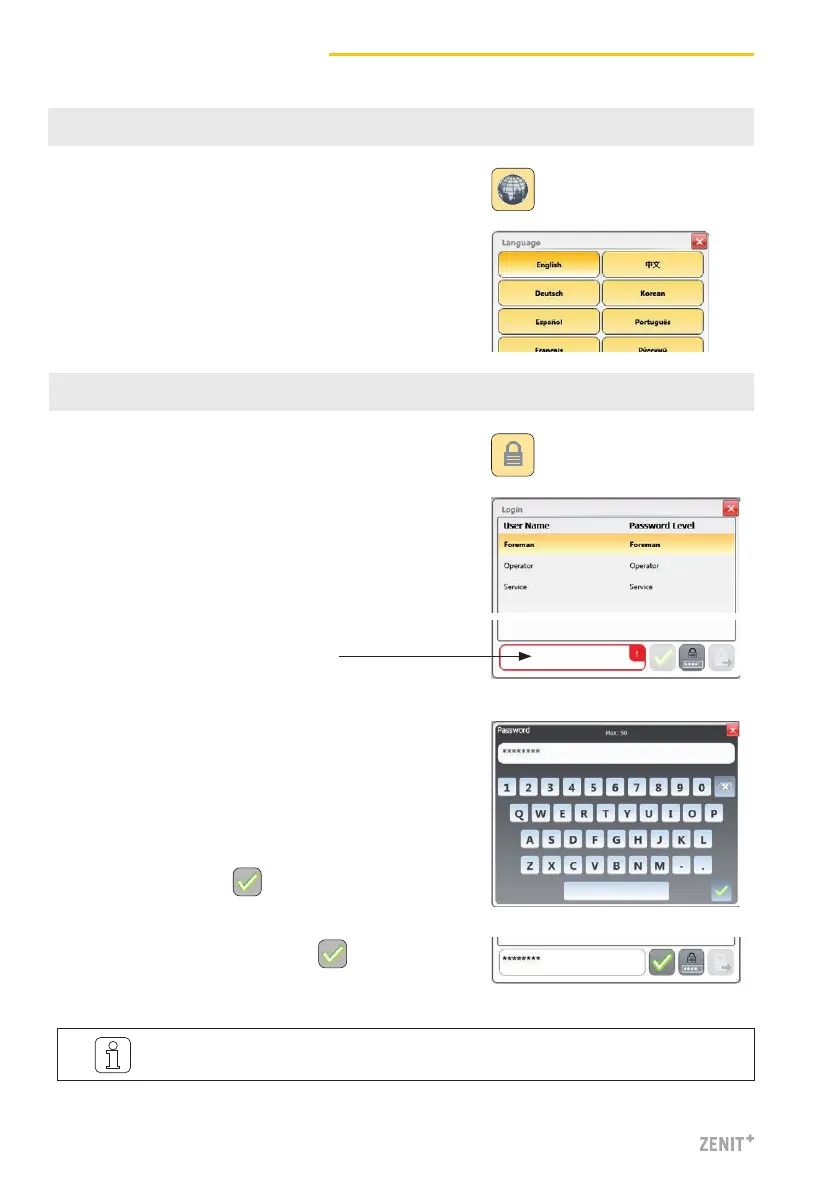
7 Language Selection
1. Tap Language button.
8 Login / Access Level
1. Tap Login button.
3. Tap password input field.
5. Confirm entry with .
2. Select user.
4. Enter password
» Foreman password = 12911291
» Operater password = 47114711
2. Select desired operator language.
6. Confirm password / Login with .
The Foreman password is required for most of the actions described below!



 To Next Page