Quick Guide YM Zenit
+
8
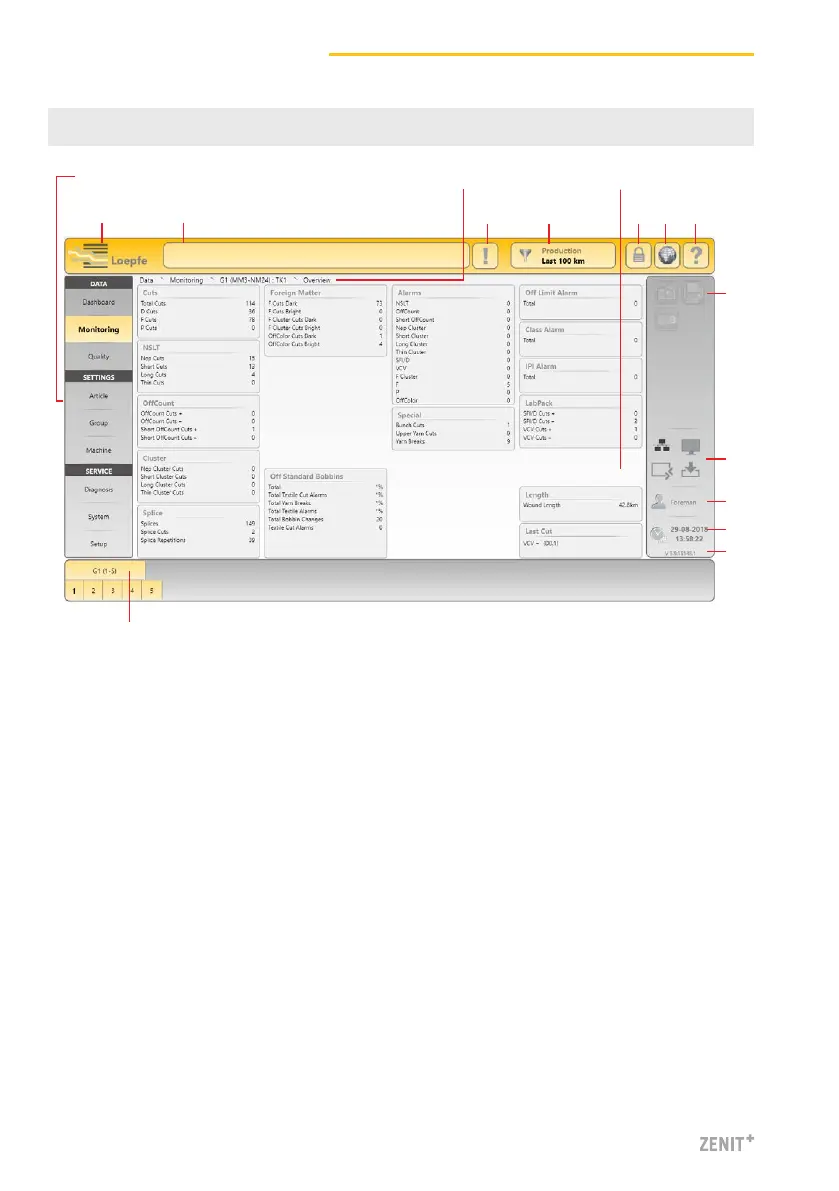
5 User Interface / Navigation
1 Main navigation
2 Menu contents (list, overview, details)
3 Navigation path
4 Selection bar for group / spindle or article
5 Message window
6 Messages requiring intervention
7 Data selection filter (Dashboard, Monitoring and Quality menus)
8 Login / access level
9 Language selection
10 Online help
11 Action buttons / function buttons
12 Connection status (Ethernet / MillMaster TOP / Remote / Data Exist)
13 Active user level / logged on user
14 Date / time
15 Software version
16 Switch-over Loepfe / Savio GUI (only LZE-V Faceless)
516 6
3
7 8 9 10
1
4
2
11
12
13
14
15



 To Next Page